
Table of Contents
Nano banana retouching now delivers a seamless solution for turning 2D flat designs into lifelike 3D assets—critical for e-commerce product visuals.For e-commerce designers (especially those creating merchandise like toy or mascot assets), transforming 2D flat graphics into 3D models traditionally demands specialized 3D software skills, time-consuming rendering, and costly design tools. This bottleneck slows down product launch timelines and limits creative iteration for brands.
Luckily, the nano banana feature built into the PSAide plugin eliminates these pain points, letting designers convert 2D to 3D in minutes without advanced technical expertise.
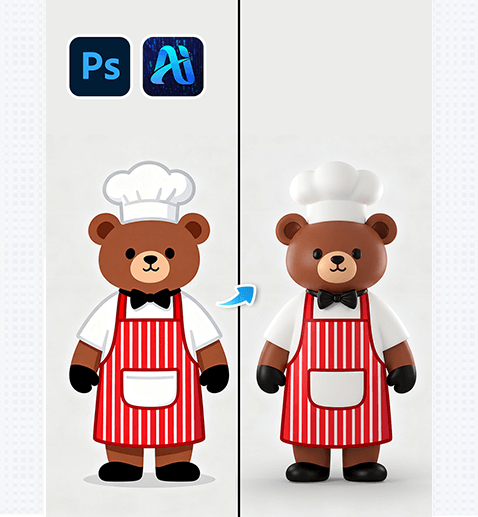
1.Pro Photoshop Tips for Prepping 2D Assets for 3D Conversion
Before using nano banana in PSAide, optimize your 2D file in Photoshop to get the sharpest 3D results:
(1) Isolate the Subject:
Use the Object Selection Tool to mask your 2D graphic (e.g., the chef bear) from its background—this prevents Nano Banana from rendering unwanted elements.
(2)Lock Color Profiles:
Go to Edit > Convert to Profile and select sRGB; this ensures your 3D asset matches the brand colors of your original 2D design.
(3)Boost Resolution:
Upscale your 2D file to 2000x2000px (via Image > Image Size)—higher resolution preserves fine details (like apron stripes) in the 3D output.
2. Key Advantages of Nano Banana for 2D-to-3D E-commerce Assets
① Slashes Time & Skill Barriers:
Traditional 3D conversion takes hours (or days) and requires mastery of tools like Blender or Cinema 4D. With nano banana, the 2D-to-3D process takes 60 seconds or less—no 3D design experience needed. This cuts production time for product visuals by 90%.
② Preserves Brand Details (with 3D Realism):
Nano banana retains the exact colors, logos, and styling of your 2D design (e.g., the bear’s red striped apron) while adding natural 3D depth: curved surfaces, soft shadows, and a “tangible” look that resonates with online shoppers (who prioritize realistic product visuals).
3. PSAide + Nano Banana: 3-Step 2D-to-3D Workflow
① Import Your 2D Graphic:
Open your flat 2D design (e.g., the chef bear) in Photoshop
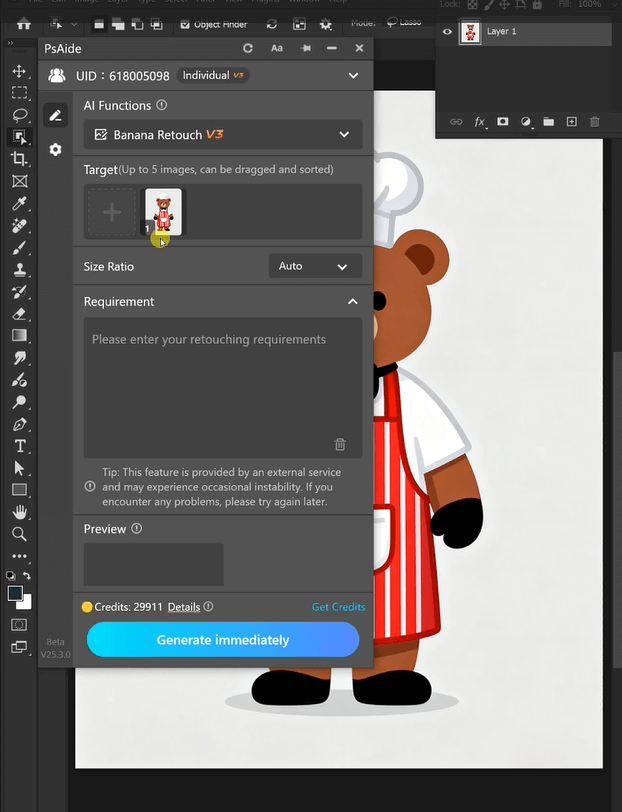
② Select ” Banana retouching”:
Use the plugin’s selection tool to highlight your 2D asset, then choose the “Nano Banana 3D Conversion” feature.
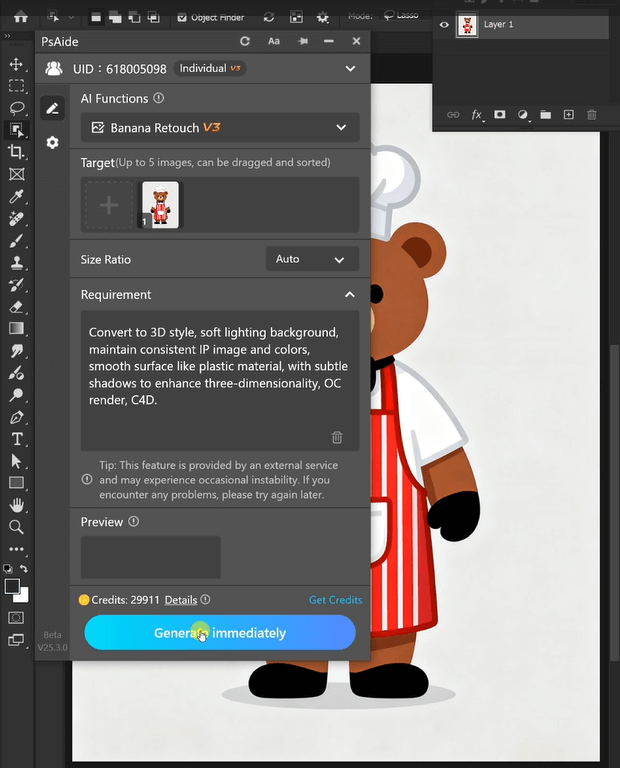
③ Generate & Refine:
Click “Generate” – in 60 seconds, you’ll get a high-res 3D render (like the right-side bear). Adjust minor details (e.g., lighting angle) directly in Photoshop to match your e-commerce listing’s style.
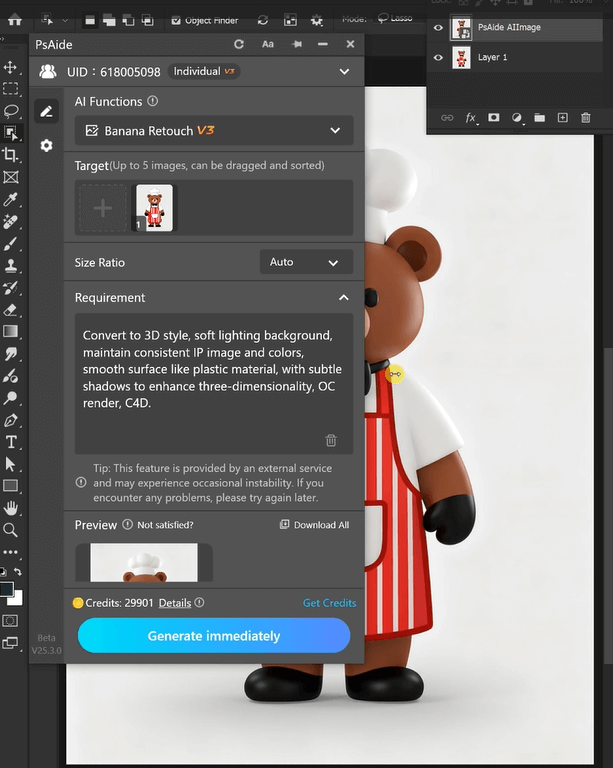
For e-commerce designers, nano banana turns 2D graphics into market-ready 3D product visuals without the hassle of traditional 3D tools. Whether you’re creating mascot merchandise, toy listings, or brand assets, this workflow lets you iterate faster and create more engaging visuals—all within Photoshop.
Download Link: https://psaide.com/?sfrom=ZfhxUK
Invitation Code: ZfhxUK

