
Table of Contents
For fashion e-commerce designers, showcasing models in various wool coat styles is key to driving sales. Traditional wool coat replacement is tedious: reshoots demand model coordination, studio setups, and high costs, while basic editing often leads to unnatural textures or mismatched lighting—slowing workflows and limiting trend adaptability.
Thankfully, Nano Banana retouching technology, integrated with the PSAide Plugin, offers a precise, fast solution for wool coat replacement in model photos, centering “nano banana” for efficient creative processes.

1.PS Tutorial Quick Tip
Use the Quick Selection Tool + Refine Edge Brush to isolate the wool coat. Zoom to 100-150%, set Refine Edge radius to 2-3px to capture fine fibers, and duplicate the original layer (Ctrl+J) to preserve the source image.
2.Key Advantages of Nano Banana’s Wool Coat Replacement Function
① Cuts Costs and Saves Time
No reshoots required! Nano Banana eliminates model, studio, and styling expenses, reducing a 3-5 day process to just 3 minutes—speeding up iterations and meeting tight deadlines.
② Superior Detail Accuracy
Nano Banana’s algorithm masters wool fabrics (chunky knit, cashmere, tweed) by capturing fiber thickness and weave patterns. It aligns with the model’s shape and lighting for a natural fit, avoiding stiff draping or disproportions.
③ Seamless Lighting Harmony
The tool automatically matches the new coat’s light and shadow to the original image’s environment, ensuring a cohesive look without extra edits.
3、PSAide + Nano Banana: 3-Step Workflow for Beginners
① Import the image into Photoshop
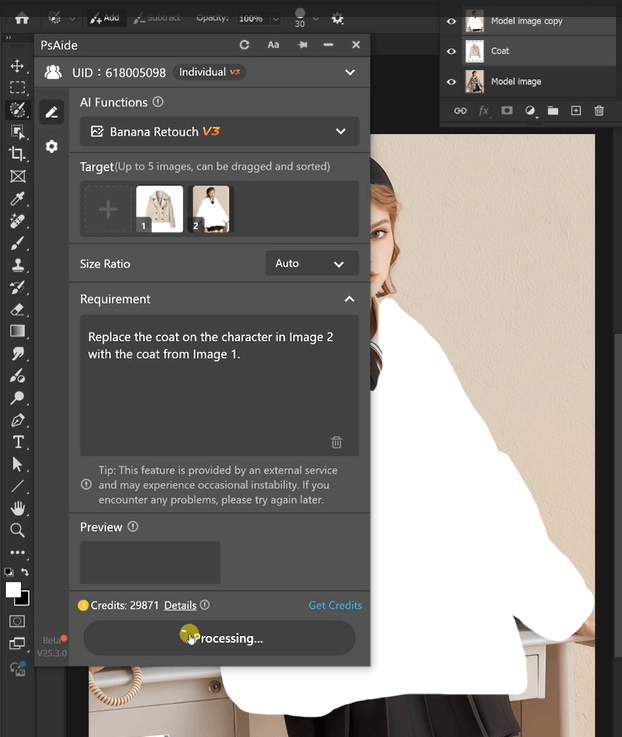
② Input Precise Prompts
In the PSAide panel, enter details to guide Nano Banana.
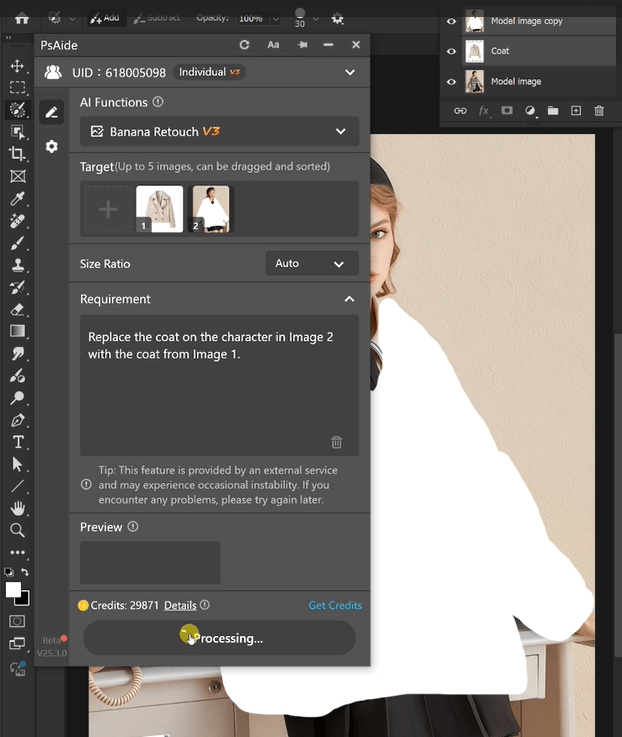
③ Generate and Finalize
Click “Generate,” and refine the prompt if needed for perfect results.
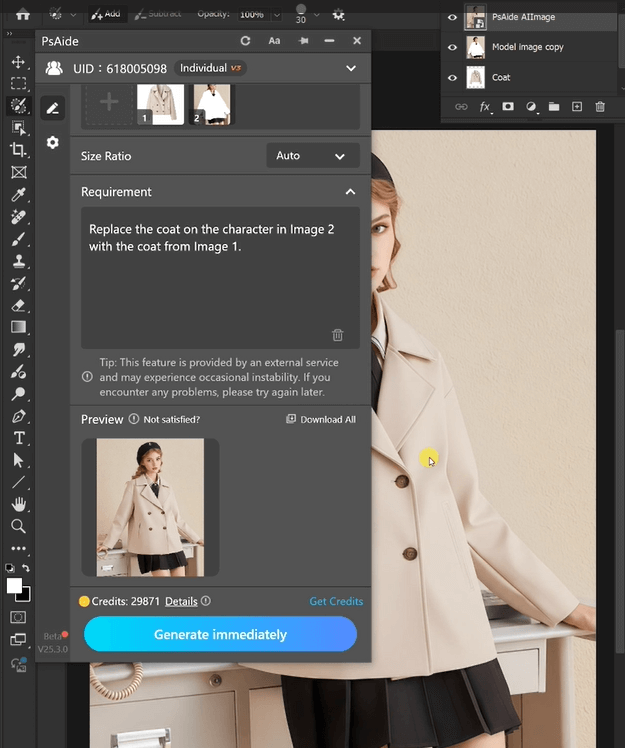
With PSAide’s built-in Nano Banana retouching, designers skip tedious, costly wool coat replacement. Leverage “nano banana”’s speed and precision to create stunning model imagery and boost brand competitiveness.
4.Plugin Download Information
Nano Banana + PSAide solves traditional wool coat replacement pain points (high costs, inefficiency). No professional skills needed—achieve studio-quality results in 3 steps with perfect textures, natural fits, and seamless lighting.

Download Link: https://psaide.com/?sfrom=ZfhxUK
Invitation Code: ZfhxUK

