
Table of Contents
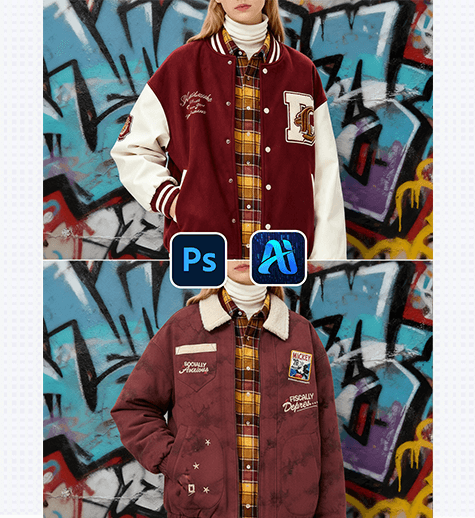
1. PS Tutorial Quick Tip
Zoom in to 100-150%, set the Refine Edge radius to 2-3px to capture fine details like zippers, buttons, cuffs, or fabric textures, and duplicate the original layer (Ctrl+J) to protect the source image—ensuring Nano Banana focuses solely on the jacket area without altering other elements.
2. Key Advantages of Nano Banana’s Jacket Replacement Function
① Cuts Costs and Saves Time No more expensive reshoots! Nano Banana eliminates expenses for model bookings, studio rentals, and jacket styling, reducing a 3-5 day process to just 3-4 minutes—speeding up design iterations and helping meet tight fashion marketing deadlines.
② Superior Detail AccuracyNano Banana’s advanced algorithm excels at capturing the unique traits of various jacket materials . It precisely reproduces intricate details and aligns the new jacket with the model’s body posture and movement for a natural fit, avoiding awkward proportions or stiff appearances.
3. PSAide + Nano Banana: 3-Step Workflow for Beginners
① Import the ImageImport your model’s image into Photoshop.
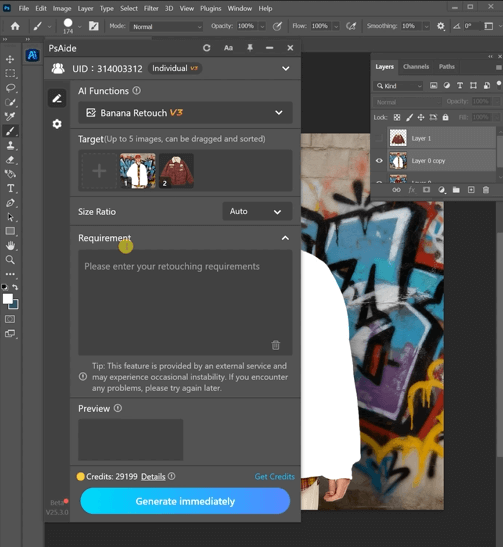
② Input Precise PromptsIn the PSAide Plugin panel, enter detailed prompts to guide Nano Banana.
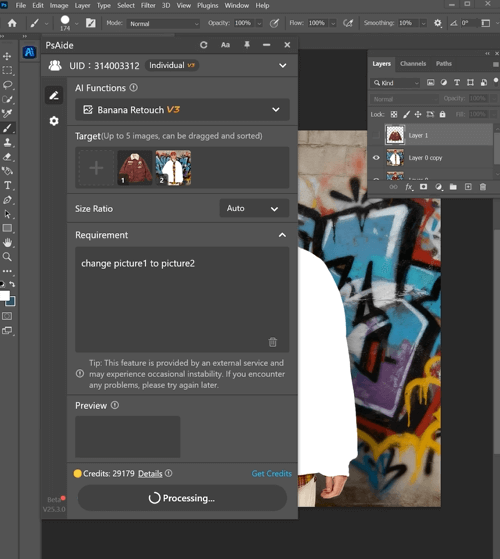
③ Generate and RefineClick “Generate immediately” in the PSAide Plugin. Nano Banana will process the request and generate the retouched image with the new jacket. Preview the result
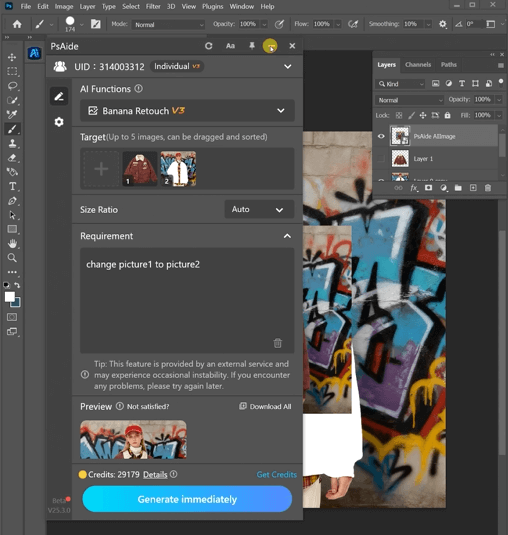
4. Plugin Download Information
Nano Banana + PSAide addresses the core pain points of traditional jacket replacement: high costs, inefficiency, and unnatural results. No professional design skills are required—achieve studio-quality jacket replacements in 3 simple steps, with perfect textures, natural fits, and seamless lighting.

Download Link: https://psaide.com/?sfrom=ZfhxUK
Invitation Code: ZfhxUK

