Table of Contents
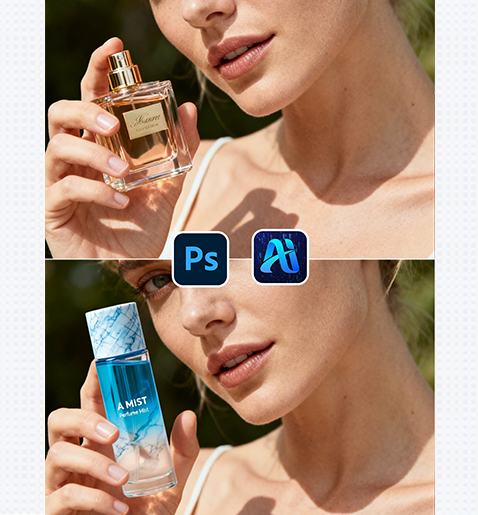
Nano Banana streamlines beauty marketing workflows by letting you swap the product a model holds—ensuring perfect alignment, lighting, and realism without re-shooting. Here’s how to achieve polished results:
1. Pro Tip for Natural Product Placement
Before editing: Prepare your target beauty product as a high-resolution image with a transparent background. This helps Nano Banana match the product’s shape and texture to the model’s hand posture more accurately.
2. Key Benefits of Nano Banana for Beauty Product Swaps
① Matches Hand & Lighting Context: Unlike manual pasting , Nano Banana analyzes the model’s hand position and the scene’s lighting to adjust the new product—making it look like the model is genuinely holding it.
② Cuts Production Costs: Re-shooting a beauty campaign with 2+ products used to require hours of styling and set adjustments. With Nano Banana, you can swap products in 2-3 minutes, ideal for fast marketing mockups.
3. 3-Step Workflow: Nano Banana + Photoshop
① Import Assets: Open your original image and your target product image in Photoshop.
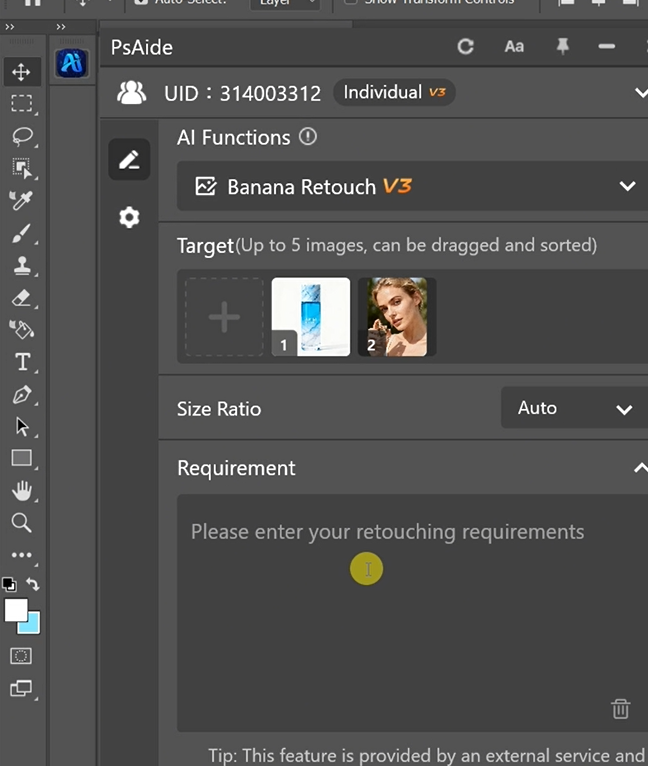
② Define the Swap: In the plugin panel, upload both images . Enter a prompt:
Replace the perfume bottle in Figure 2with the bottle from Figure 1.
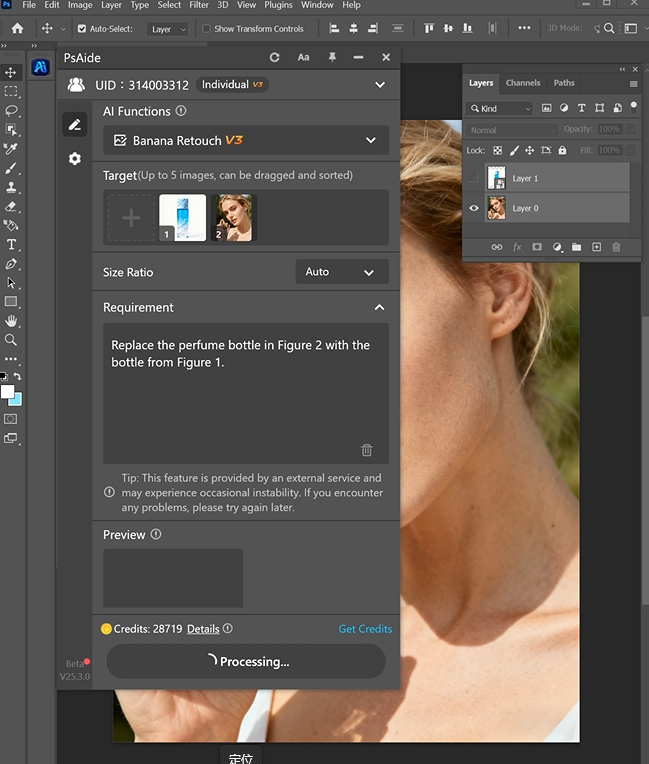
③ Generate & Finalize: Click “Generate Immediately” in Nano Banana.
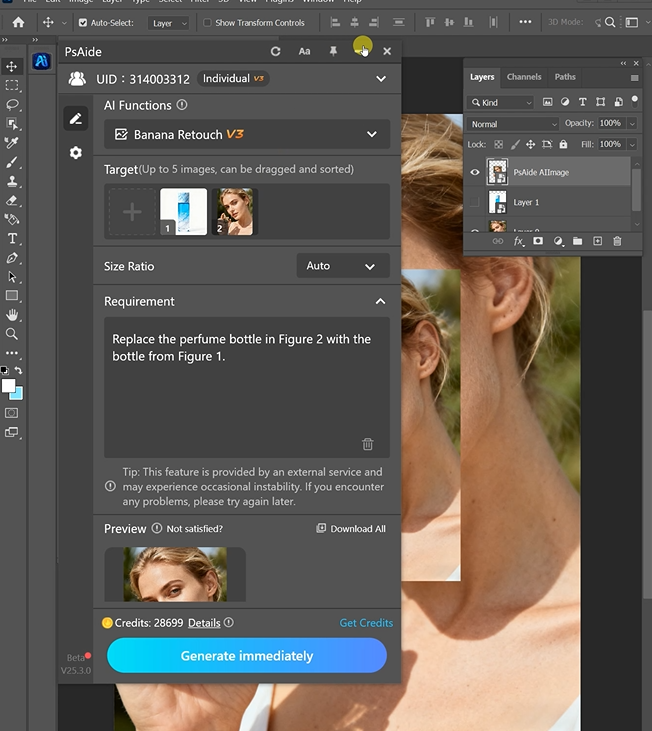
4. Tool Access & Download
Nano Banana is a must-have for beauty brands, marketers, and content creators needing quick, high-quality product swap mockups.

Download Link: https://psaide.com/?sfrom=ZfhxUK
Invitation Code: ZfhxUK