
Table of Contents
1. The 3D Badge Creation Challenge & AI Solutions
1. The Photo-to-Illustration Challenge & Simple Solutions
Q: Can AI really convert portrait photos into clean flat illustrations without losing personality?
A: Yes, completely. Traditional methods for creating flat illustrations from photos involve manual tracing with the Pen Tool, color simplification, and stylistic adjustments that can take hours. The challenge is maintaining facial likeness while achieving the clean, graphic quality of true flat illustration.
Q: What makes flat illustration different from other artistic styles?
A: Flat illustration is characterized by minimal shadows, solid color fills, clean outlines, and simplified forms—it’s intentionally two-dimensional. Nano Banana Pro is specifically trained to understand this aesthetic, removing photographic depth while preserving essential features and character.
2. What You’ll Need
- Adobe Photoshop with PsAide plugin installed
- Click to get
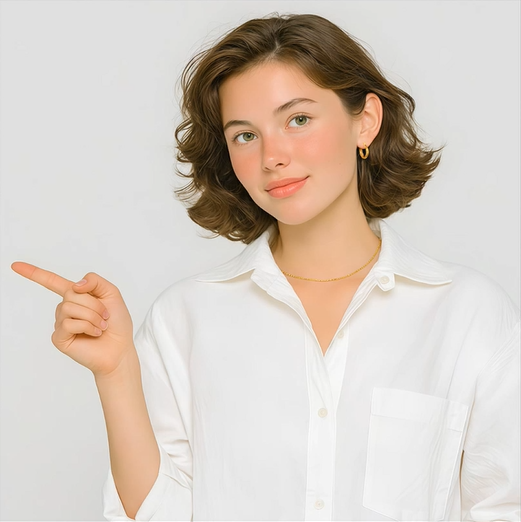
- Clear portrait photo (good lighting works best)
- Digital artwork or illustration purpose in mind
- 2-3 minutes total processing time
3. The Flat Illustration Transformation Process
Step 1: Select Your Source Photo
Open your portrait photo in Photoshop. Choose images with clear facial features and good contrast. The AI works particularly well with portraits where the subject is well-lit and facing forward or at a slight angle. No background removal or pre-editing is necessary.
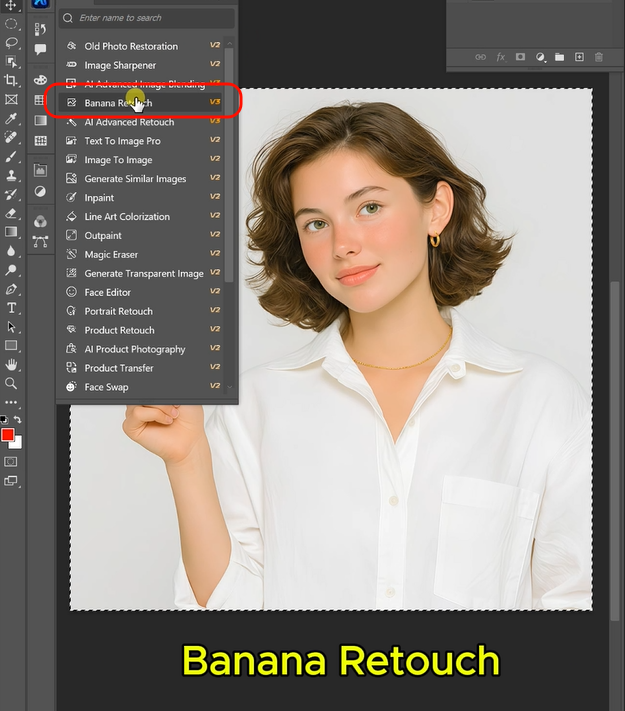
Step 2: Configure and Command
Launch Nano Banana and ensure you’re using the latest version. Set the output ratio to 1:1 for perfect square formatting. Upload your single image to the interface. In the prompt box, enter this specific command:
“Convert to flat illustration style with clean outlines, solid colors, and simplified details.”
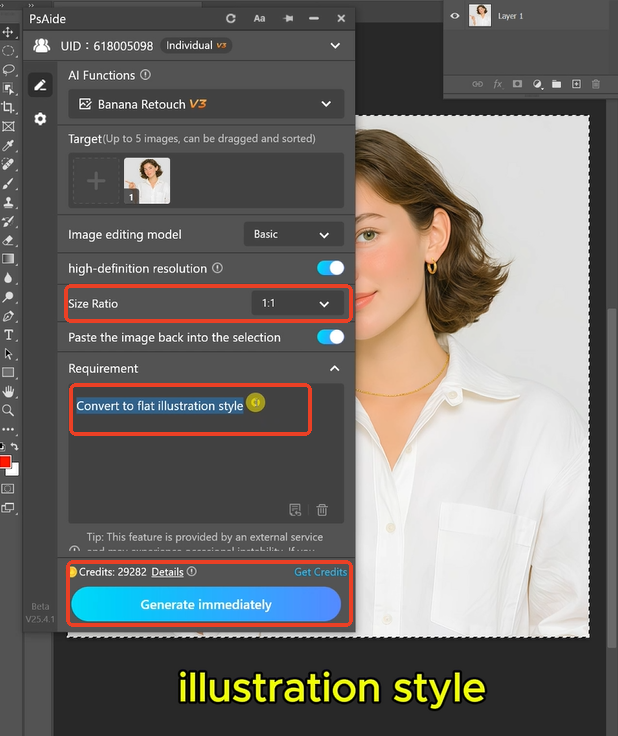
Step 3: Generate Artistic Results
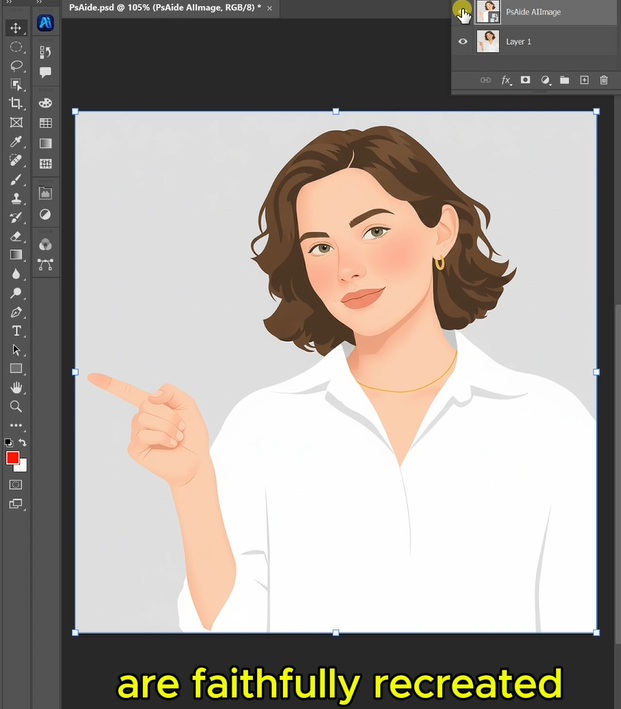
Click “Generate” and wait 30-45 seconds. The AI analyzes your photo, identifies key facial features and forms, simplifies complex details into graphic elements, applies solid color fills with appropriate palette choices, creates clean consistent outlines, and arranges everything into a balanced 1:1 composition. The result is a professional flat illustration that maintains likeness while achieving true graphic style.
4. Practical Applications & Creative Tips
This technique is ideal for:
- Personal Branding: Create unique illustrated avatars for social media
- Character Design: Develop character concepts from reference photos
- Marketing Materials: Produce consistent illustrated portraits for teams
- Gifts & Merchandise: Turn personal photos into custom artwork
- Digital Content: Generate illustrations for blogs, presentations, or websites
Pro Tips: For best results with portrait illustrations, choose photos with even lighting and clear facial expressions. The AI excels at simplifying features while maintaining recognizable characteristics. If you want specific stylistic elements, enhance your prompt with details like “minimalist flat illustration” or “bold graphic style with limited color palette.” Experiment with different photos to see how the AI interprets various facial features and expressions into the flat illustration aesthetic. Ent aesthetic variations.
Download link
https://psaide.com/?sfrom=A86R4u
Invitation Code: A86R4u

