
Table of Contents
Low image quality is a common challenge in design, e-commerce, and content creation. Old photos, compressed images, and low-resolution assets often require enhancement before use.
When users search for nano banana pro, the main question is:
Can HD image restoration be done directly inside Photoshop with one click?
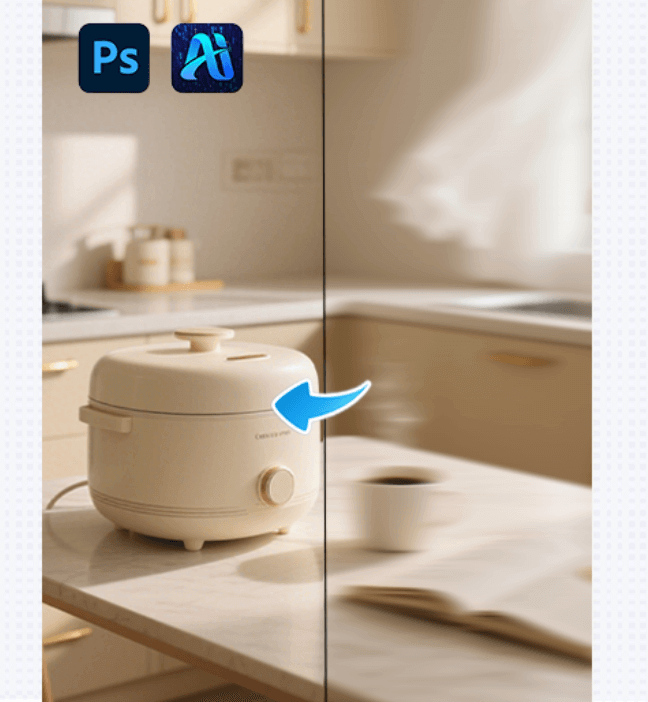
To meet this need, the psaide plugin integrates Nano Banana Pro into Photoshop under the feature name banana retouch, enabling seamless HD restoration without leaving PS.
1.What Is Nano Banana Pro?
Nano Banana Pro is a technology designed for HD image restoration and detail enhancement. It is commonly used for:
①Enhancing low-resolution images
②Improving blurry images
③Restoring old or compressed photos
By integrating Nano Banana Pro into the psaide plugin, HD restoration becomes part of the Photoshop workflow.
2.banana retouch: Using Nano Banana Pro Inside Photoshop
In the psaide plugin, banana retouch is the feature powered by Nano Banana Pro. Its key advantages include:
①Works directly inside Photoshop
②No file export or tool switching
③Simple and repeatable workflow
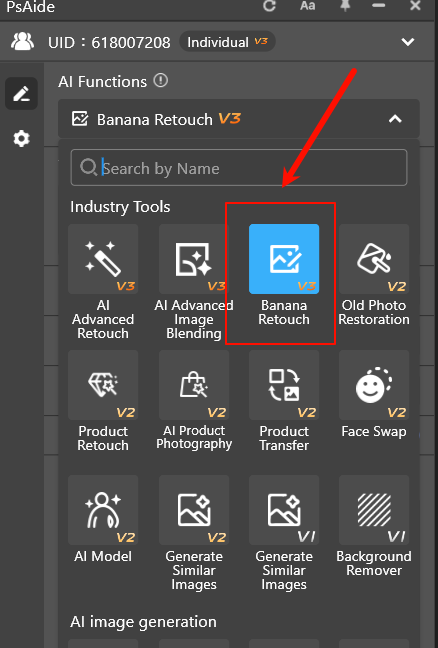
This turns HD image restoration into a one-click process within PS.
3.How to Restore Images in HD with Nano Banana Pro (3 Steps)
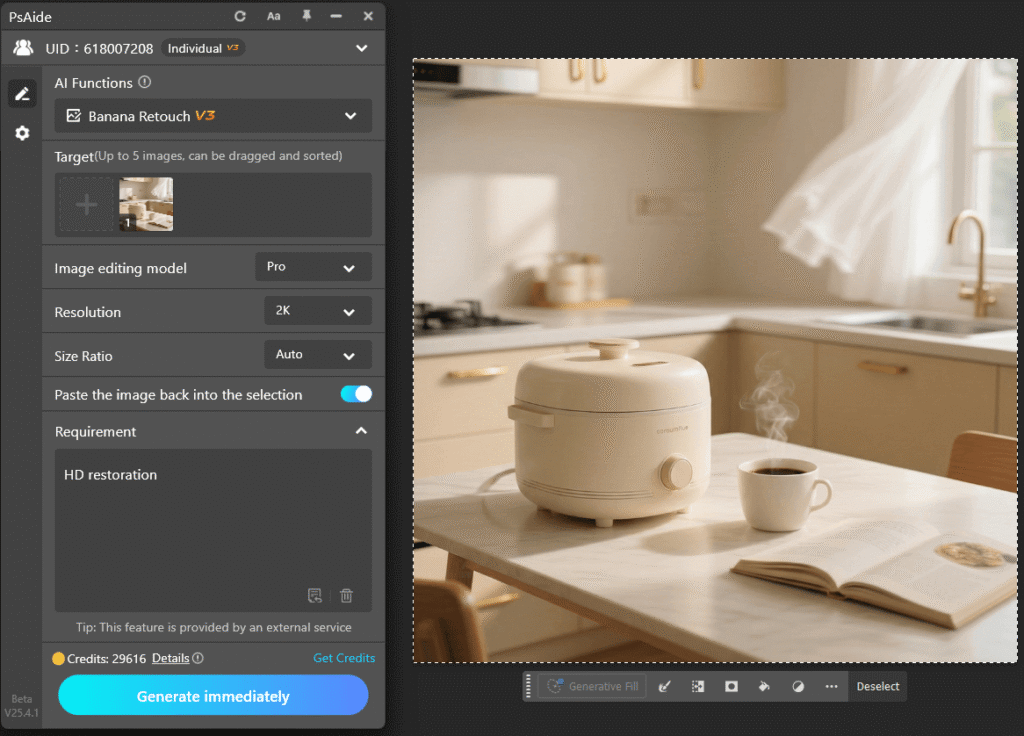
(1)Open the psaide Plugin
Launch the psaide plugin in Photoshop and access the feature panel.
(2)Import the Image into the Plugin
Two input methods are supported:
①Canvas Selection Mode for restoring specific areas
②Layer Input Mode for restoring the selected layer
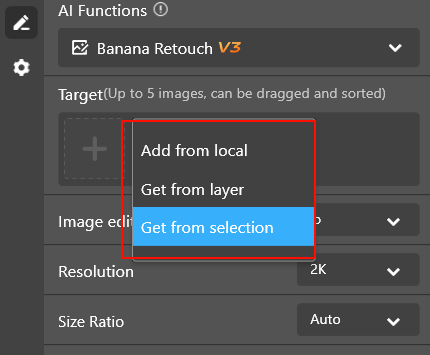
This allows both full-image and partial restoration.
(3)Enter the Prompt and Generate
Enter the following prompt:
HD restoration
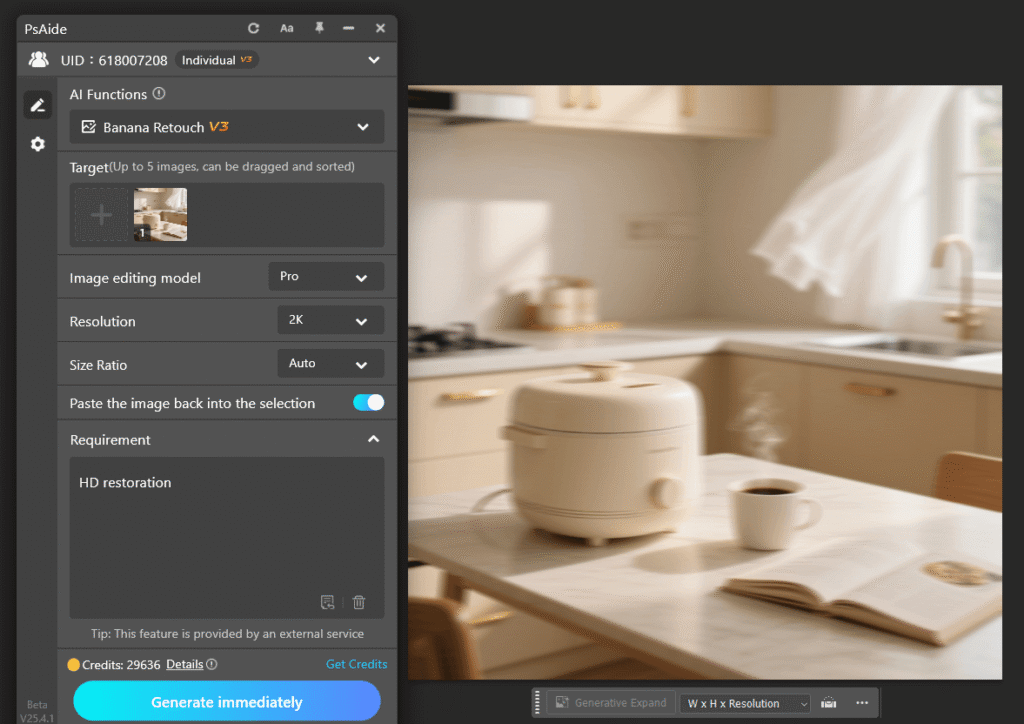
Then click “Generate Immediately”. banana retouch will invoke Nano Banana Pro to generate an HD-restored image.
4.Who Is Nano Banana Pro Best For?
①Restoring old or historical photos
②Enhancing blurry product images
③Improving compressed or web images
④Increasing clarity of design assets
If you frequently search for nano banana pro hd restoration, Photoshop image enhancement, or restore blurry images, this workflow offers a practical solution.
5.Nano Banana Pro vs Traditional Image Enhancement
Traditional methods often rely on sharpening filters and manual adjustments. In contrast, Nano Banana Pro with banana retouch offers:
①Fewer steps
②No complex settings
③Consistent results inside Photoshop
It is better suited for everyday HD restoration tasks.
6.Conclusion
With the psaide plugin, Nano Banana Pro is integrated into Photoshop as the banana retouch feature, making HD image restoration fast and accessible.
By opening the plugin, importing an image, entering HD restoration, and clicking Generate Immediately, you can complete HD restoration entirely within Photoshop.

For users seeking an efficient HD restoration workflow, Nano Banana Pro provides a streamlined and practical solution.
Download Link: https://psaide.com/?sfrom=ZfhxUK
Invitation Code: ZfhxUK

