
Table of Contents
As AI photo restoration tools become more popular, Photoshop users often face a dilemma:
many AI tools deliver fast results, but at the cost of control, flexibility, and professional workflow integration.
This raises an important question:
Why is Nano Banana especially well suited for Photoshop users?
This article explains how Nano Banana fits naturally into Photoshop-based workflows, why it offers better control than standalone AI tools, and how it performs in a real old photo restoration case.
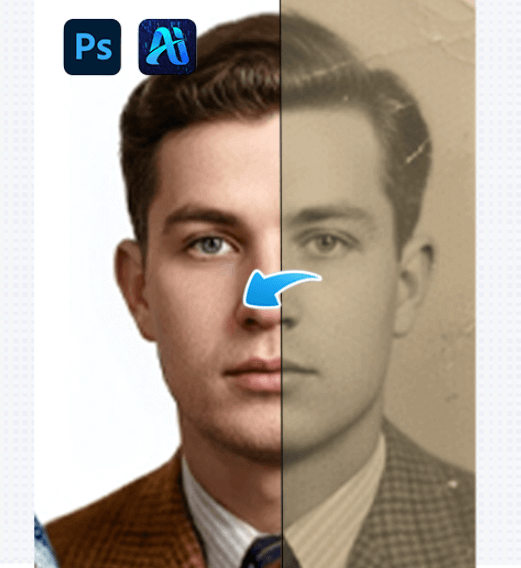
1、Photoshop Users Need Control, Not Just Automation
Photoshop users typically value precision over speed alone.
(1)Professional Editing Requires Reversible Decisions
In professional restoration work, every change should be adjustable.
Flattened outputs from standalone AI tools often limit further refinement.
Photoshop users do not need AI to replace their judgment—they need AI to support it.
Nano Banana is designed with this mindset, treating AI restoration as a starting point rather than a final output.
2、Old Photo Restoration Case: A Photoshop-Centric Workflow
The following case demonstrates why Nano Banana aligns well with professional Photoshop usage.
(1)Case Background
The photo is a scanned portrait from decades ago with soft focus and blurred facial details.
The image still retains its original tonal structure, but traditional sharpening introduces noise, while external AI tools risk altering facial characteristics.
(2)Restoration Process Using Nano Banana
① Upload the Image to the Plugin
The old photo is opened directly in Photoshop.
Using PsAide, Nano Banana Retouch is launched, and the image is uploaded into the plugin interface without leaving Photoshop.
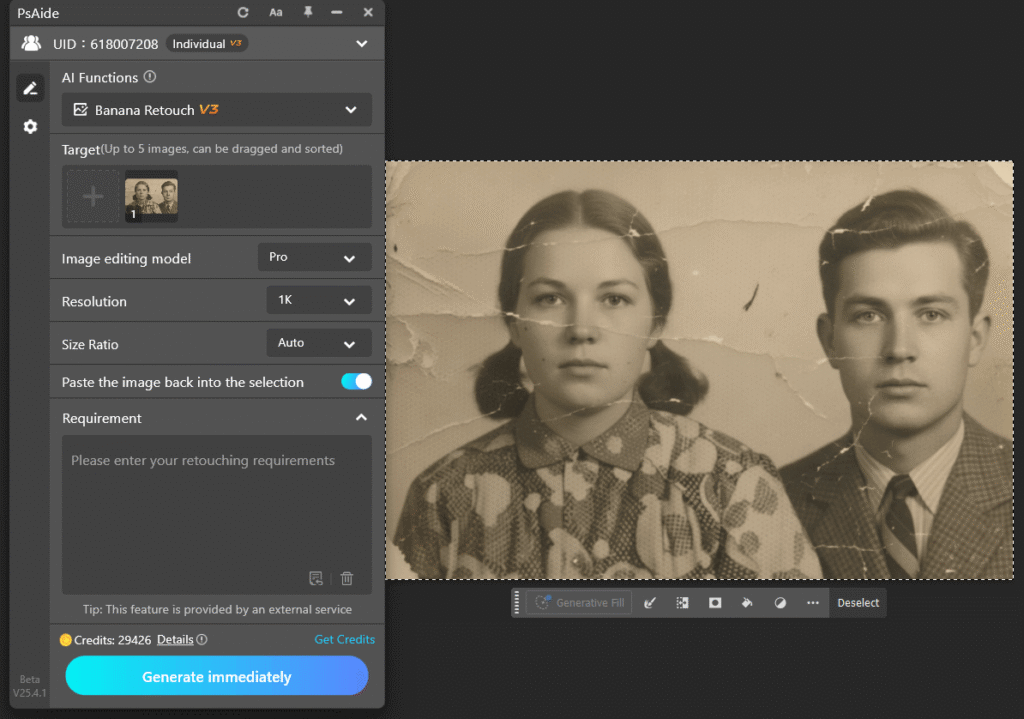
② Enter a Controlled Restoration Prompt
The prompt focuses on restoring clarity while preserving the original facial structure and avoiding exaggerated details.
Restore this old photo and add color, removing all scratches, blemishes, fading, mold spots, and reflections. Recover clear facial features and more details. No over-sharpening; the image should be clean and natural. Change the background to white without altering the person’s details, resulting in a high-quality modern photo.
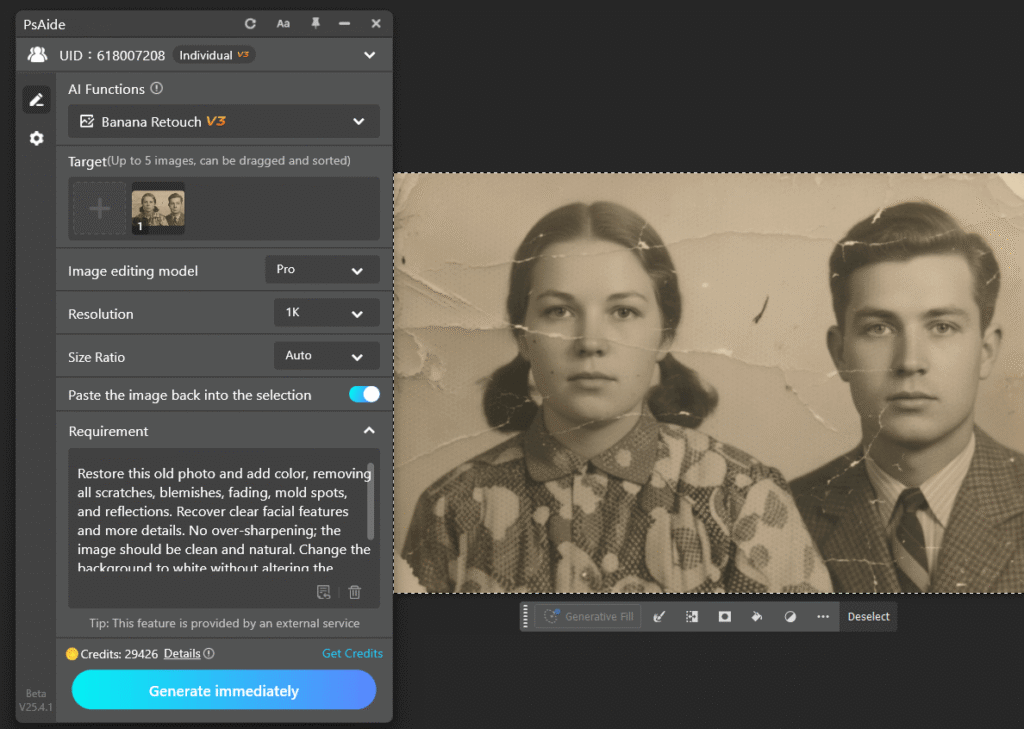
③ Generate and Refine in Photoshop
After generation, the restored layer is blended with the original using opacity adjustment and masking, ensuring a natural result.
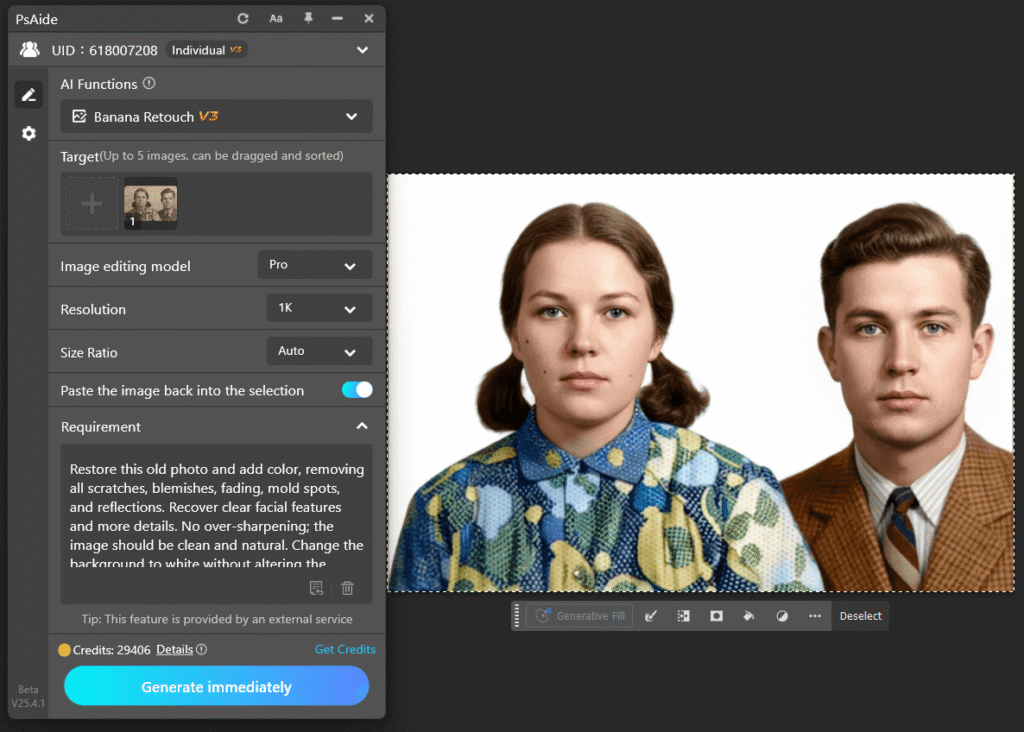
(3)Result Evaluation
The final image shows improved clarity and facial definition while maintaining the subject’s original expression and proportions.
For Photoshop users, the real value of AI restoration lies in what can be refined afterward.
3、Conclusion: Why Nano Banana Makes Sense for Photoshop Users
Photoshop users expect flexibility, precision, and creative control.
Nano Banana complements these expectations by embedding AI restoration directly into the Photoshop workflow.
Nano Banana does not simplify restoration by removing options—it simplifies it by keeping control where it belongs.
For Photoshop users working on old photo restoration, Nano Banana offers a practical, professional, and scalable AI solution.

Download Link: https://psaide.com/?sfrom=ZfhxUK
Invitation Code: ZfhxUK

