
Table of Contents
1.The Typography Challenge: Making Text Feel Tactile
Great design often needs type that doesn’t just speak, but feels a certain way. Imagine creating a logo for a children’s brand, a header for a cozy blog, or a social media graphic that demands attention—you want the text to look soft, friendly, and huggable. However, creating convincing “plush-style” 3D text manually in Photoshop is a tedious technical ordeal. It involves duplicating and offsetting layers for depth, manually painting complex highlights and shadows to simulate soft fabric, and painstakingly creating a fluffy texture. The result often looks rigid, digital, and lacks the organic, cuddly quality of real plush material.
This is where Nano Banana Pro in Photoshop offers a creative shortcut. It understands material properties like “fluffy” and “plush,” allowing you to bypass hours of manual shading and extrusion to generate tactile, three-dimensional typography directly from your 2D text.
2.Why “Plush-Style” is More Than Just a Drop Shadow
Standard 3D text effects in Photoshop rely on sharp bevels and hard shadows, creating a metallic or plastic look. True plush-style text is defined by:
- Soft, Rounded Edges: No hard corners; every curve is pillowy.
- Diffused, Gentle Shadows: Shadows are soft and wide, suggesting light wrapping around a fluffy material.
- Subtle, Non-Repeating Texture: A hint of fabric grain or fuzziness, not a shiny gloss.
- Organic Depth: The 3D extrusion appears soft and compressible, not like a hard block.
Manually simulating this requires advanced knowledge of digital painting and lighting. Nano Banana Pro interprets your text as a shape and applies a comprehensive material transformation, using its trained understanding of plush aesthetics to generate all these characteristics simultaneously.
3.The 3-Step AI Transformation Process
Step 1: Prepare Your Text as an Image
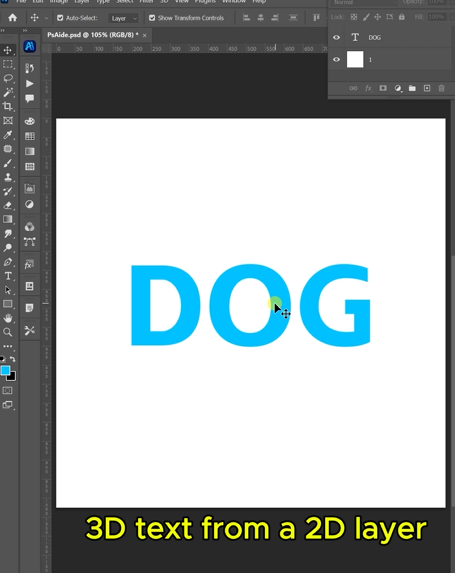
Open Photoshop and create your desired text. Use a bold, clear font for the best results. Once you’re happy with the typography, you need to convert it into a standard image layer for the AI to process. Simply save this text layer as a JPEG or PNG, then open that image file in Photoshop. You are now ready to feed the flat text graphic to the AI.
Step 2: Command the AI with Material-Specific Prompts
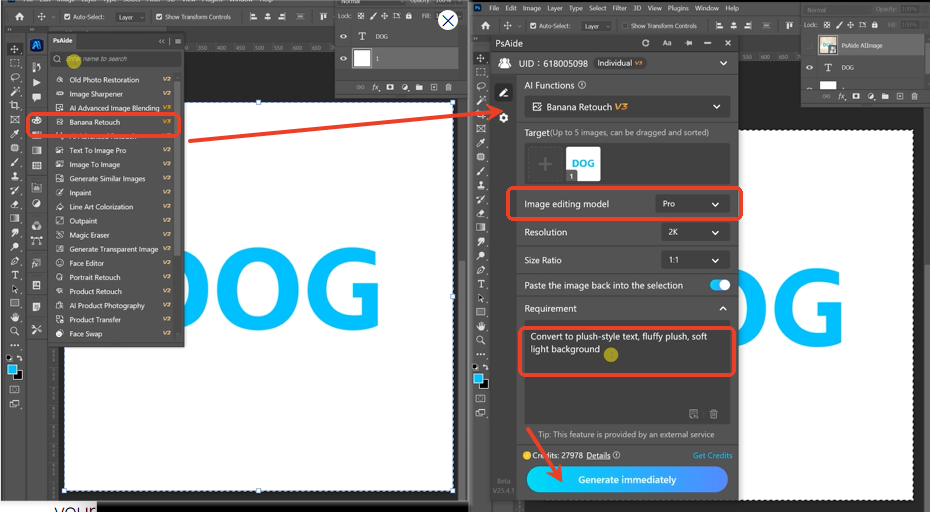
In the PsAide panel, launch Nano Banana and select the Pro version for superior material rendering. Upload your text image. In the prompt box, use a descriptive command that defines the style, material, and environment:
“Convert to plush-style text , fluffy plush,soft light background”
Step 3: Generate Your Tactile Typography
Click “Generate.” Within 30-60 seconds, the AI will reinterpret your flat graphic:
- Extrude with Softness: It adds 3D depth, but with the rounded, inflated form characteristic of plush toys.
- Apply Material Textures: It overlays a soft, fuzzy or fabric-like texture onto the text surface.
- Render Studio Lighting: It calculates soft, wrap-around lighting that enhances the plush feel and casts appropriate gentle shadows.
- Integrate with Background: It composites the final 3D text onto a clean, softly lit background as requested.
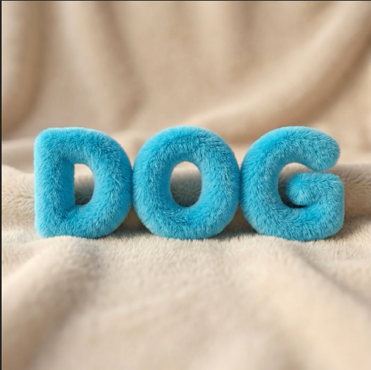
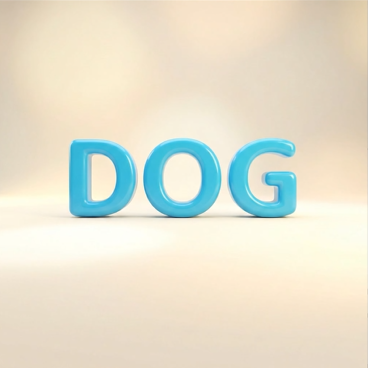
The output is a complete visual of your text as a soft, dimensional object, ready to be used in your design layout.
4.From AI Concept to Final Design
This generated image is a powerful design asset.
- For Branding: Create instantly engaging logos or wordmarks with unique character.
- For Digital Content: Make social media posts, YouTube thumbnails, or website headers that stand out.
- For Prototyping: Quickly visualize how a plush-text logo would look before committing to physical merchandise.
- Next Steps: Import this AI-generated text graphic into your main design project. You can further adjust colors in Photoshop using Hue/Saturation layers or overlay it onto other backgrounds.
Pro-Tip: Experiment with prompts to explore different materials. Try “Convert to 3D inflated rubber text” or “Make this text look like soft felt with visible fibers” to see the AI’s range. The Pro version’s advanced understanding allows for this creative exploration.
Download link
Stop designing with flat type and start creating typography people can almost feel. With Nano Banana Pro, adding a dimension of softness and playfulness to your text is just three simple steps away.
https://psaide.com/?sfrom=A86R4u
Invitation Code: A86R4u

