
Table of Contents
Bringing 2D IP characters to life in 3D can be time-consuming and technically demanding. Traditional 3D modeling requires advanced software, modeling skills, and hours of manual work.
With PsAide powered by nano banana, you can instantly convert flat 2D IP images into 3D characters with a realistic felt texture—perfect for product visualization, collectibles, or digital content. All it takes is uploading your image and entering a prompt.
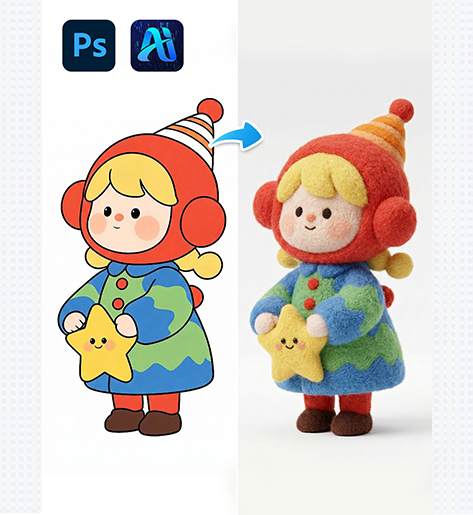
1. nano banana 2D-to-3D Conversion Workflow
nano banana makes the transformation from flat illustration to 3D felt character simple and accessible.
(1)Upload Your 2D IP Image
Open PsAide, select the 2D image of your character, and upload it. Make sure the character is clear, with distinguishable outlines and colors.
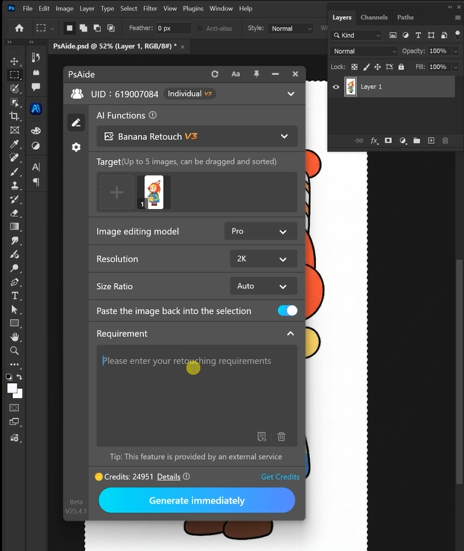
Upload Tips
①Use high-resolution images for better 3D detail
②Ensure the character occupies most of the frame
③Simple backgrounds help nano banana focus on the character
(2)Enter Your Prompt for 3D Felt Effect
In the nano banana interface, type a descriptive prompt such as:
Converted to 3D rendering, wool felt texture
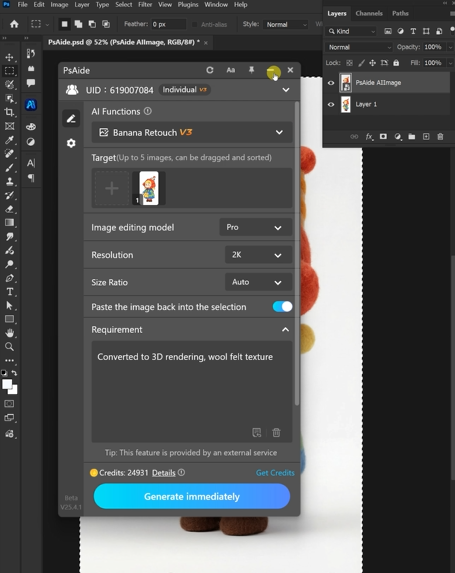
nano banana automatically interprets the 2D shapes, applies 3D depth, and generates felt-like surface textures.
nano banana Advantages
①Realistic 3D proportions based on original 2D design
②Felt texture with visible fibers and softness
③Shadows and lighting match the 3D structure naturally
(3)Preview and Download Your 3D Felt Character
After generation, preview the model. You can refine the prompt if needed to adjust angles, color fidelity, or depth before exporting the final image.
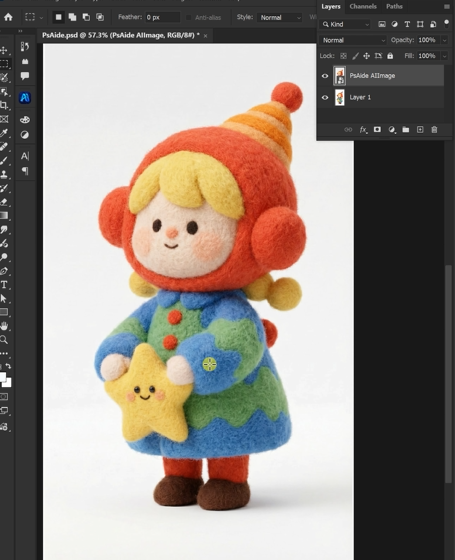
Recommended Checks
①Ensure 3D proportions look natural from multiple angles
②Confirm felt texture covers the entire character evenly
③Check shadows and highlights for realism
2. nano banana Use Cases for 2D-to-3D IP Conversion
nano banana is ideal for multiple creative and commercial scenarios:
(1)Merchandise & Collectibles
Convert popular 2D characters into 3D felt toys for online stores or product mockups.
(2)Digital Content & Marketing
Generate 3D versions of mascots or IP characters for social media, AR filters, or animation previews.
(3)Rapid Prototyping for Designers
Instantly see 3D interpretations of designs without 3D software expertise, accelerating feedback and iteration.
3. Why nano banana Is a Game Changer for 2D-to-3D Conversion
Compared with manual 3D modeling or Photoshop manipulations:
①No 3D software or modeling skills required
②Quick conversion from flat illustration to volumetric form
③Natural felt textures with minimal manual adjustment
Saves hours of production time while maintaining creative control
For IP owners, designers, and content creators, nano banana makes it easy to turn 2D designs into engaging 3D felt characters with just a few clicks.

Download Link: https://psaide.com/?sfrom=ZfhxUK
Invitation Code: ZfhxUK

