
Table of Contents
Creating realistic clothing swaps has traditionally required careful masking, manual painting, or time-consuming retouching. With the latest nano banana in PsAide, this process has become even simpler. Users no longer need to pre-paint or label the original garment—just upload, describe, and generate. This breakthrough makes professional-quality outfit migration faster, cleaner, and more accessible than ever.
Unlike conventional methods that depend on manual preparation, nano banana analyzes the model, pose, lighting, and fabric structure automatically. It detects the clothing area, understands body proportions, and blends the new garment naturally into the scene. This allows designers, eCommerce sellers, and content creators to focus on creativity rather than technical editing.
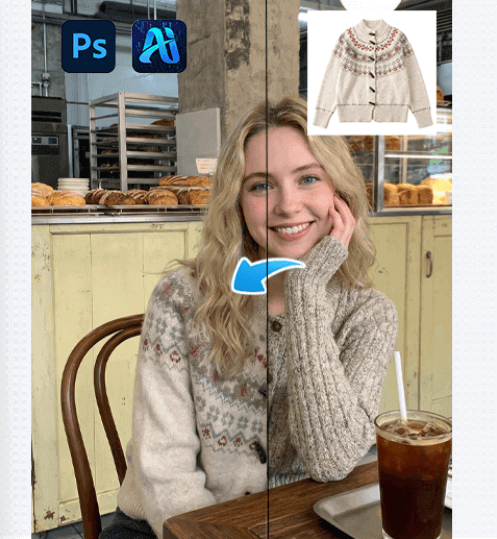
1.Why nano banana Changes the Workflow
With traditional AI-based outfit replacement, users often needed to mark the original clothing to guide the system. While effective, this added an extra step that slowed down high-volume production.
Now, nano banana in PsAide eliminates this requirement. The model intelligently recognizes the outfit region on its own, making the workflow smoother and more intuitive. This is especially valuable for:
①Fast-paced eCommerce image production
②Social media content creation
③Fashion lookbook design
④Visual marketing campaigns
Instead of spending time preparing masks or painted layers, users can move directly to creative direction.
1. nano banana: Simple Three-Step Clothing Transfer
The streamlined workflow with nano banana in PsAide consists of only three essential steps:
(1)Step 1 — Upload Scene and Product Images
Upload two images into the PsAide plugin:
①The original scene image featuring the model
②The product image of the new clothing item
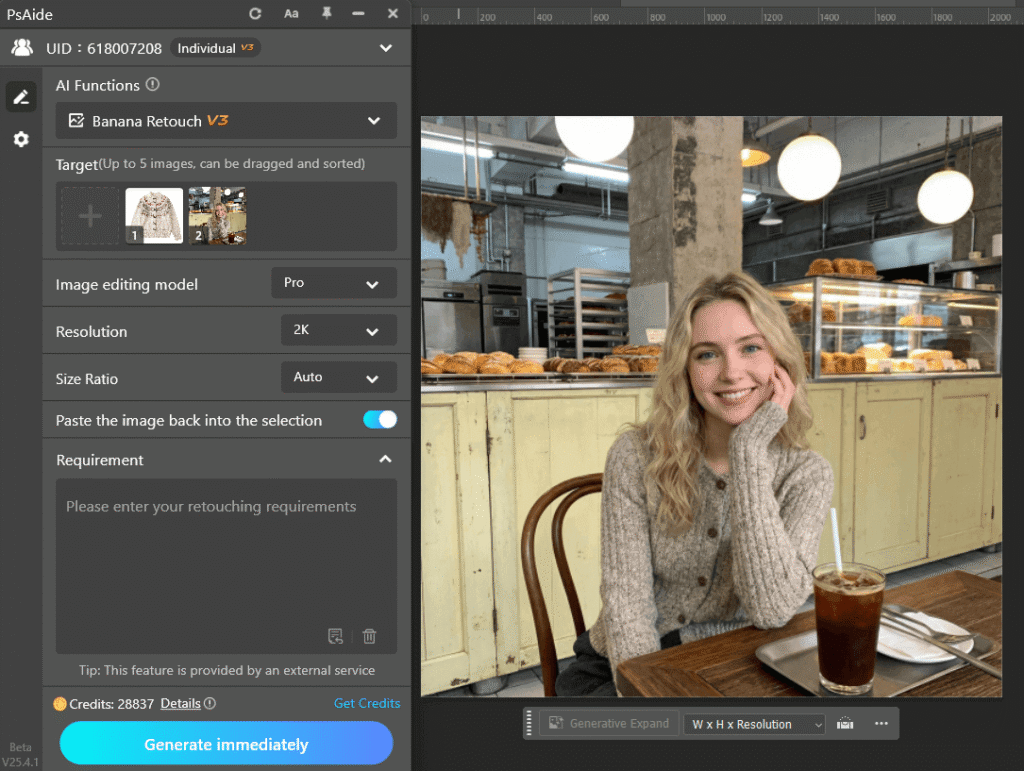
nano banana automatically studies the model’s posture, lighting, and environment while referencing the details of the product image.
(2)Step 2 — Enter a Clear Prompt
Provide a descriptive prompt that guides nano banana, for example:
the model is wearing the sweater in Figure 1.
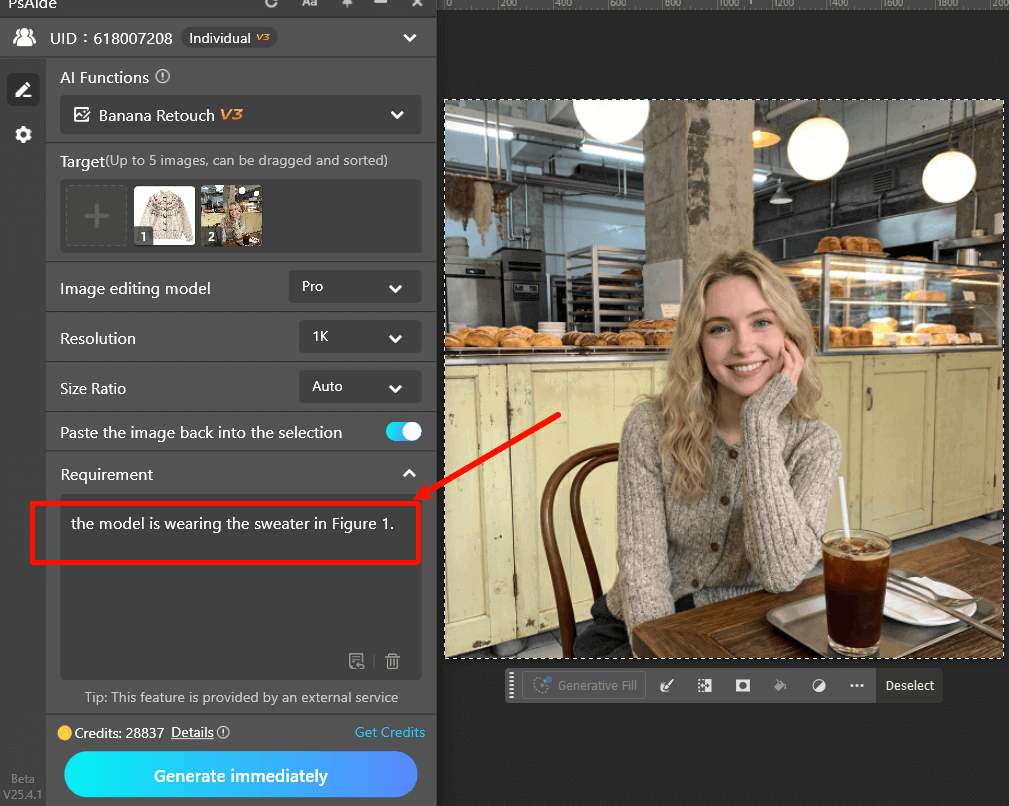
A well-structured prompt helps nano banana produce more accurate and visually convincing results.
(3)Step 3 — Click Generate and Review
Click Generate, and nano banana in PsAide will instantly transfer the new clothing onto the model while preserving the original scene’s lighting, pose, and depth.
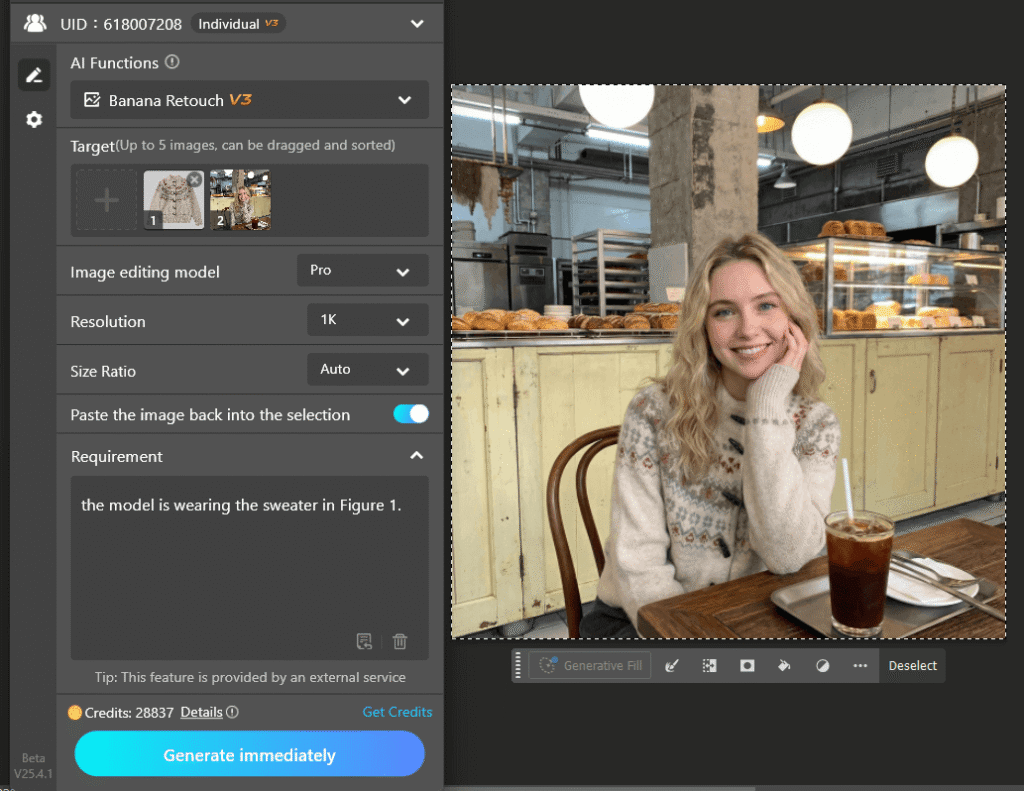
If needed, you can refine the result by adjusting your prompt and regenerating variations.
3.Key Advantages of nano banana Clothing Transfer
Using nano banana in PsAide for clothing migration offers several benefits:
①No pre-editing required – skip painting or masking
②Faster turnaround – ideal for bulk image production
③More natural results – intelligent fabric and lighting adaptation
④User-friendly workflow – suitable for beginners and professionals alike
This makes nano banana a powerful tool for brands looking to scale their visual content efficiently.
4.Conclusion
With nano banana in PsAide, clothing migration has reached a new level of simplicity. By removing the need for manual preparation, it allows users to achieve realistic outfit swaps in just three steps: upload, prompt, and generate. Whether for fashion design, eCommerce, or digital marketing, nano banana delivers speed, precision, and creativity in one seamless workflow.

Download Link: https://psaide.com/?sfrom=ZfhxUK
Invitation Code: ZfhxUK

