
Table of Contents
The quality of e-commerce main images directly impacts conversion rates. For pet supplies and home goods especially, both scenario images (to show usage effects) and close-ups (to highlight details) are needed. Traditional PS main image creation requires manual scene setup, multiple close-up shots, and retouching—time-consuming with risks of mismatched scenes and poor close-up angles. With PS + Psaide’s Nano Banana Pro, these pain points are easily solved, enabling fast creation of high-quality e-commerce main images.
1. Nano Banana Pro + PS – One-Click Scenes & Close-Ups
Psaide’s built-in Nano Banana Pro leverages AI generation algorithms to accurately build scenes, optimize product angles, and enhance details via prompts. No complex manual PS operations—finish e-commerce main images in 3 steps, balancing scene atmosphere and detail display.
2.Step-by-Step Process
- Import Product Image to PS & Backup Layer: Launch PS, click “File > Open” to import the cat bed image. Press Ctrl+J to duplicate the layer and hide the original. This PS layer management tip avoids irreversible mistakes and preserves product details for AI generation.
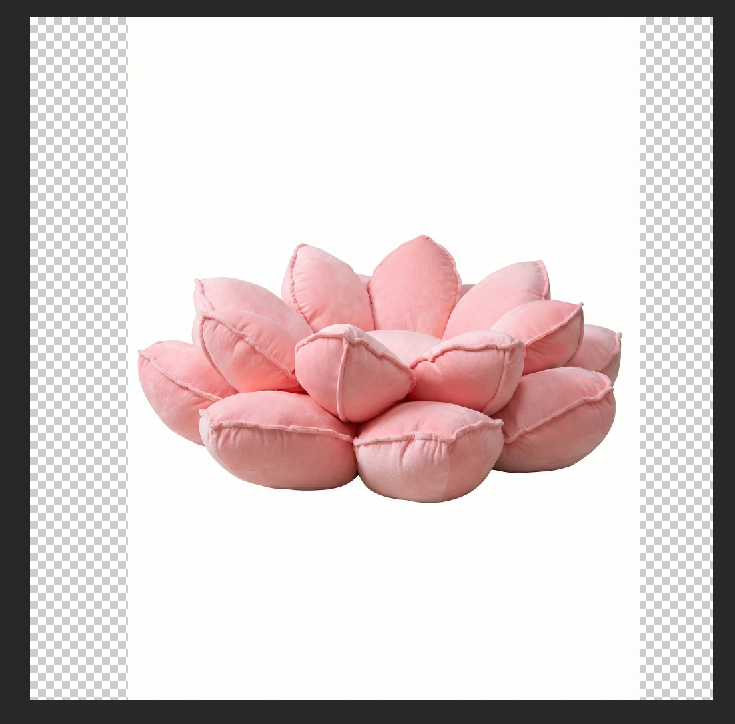
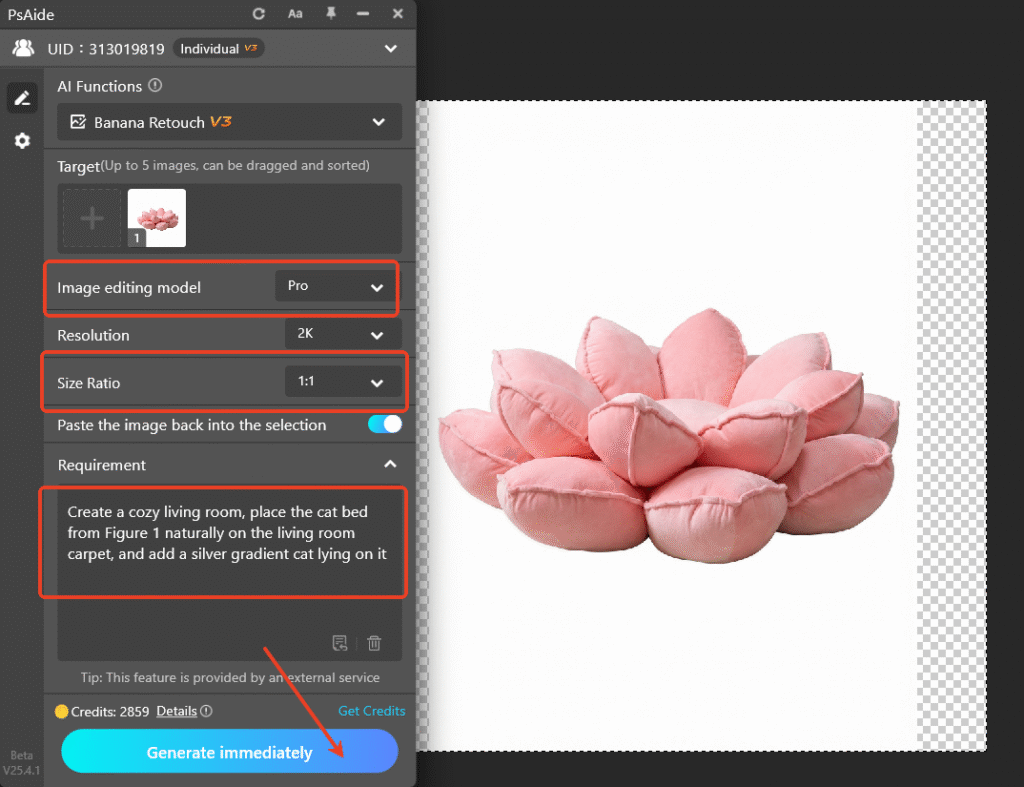
- Launch Nano Banana Pro & Set Parameters/Prompt: Locate the Psaide panel in PS, expand the list, and click “Nano Banana”. Select “Pro Version” for higher precision and quality. Choose common e-commerce main image sizes (recommended 1:1 for major platforms). Enter the prompt: “Create a cozy living room, place the cat bed from Figure 1 naturally on the living room carpet, and add a silver gradient cat lying on it” to clarify scene style, product placement, and atmosphere.
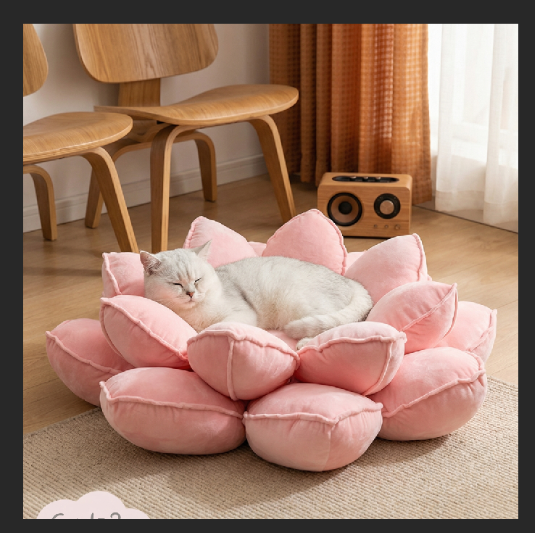
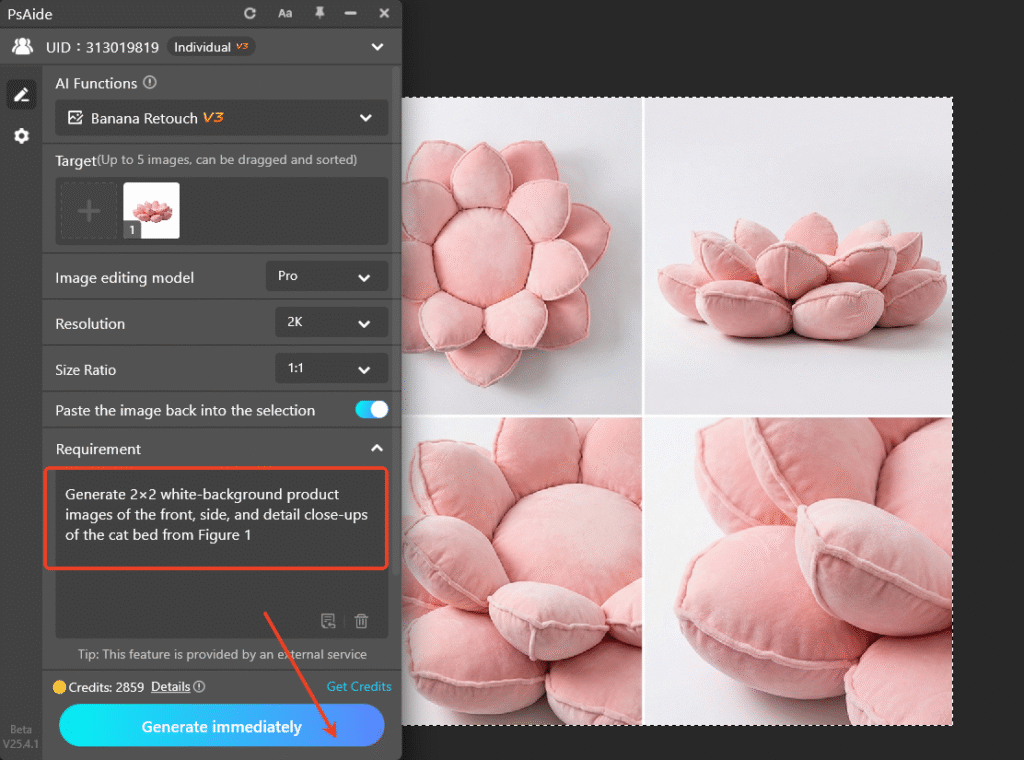
- One-Click Generate Scenes, Modify Prompt for Close-Ups: Click “Generate”. The AI processes in 20 seconds, automatically building a cozy living room, integrating the cat bed naturally, and adding the silver gradient cat. A new layer is created in PS—the scene image is ready for use. For close-ups, no need to re-import; simply modify the prompt to: “Generate 2×2 white-background product images of the front, side, and detail close-ups of the cat bed from Figure 1” and click “Generate” again to get multi-angle close-ups showing the cat bed’s structure and details clearly.
3.Core Advantages of Nano Banana Pro for E-Commerce Main Images
Compared to traditional PS workflows, it offers distinct benefits:
- Efficiency: No manual scene setup or close-up shooting—AI one-click generation in under 1 minute.
- Natural Effects: AI intelligently matches scene lighting for seamless product-environment integration and precise close-up angles.
- Simplicity: Switch between scenes and close-ups by modifying prompts—zero learning curve for beginners.
- Versatility: Compatible with all products; adjust styles via prompts to meet different e-commerce platform requirements.
4.Pro Tips (PS + Plugin Matching Skills)
- Add details to prompts (e.g., “warm light atmosphere”, “beige knitted carpet”) to align the scene with the product’s tone.
- Fine-tune brightness and contrast in PS after generation to optimize visual effects.
- Crop close-ups with PS Crop Tool to meet platform main image specifications.
Struggling with “how to make e-commerce main images in PS”? Try PS + Psaide’s Nano Banana Pro! No professional design or shooting skills needed—one-click generate atmospheric scene images and precise close-ups, greatly improving main image production efficiency and conversion rates.sionalism.
Download link
https://psaide.com/?sfrom=A86R4u
Invitation Code: A86R4u

