
Table of Contents
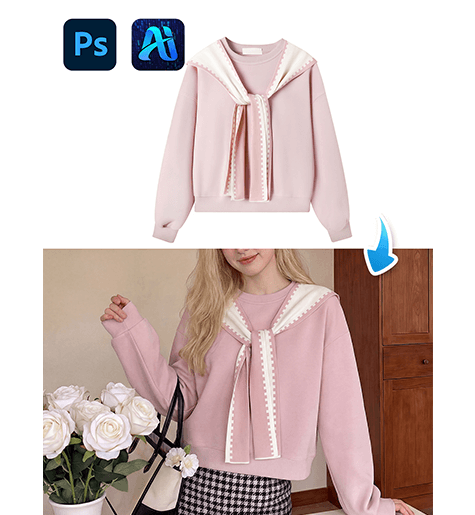
Sweaters are essential in lifestyle photography, seasonal catalogs, and online retail displays. Through nano banana in PsAide, creators can replace sweaters directly within model scene images while maintaining fabric softness, lighting harmony, and natural folds.
Instead of manually blending knit textures or correcting sleeve distortion, nano banana intelligently interprets fabric density and body movement for realistic sweater integration.
1. nano banana Sweater Replacement Benefits
(1)Limitations of Manual Knit Editing
Traditional editing often produces flat textures or mismatched sleeve proportions.
(2)Why nano banana Works Better
nano banana analyzes knit patterns, torso posture, and light diffusion to create soft, natural sweater visuals.
2. nano banana Red Mask Sweater Workflow
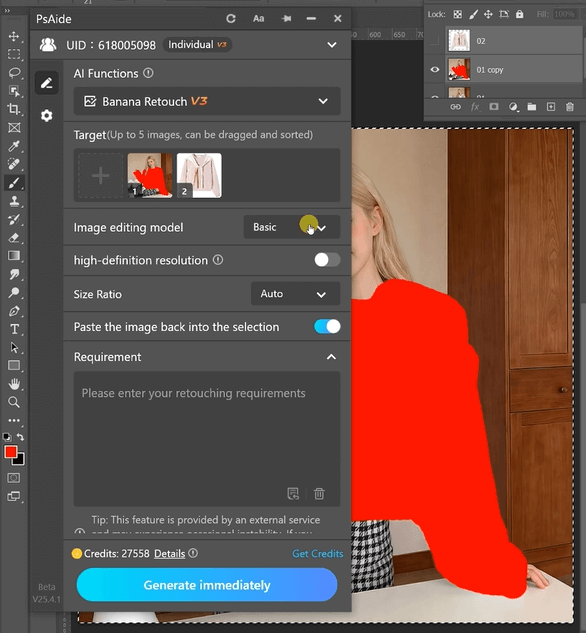
(1)Paint the Original Sweater Red
① Open the scene image.
② Paint the existing sweater red.
③ Avoid covering skin or background areas.
This step allows nano banana to precisely identify the clothing region.
(2)Upload Scene Image and Sweater Product Image
① Upload the red-masked scene image.
② Upload the sweater product image with clear knit details.
③ Ensure balanced resolution.
(3)Enter a Detailed Prompt
Change the clothes of the person in Figure 1 to the clothes from Figure2
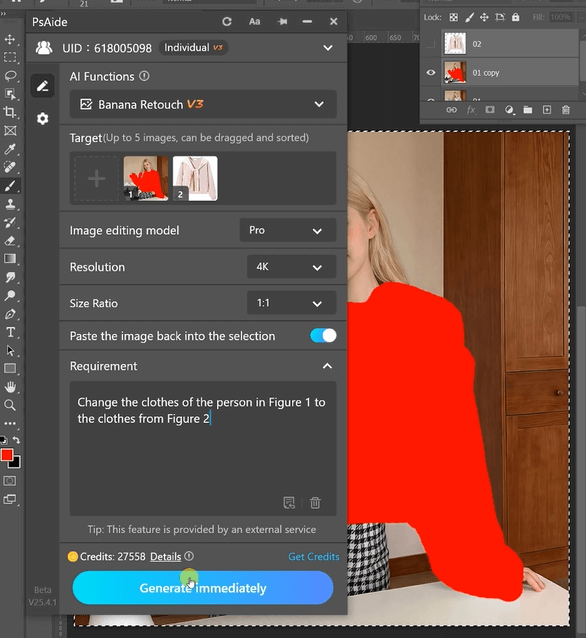
(4)Click Generate
① Click Generate.
② Inspect sleeve length and torso fit.
③ Regenerate if micro-adjustments are required.
3. Fabric Softness and Texture Accuracy
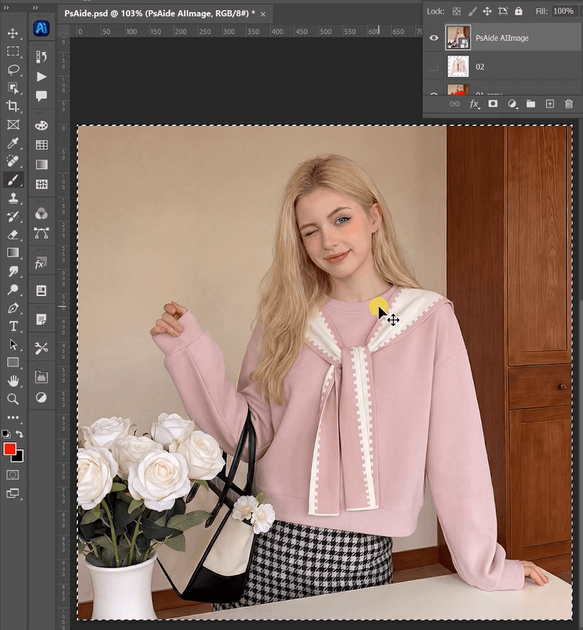
(1)Natural Knit Detail
nano banana preserves fabric grain without over-sharpening.
(2)Soft Lighting Integration
Shadows and highlights remain gentle and realistic.
4. Practical Applications
(1)Winter eCommerce Displays
Produce multiple sweater colors from one shoot.
(2)Lifestyle Branding
Quickly generate cozy seasonal visuals.
5. Summary
By combining red mask precision with AI fabric analysis, nano banana delivers efficient and natural sweater replacement suitable for everyday commercial production.

Download Link: https://psaide.com/?sfrom=ZfhxUK
Invitation Code: ZfhxUK

