
Table of Contents
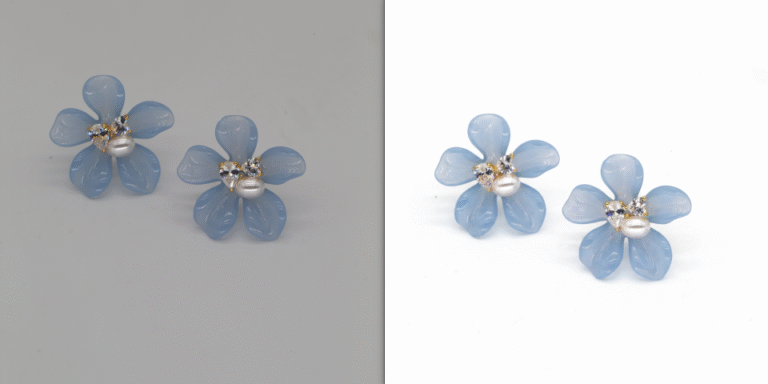
For e-commerce designers and store operators on Taobao, Tmall and Amazon, main image retouching directly affects click-through rate, conversion rate and platform weight. A clean, high-end E-commerce image with proper lighting can make products stand out instantly. However, creating professional retouched effects with native Ps is time-consuming and technically demanding.
Today, we recommend an efficiency tool for all e-commerce designers: Psaide Ps Plugin. With its built-in Nano Banana retouching function, AI completes product retouching, shadow blending and white background generation in one click. No manual skin retouching or repeated mask adjustment is needed, delivering professional texture and doubling retouching efficiency, solving all pain points of traditional Ps retouching.
1.Core Pain Points of Retouching E-commerce Main Images with Native PS
- Complex process & low efficiency: From cutout and blemish removal to lighting adjustment, shadow creation and white background replacement, each image takes a lot of time, making batch retouching overwhelming.
- Unnatural lighting & shadows: Manual shadow creation often results in stiff, gray or ground-detached shadows, failing to achieve the high-end, transparent texture of top brands.
- Non-standard white backgrounds: It’s hard to generate standard pure white backgrounds (RGB:255,255,255) required by Amazon and Taobao in one go, often with grayish, dark white or color difference issues.
Psaide Nano Banana Pro is tailor-made for e-commerce designers. AI automatically retouches products, creates natural shadows and generates standard white backgrounds—just upload, enter a prompt and generate, saving time and effort while ensuring professionalism.
2.Detailed Steps for E-commerce Main Image Retouching with Nano Banana
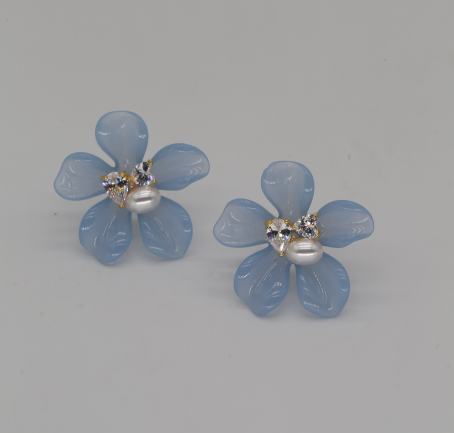
- Open the product image in PS: Launch the original e-commerce product image in Ps, ensure it’s clear with normal lighting, and double-click the background layer to unlock it for editing.
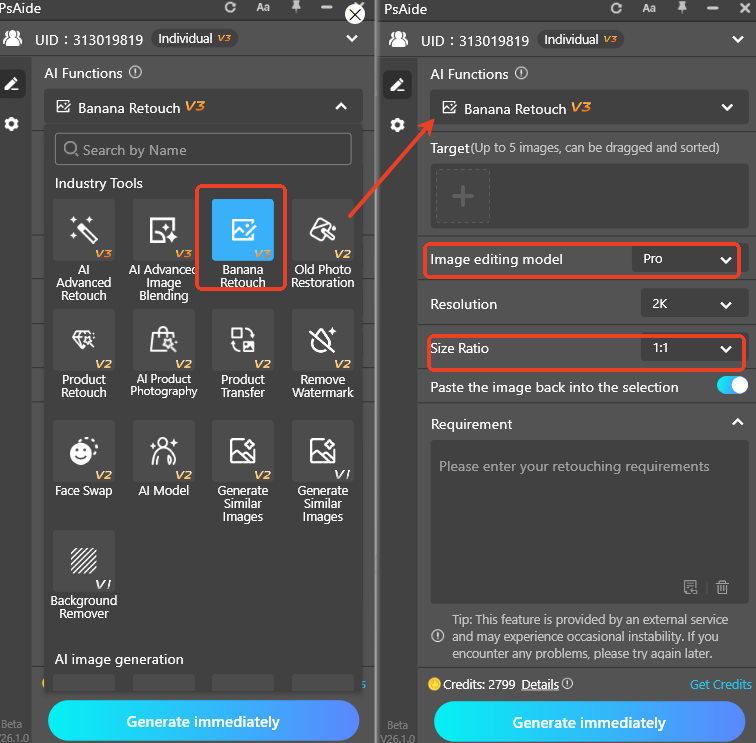
- Open Psaide Plugin & select function: Start the Psaide plugin in Ps. Find the Nano Banana retouching function and select Pro version for better retouching effect and more realistic details. Set the generation ratio to 1:1, suitable for mainstream main image sizes on Taobao and Amazon.
- Upload the e-commerce image & enter prompt: After uploading the product image, copy and use this prompt directly: 【Retouch the product in Figure 1 with high-end commercial effect, blend shadows naturally, and generate it on an Amazon white background image.】
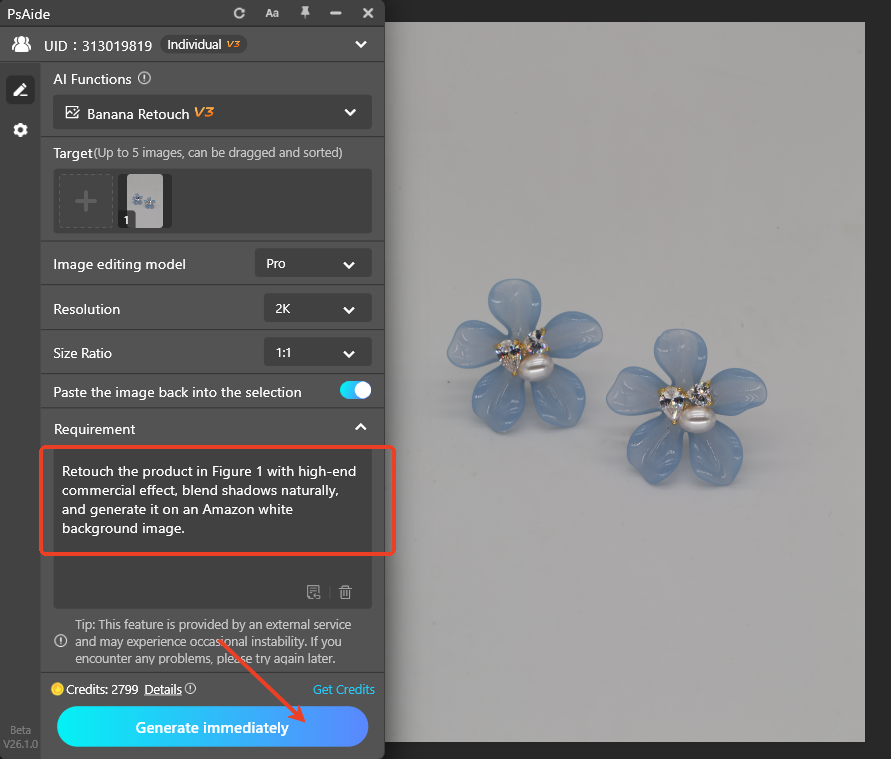
- Click generate to complete retouching in one click: AI will automatically: Remove product blemishes, noise and scratches; optimize material texture for high-end retouched effect; create natural, soft and realistic shadows; output standard white background e-commerce images.
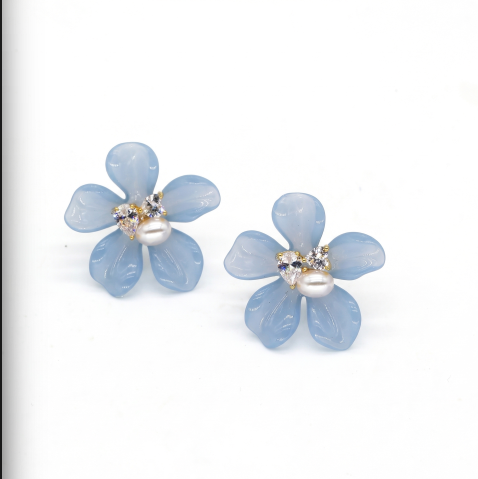
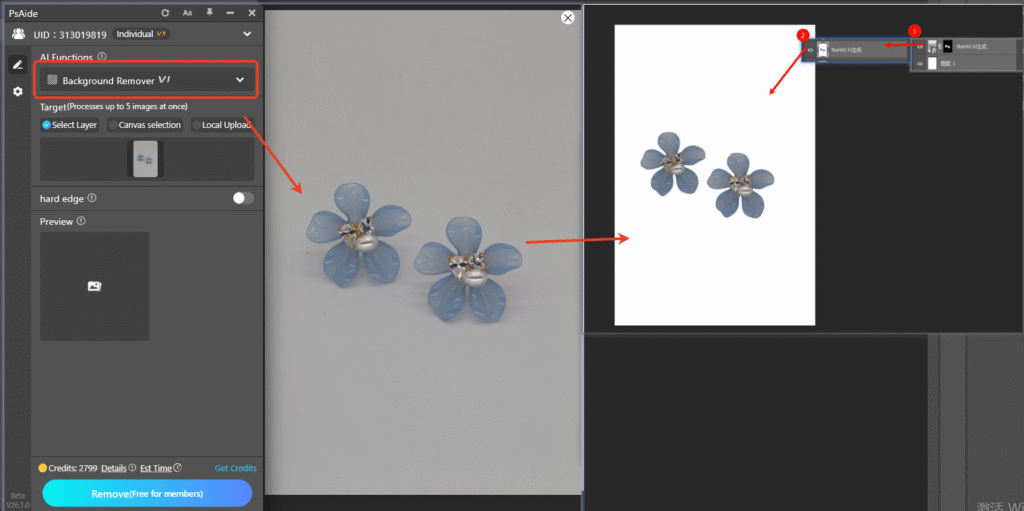
- Supplementary solution for non-standard white backgrounds: If the generated white background is not pure white (FFFFFF): Use the Background Removal function in Psaide to cut out the product completely; return to Ps, create a new white background layer (RGB:255,255,255) and merge it with the product; retouch again with the above Nano Banana Pro process to get the perfect white background retouched image.
3.Common Issues & Solutions for Nano Banana Retouching
Issue 1: White background is not pure white, grayish or discolored; Cause: No pure white background preprocessing or vague prompt. Solution: Use the plugin to remove the background first, then manually add a FFFFFF white background layer; specify in the prompt: Generate on a standard pure white background image with RGB value of FFFFFF.
Issue 2: Stiff, unnatural shadows with strong floating feeling; Cause: No emphasis on shadow details in the prompt or Pro version not enabled. Solution: Switch toNano Banana Pro version; add to the prompt: Soft and natural ground shadows, attached to the bottom, no floating.
Download link

https://psaide.com/?sfrom=A86R4u
Invitation Code: A86R4u

