
Table of Contents
Leather shoes are essential in formalwear styling, school outfits, and fashion photography. Instead of reshooting models for every shoe variation, nano banana in the PsAide plugin allows creators to replace footwear directly in an existing scene image while preserving posture, lighting, and perspective.
With red mask guidance and AI scene understanding, nano banana ensures the leather shoes align naturally with the model’s feet and ground contact.
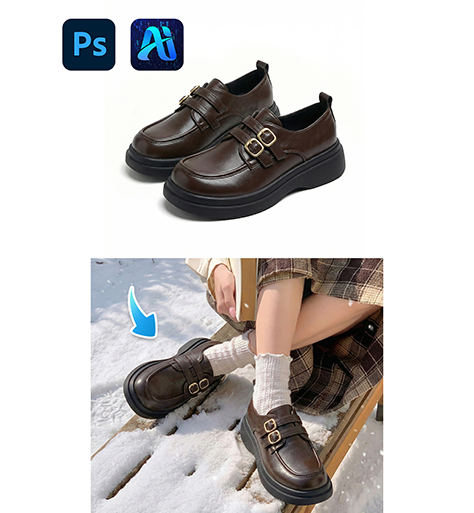
1. nano banana Advantages for Leather Shoes Replacement
(1)Limitations of Traditional Editing
Manual compositing often results in incorrect angles, floating shoes, or mismatched shadows.
(2)How nano banana Improves Accuracy
nano banana analyzes foot posture, ankle alignment, and scene perspective to generate realistic shoe placement.
2. nano banana Workflow for Leather Shoes Replacement
(1)Paint the Original Shoes Area Red
① Open the scene image in Photoshop.
② Paint the model’s existing shoes red.
③ Keep the mask within the footwear area.
This helps nano banana clearly identify the replacement region.
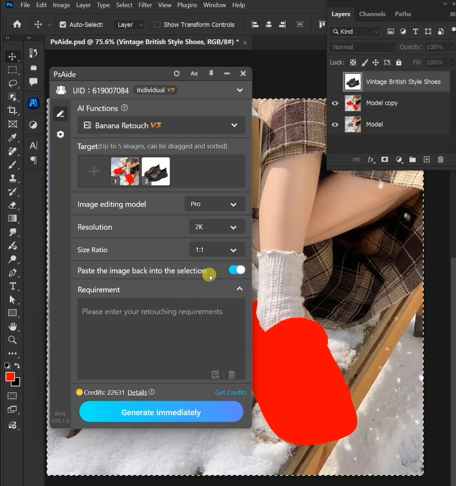
(2)Upload Scene Image and Product Image
① Upload the red-masked scene image.
② Upload the leather shoes product image.
③ Ensure the product image shows clear shape and detail.
(3)Enter a Prompt
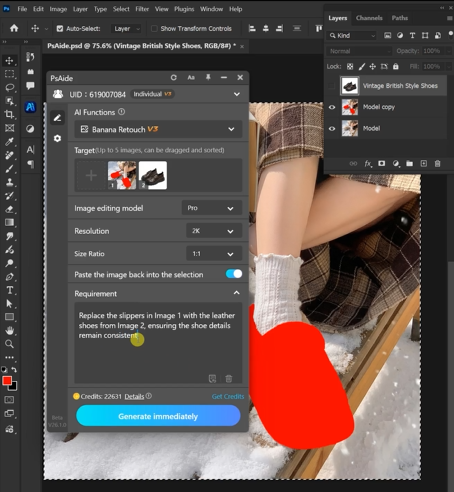
① Describe shoe style and color.
② Mention realistic shadows and proportions.
③ Keep the prompt concise.
Example prompt:
“Replace the slippers in Image 1 with the leathershoes from Image 2, ensuring the shoe detailsremain consistenl.”
(4)Click Generate
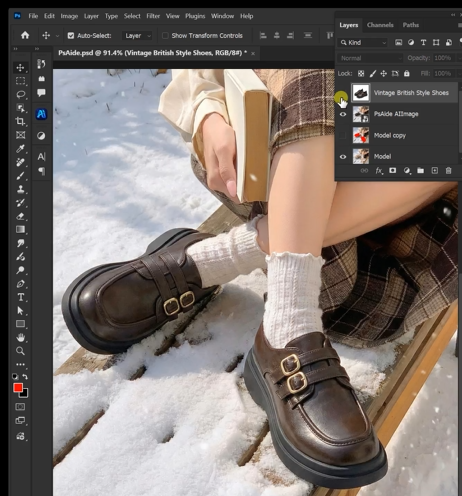
① Click Generate in nano banana.
② Review foot alignment and placement.
③ Regenerate if needed.
3. Structure and Ground Contact
(1)Natural Foot Alignment
nano banana ensures proper positioning relative to the model’s legs.
(2)Realistic Shadow Integration
Shadows match the environment to avoid floating effects.
4. Application Scenarios
(1)Formalwear eCommerce Listings
Quickly generate multiple shoe variations.
(2)Fashion Styling Content
Create consistent outfit visuals efficiently.
5. Summary
With precise region control and AI footwear adaptation, nano banana enables realistic leather shoe replacement for fashion and commercial use.

Download Link: https://psaide.com/?sfrom=ZfhxUK
Invitation Code: ZfhxUK

