
Table of Contents
Making white-background images for e-commerce often means difficult cutting in native PS, especially for irregular products like slippers.
Psaide Nano Banana helps you create professional white-background images in 30 seconds without manual cutting.
4 Native PS Methods
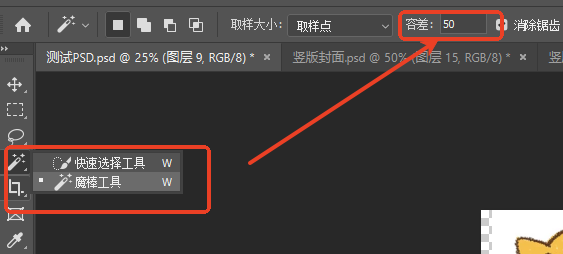
1. Magic Wand Tool
For solid-color backgrounds. Select background, delete, add a white layer below.
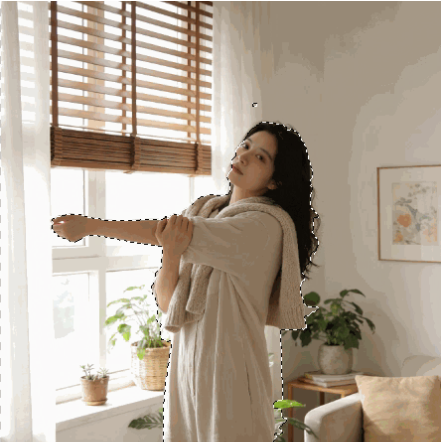
2. Quick Selection Tool
For slightly complex backgrounds. Select product, refine edge, remove background.
3. Pen Tool
For high-precision cutting. Draw path, create selection, remove background.

4.One-Click White Background with PS + Nano Banana
- Open the product image in PS and launch Psaide.
- Enter Nano Banana and set the same ratio as the original.
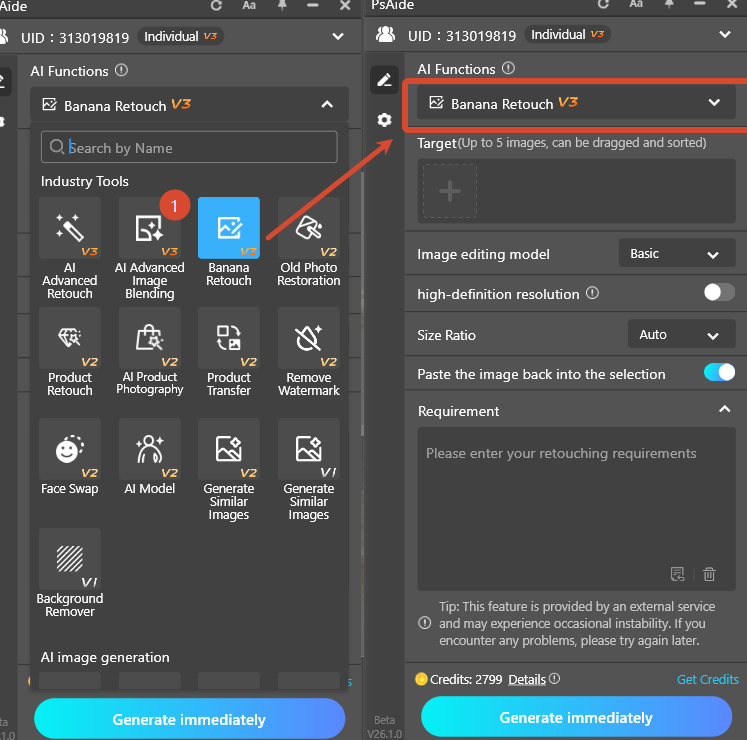
- Use prompt:
- Extract the slippers in Image 1 onto a pure white background, 45° side view, keep product details.
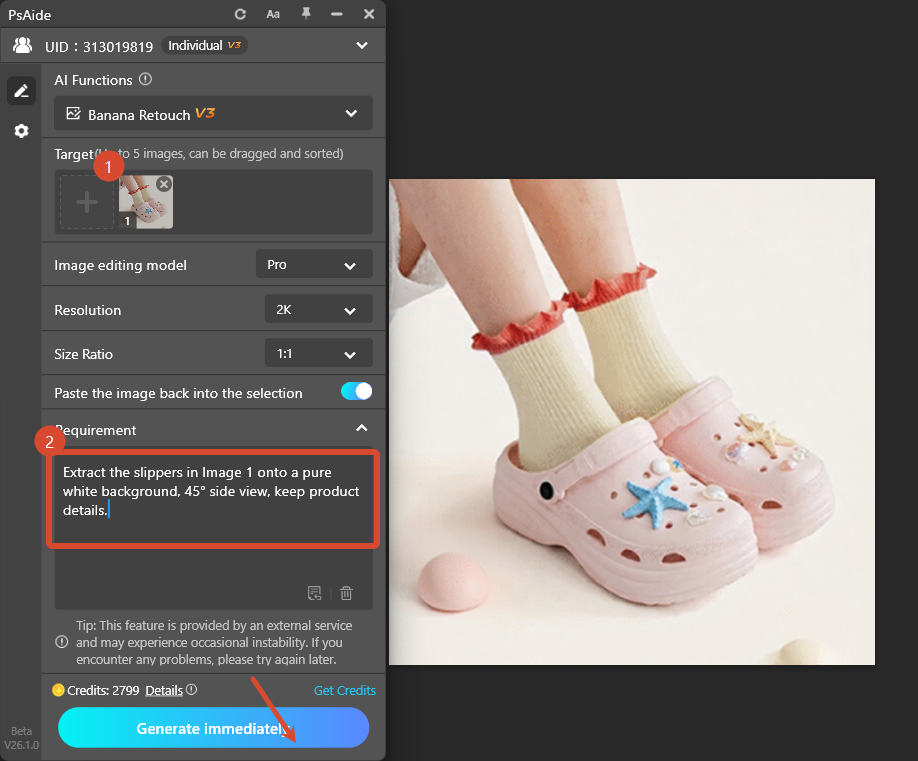
- Click Generate.
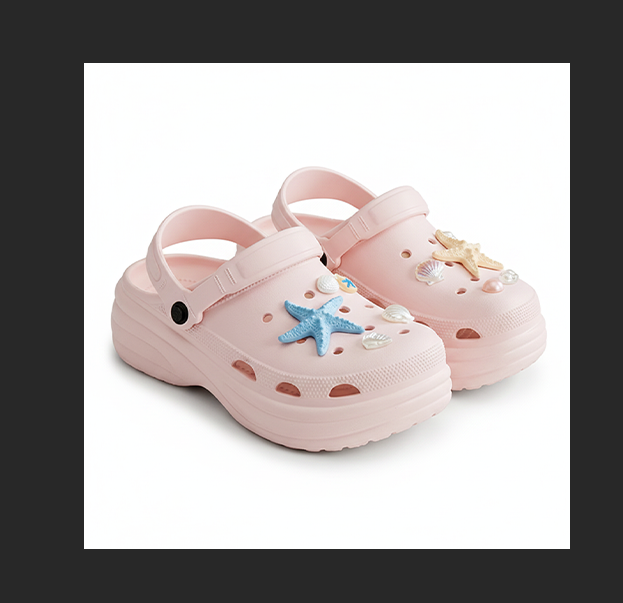
AI automatically cuts out the product, creates a clean white background, and maintains full texture and chartlet details.
Save as PNG/JPG for e-commerce use.
5.Download link

https://psaide.com/?sfrom=A86R4u
Invitation Code: A86R4u

