
Table of Contents
1、Why Manual Glasses Replacement Is So Hard
Eyeglasses present unique challenges that other accessories don’t:
- Perspective matching: Frames must align with the exact angle of the face
- Nose and ear placement: The glasses need to sit realistically on facial features
- Lens reflections: Light bouncing off lenses must match the scene’s lighting
- Skin contact shadows: Subtle shadows where frames touch the nose and ears
- See-through lenses: Background details should be visible through prescription lenses
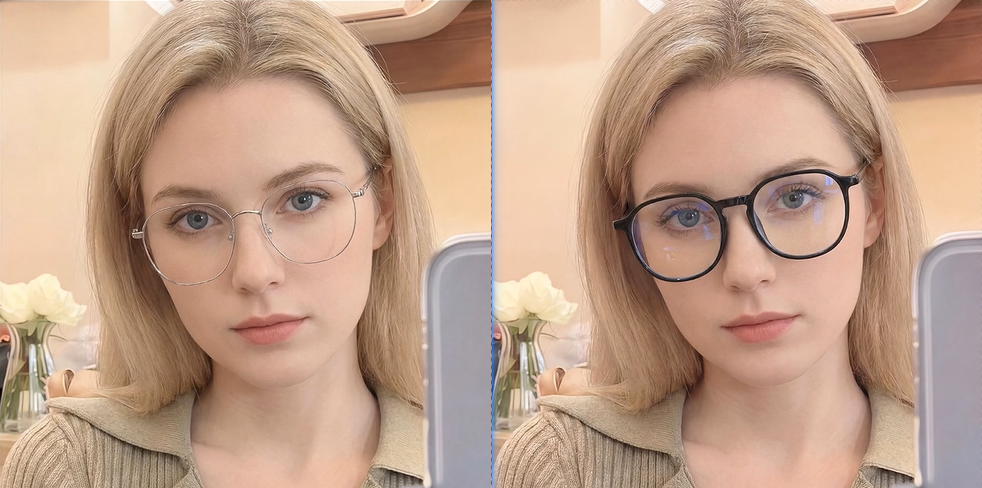
Manual methods struggle with all these elements. Nano Banana Pro solves this by analyzing the face’s 3D structure and rendering the new glasses with proper perspective, fit, and optical effects.
2、The Red Marker Method for Precision
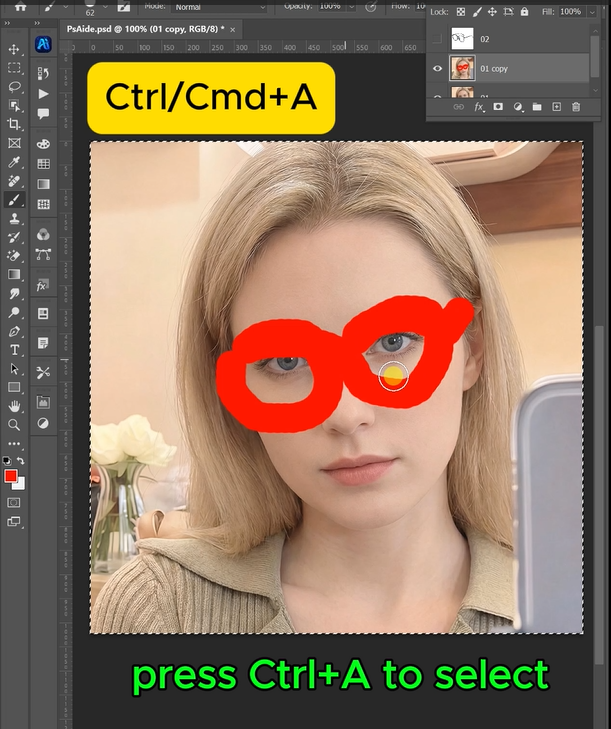
Filling the original glasses with bright red is a simple but powerful step. This red marker tells the AI:
- Exactly what to replace (the glasses and nothing else)
- Where the glasses sit on the face
- The scale and angle of the existing frames
This eliminates guesswork and dramatically improves accuracy on the first generation.
3、3-Step Glasses Swap Process
Step 1: Mark the Original Glasses in Red
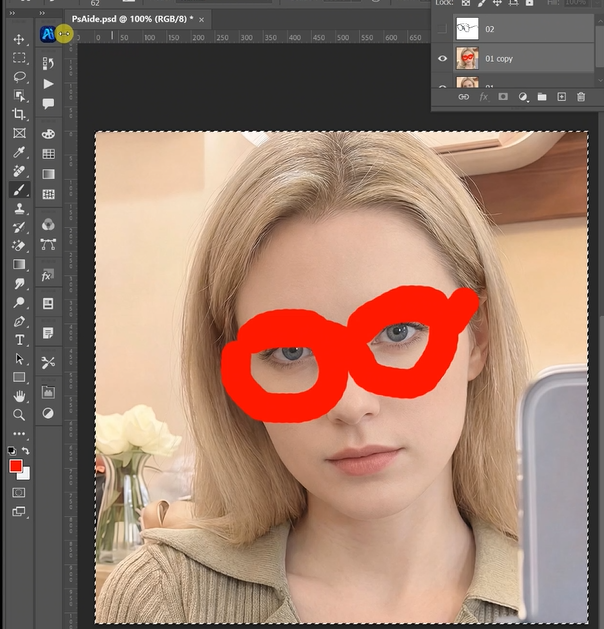
Open both your model photo and the new glasses product image in Photoshop. On the model photo, use the Lasso Tool to carefully select the existing glasses. Fill this selection with bright red (RGB: 255, 0, 0). Cover the entire frame including the temples if visible.
Step 2: Configure AI for High-Quality Output
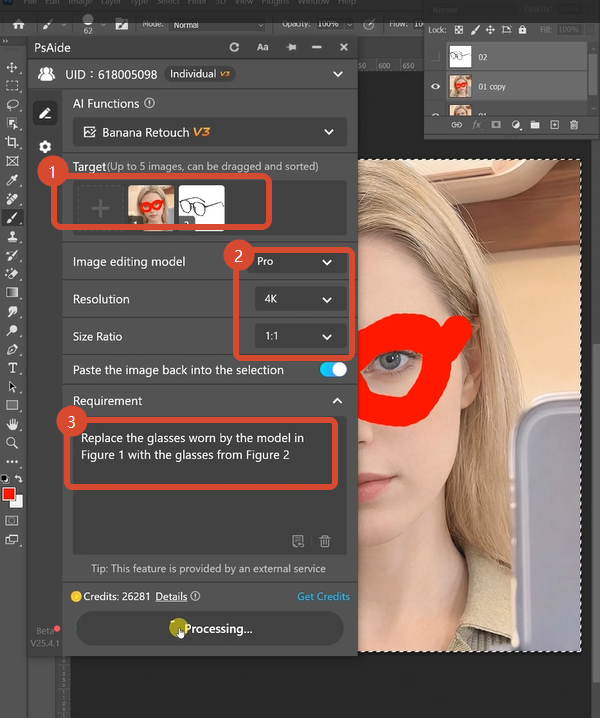
Open Nano Banana and select the Pro version. Choose a 1:1 aspect ratio for balanced framing. Under resolution settings, select 4K output for maximum detail—this preserves frame textures, lens clarity, and facial details. Upload your two images in this order:
- Image 1: Your new glasses product photo
- Image 2: Your model photo with red-marked glasses
In the prompt box, enter this precise command:
“Replace the glasses worn by the model in Figure 1 with the glasses from Figure 2. “
Step 3: Generate Your Natural Result
Click Generate. Within 45-60 seconds, the Pro version performs intelligent eyewear transfer:
- Face Analysis: Maps the model’s eye position, nose bridge, and ear placement
- Perspective Matching: Aligns the new frames to the exact head angle and tilt
- Fit Adjustment: Scales and positions the glasses to sit naturally on facial features
- Lens Rendering: Creates appropriate reflections and transparency based on scene lighting
- Shadow Generation: Adds subtle contact shadows where frames touch skin
- Edge Blending: Softens frame edges against hair and skin for a natural look
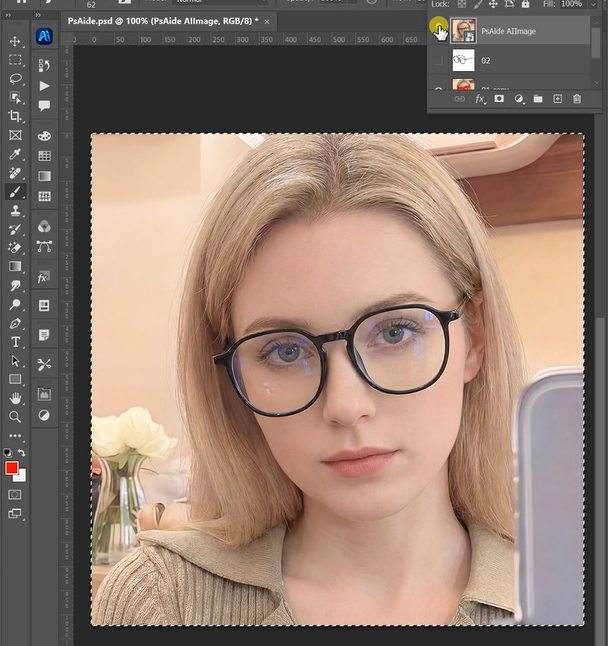
The result looks like the model was photographed wearing the new glasses.
4、Applications for Eyewear Brands
This technique is essential for:
- Social Media Content: Generate fresh eyewear visuals quickly
- Online Eyewear Stores: Try-on visualization without physical samples
- Catalog Production: Show multiple frame styles on the same model
- Marketing Campaigns: Test different looks before photoshoots
5、Download link

https://psaide.com/?sfrom=A86R4u
Invitation Code: A86R4u

