
Table of Contents
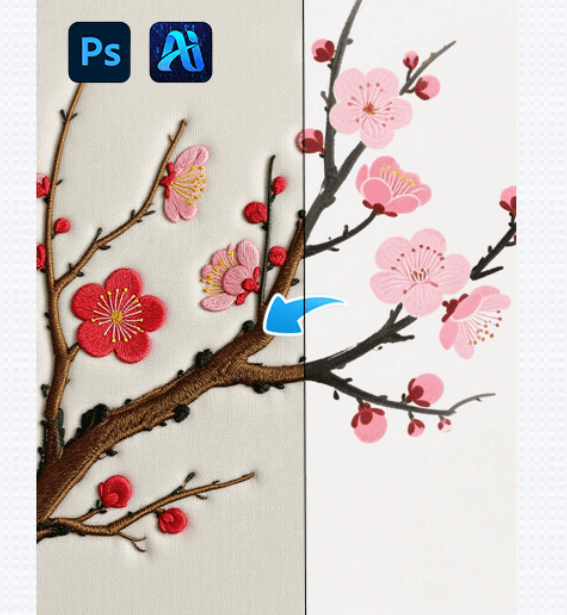
With the development of AI Advanced Retouch, converting ordinary images into embroidery style can now be completed efficiently using a professional Photoshop plugin, significantly reducing manual work while maintaining high visual quality.
1. PsAide Plugin Enables Efficient Embroidery Style Conversion
(1)AI Advanced Retouch Example Display
In practical applications, the embroidery style results generated by AI Advanced Retouch are significantly better than those produced by traditional methods. Ordinary images can be converted into embroidery-style visuals with clear stitch direction, layered thread structure, and natural color transitions. The texture of threads, stitch density, and overall depth closely resemble handcrafted embroidery, with no obvious artificial or filter-based appearance. The final results can be directly applied to apparel design, cultural product development, decorative patterns, or visual displays.
(2)Advantages of Embroidery Style Generation
The embroidery style generation function fully demonstrates the technical strengths of AI Advanced Retouch and effectively meets the needs of designers in multiple industries:
①Significantly reduces time and labor costs
Traditional embroidery-style creation often requires designers to draw stitch details manually, adjust colors repeatedly, and refine textures layer by layer. With AI Advanced Retouch, the entire process can be completed automatically, shortening production time from days or weeks to just minutes.
②High-level restoration of embroidery details
AI Advanced Retouch accurately recognizes image structure and color layers, generating realistic stitch density, thread direction, and layered embroidery effects. It avoids common problems such as flat textures or unnatural repetition, ensuring the embroidery style remains vivid and refined.
③Strong adaptability to different styles and themes
During the generation process, AI Advanced Retouch analyzes the original image’s subject, color tone, and composition, allowing the embroidery style to adapt naturally to different themes, such as floral patterns, characters, landscapes, or decorative motifs.
④Supports flexible customization and multiple outputs
Designers can adjust embroidery-related parameters such as stitch size, density, and color emphasis, enabling the generation of multiple embroidery-style variations from a single image to meet diverse design and production requirements.
(3)Operation Steps
This PS plugin based on AI Advanced Retouch simplifies the embroidery style conversion workflow. Even users without professional illustration experience can complete the process by following these steps:
①Import the image into Photoshop and select the area to be converted into embroidery style.

②Enter a prompt that clearly describes the embroidery style requirements, including stitch texture, fabric base, and color preferences.
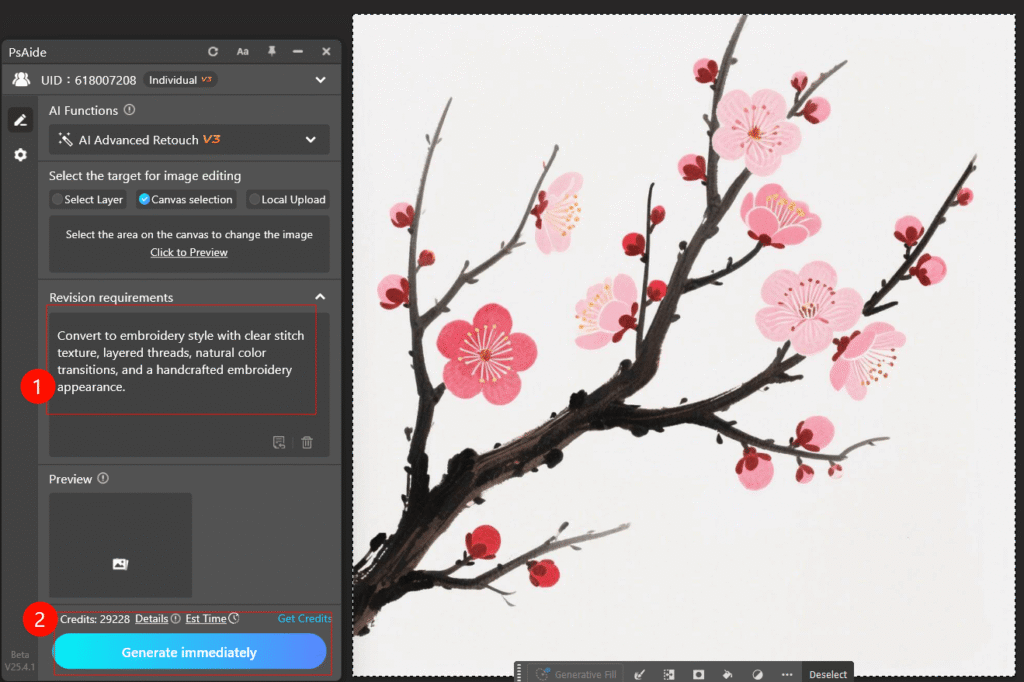
③Click Generate and wait a few seconds for the embroidery-style image to be created.
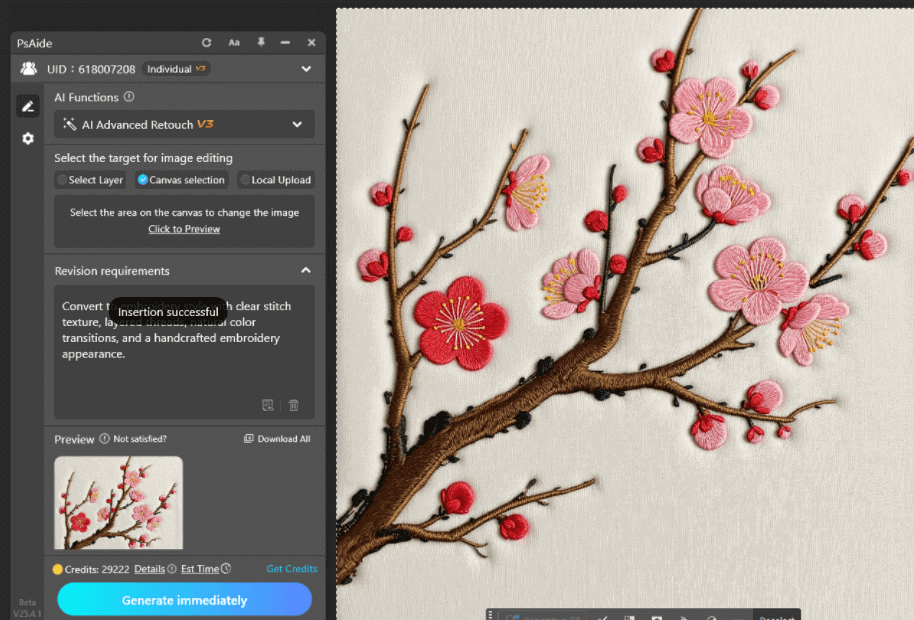
If necessary, adjust details and regenerate to achieve the desired result.
2. Example Prompt for Embroidery Style Generation
Convert to embroidery style with clear stitch texture, layered threads, natural color transitions, and a handcrafted embroidery appearance.

Download Link: https://psaide.com/?sfrom=ZfhxUK
Invitation Code: ZfhxUK

