
Table of Contents
For fashion e-commerce operators, clothing designers, and brand marketers, on-model long sleeve images are vital—they showcase fit, fabric texture, and style, directly influencing purchasing decisions. Traditional methods to update long sleeve styles, however, are inefficient and costly. Thanks to AI Photo Editing, PsAide’s built-in Product Transfer feature simplifies this process, outperforming manual Photo Retouching with speed and precision.
Pain Points of Traditional Long Sleeve On-Model Updates
Before AI Photo Editing, updating long sleeve styles on models meant major hurdles. Reshooting required hiring models, styling teams, and renting studios—costing hundreds per style and taking 3–5 days. Manual Photo Retouching was no better: long sleeves often looked misaligned with the model’s posture, fabric textures distorted, and shadows clashed with the original scene. Consistency across multiple styles was nearly impossible, harming brand identity.
PsAide’s Product Transfer: AI-Powered Long Sleeve Replacement
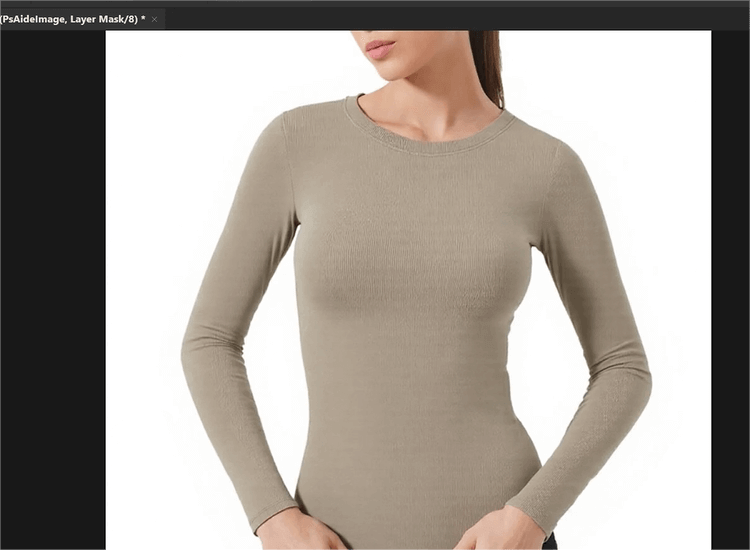
PsAide’s Product Transfer leverages advanced AI Photo Editing to solve these issues. A test replacing a model’s plain cotton long sleeve with a knit striped style proved its efficacy: the new sleeve fit the model’s arm contour perfectly, stripe patterns remained undistorted, and shadows matched the studio lighting. The result looked naturally shot, with no traces of editing.
3-Step Guide to Long Sleeve Replacement
- Prepare & Launch: Install PsAide (Photoshop 2015+), open the plugin, and select Product Transfer. Upload two images: Image A (model with old long sleeve) and Image B (new long sleeve product photo).
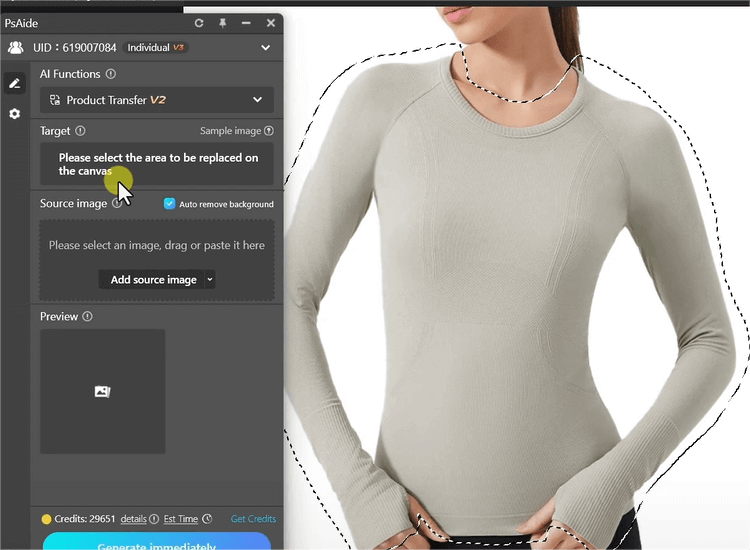
- Mark & Prompt: Use the built-in brush to mark the old long sleeve in Image A. Enter a clear prompt: “Replace Image A’s long sleeve with Image B’s knit striped one. Keep model posture/background; retain fabric texture and natural fit.”
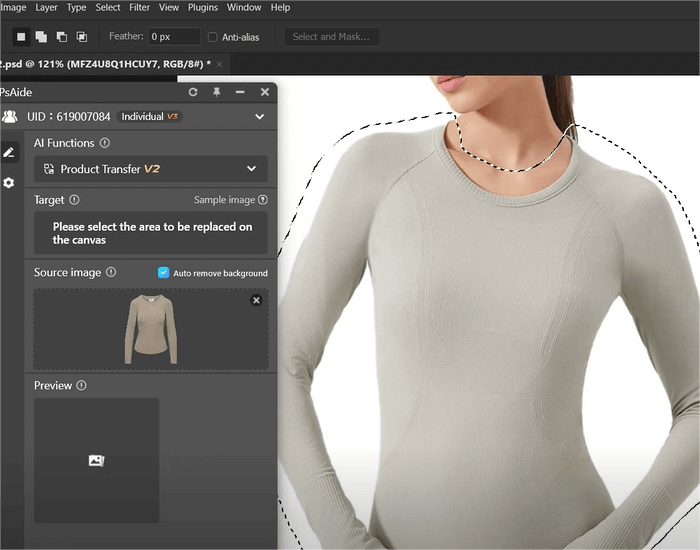
- Generate & Refine: Click “Transfer Now” and get results in 3–5 seconds. Use the “Fine-Tune” tool to adjust sleeve length or fabric shine if needed, then export.
Key Advantages for Fashion Teams
It cuts costs by 60%+ by skipping reshoots and reduces editing time from hours to minutes. AI Photo Editing preserves fabric details (knit, cotton, wool) and ensures natural alignment. It works for all long sleeve styles (crewneck, turtleneck) and scenarios (e-commerce pages, lookbooks). No advanced Photo Retouching skills are required.
Download PsAide today to streamline your long sleeve on-model updates!

