
Table of Contents
For electronics e-commerce sellers, product photographers, and marketing teams, high-quality lithium battery images are non-negotiable. Clear, defect-free photos showcase craftsmanship, build trust, and drive conversions. Yet traditional Photo Retouching for lithium batteries is time-consuming and error-prone—until AI Photo Editing tools like PsAide’s built-in Product Retouch feature simplified the process. This guide explores how it solves key pain points and delivers professional results in minutes.
Traditional Lithium Battery Retouching: Slow & Unreliable
Lithium batteries often have tiny flaws—scratches on casings, dust on terminals, or uneven color on logos—that ruin product appeal. Traditional Photo Retouching requires manual editing with complex tools: zooming in to erase scratches, adjusting pixels to fix discoloration, and refining edges to enhance details. This takes 30+ minutes per image and relies on skilled retouchers. Worse, manual edits risk over-processing—blurring battery text (like “2000mAh”) or distorting casing shapes—weakening product authenticity. Without AI Photo Editing, consistency across multiple battery models is nearly impossible.
PsAide’s Product Retouch: AI-Powered Precision for Lithium Batteries
PsAide’s Product Retouch feature leverages advanced AI Photo Editing to address these issues. It’s tailored for electronics, automatically detecting and fixing common lithium battery defects while preserving product details. In tests, it transformed a battery with visible scratches and dusty terminals into a crisp, retail-ready image—retaining text clarity and casing texture, with results far more consistent than manual Photo Retouching.
Key Advantages for Lithium Battery Retouching
- Efficiency Boost: Cut retouching time from 30+ minutes to under 5 minutes per image, ideal for bulk editing.
- Defect Accuracy: AI targets only flaws (scratches, dust, smudges) without altering critical details like model numbers or safety labels.
- Consistent Quality: Ensure all battery images follow the same standard, strengthening brand visual identity across listings and catalogs.
- Low Learning Curve: No advanced Photo Retouching skills needed—AI handles the precision work.
3-Step Guide to Retouch Lithium Batteries with PsAide
- Install PsAide (compatible with Photoshop 2015+) and launch the plugin. Locate and select the Product Retouch function from the menu, then upload your lithium battery image.
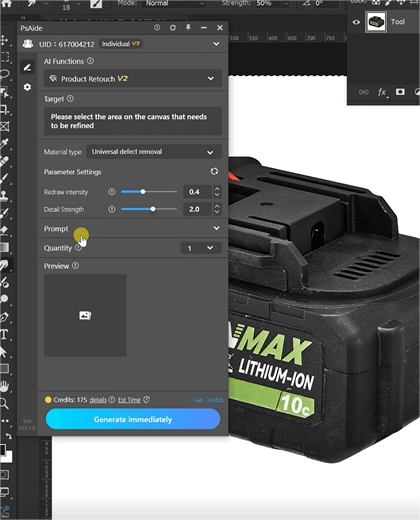
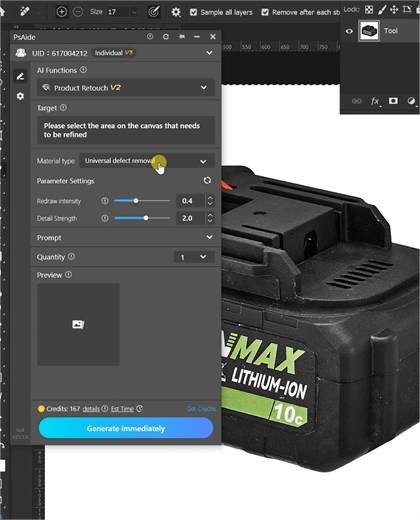
- Within Product Retouch, choose Universal Defect Removal—this AI mode is optimized for electronics, targeting common lithium battery flaws like scratches and dust.
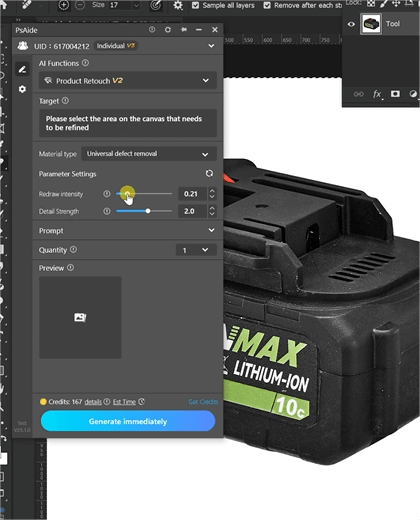
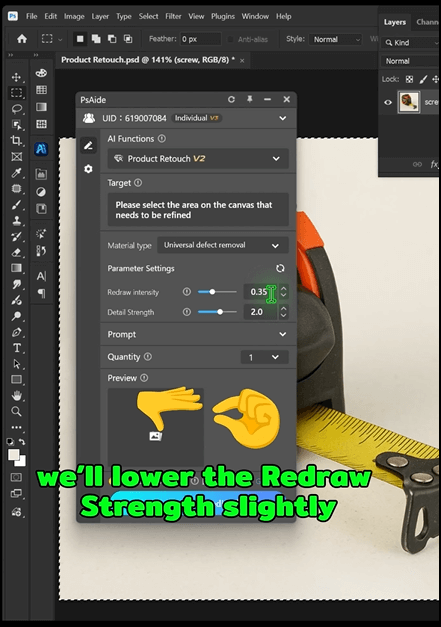
- Adjust the Redraw Intensity slider.
Final Thoughts
PsAide’s Product Retouch redefines lithium battery Photo Retouching with AI Photo Editing power. It eliminates the inefficiencies of manual work, delivers precise, consistent results, and lowers the skill barrier for teams. For anyone selling lithium batteries, this tool isn’t just a time-saver—it’s a way to showcase products at their best and boost sales. Download PsAide and elevate your lithium battery visuals today!

