Table of Contents
The Product Visualization Problem
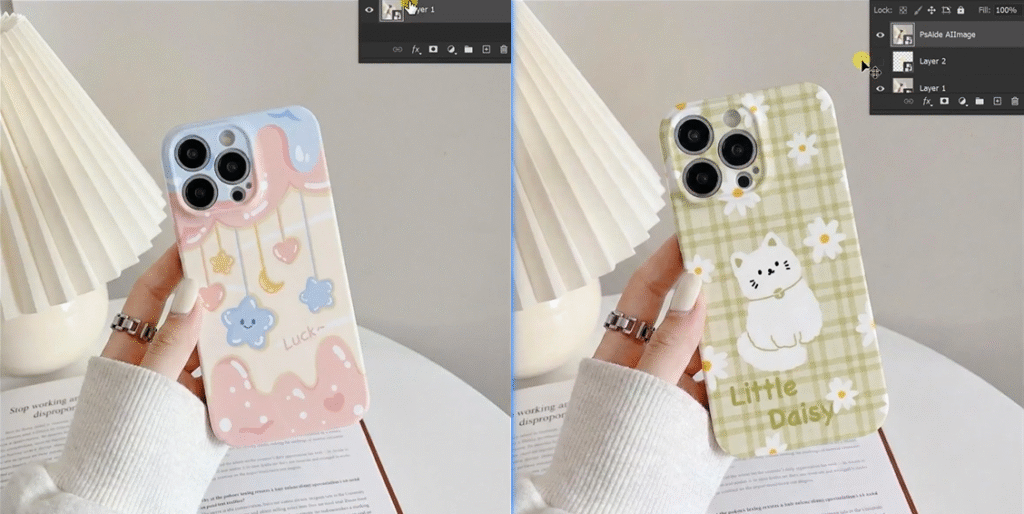
You have a great phone case mockup and a stunning new design. But applying that flat pattern to a 3D phone case is surprisingly difficult. The design must wrap around curved edges, follow the case’s perspective angle, maintain sharpness around corners, and interact realistically with lighting and shadows. Manual methods require complex perspective warping, masking, and hours of adjustments.
With Nano Banana Pro in Photoshop, you can now create perfect phone case mockups in three simple steps. The AI understands 3D surfaces and automatically adapts your flat design to fit the case’s shape, angle, and lighting.
1、Why Manual Pattern Application Fails
A phone case is a 3D object with multiple challenges:
- Perspective distortion: The design must shrink and stretch to match the case’s viewing angle
- Edge wrapping: Patterns need to continue naturally around curved corners
- Shadow interaction: Light and shadow should fall over the applied design
- Camera lens cutouts: Patterns must avoid critical areas like the camera hole
Manual methods struggle with all these elements. Nano Banana Pro solves this by analyzing the case’s 3D form and rendering your pattern with proper perspective, edge treatment, and lighting integration.
2、3-Step Phone Case Customization Process
Step 1: Prepare Your Images
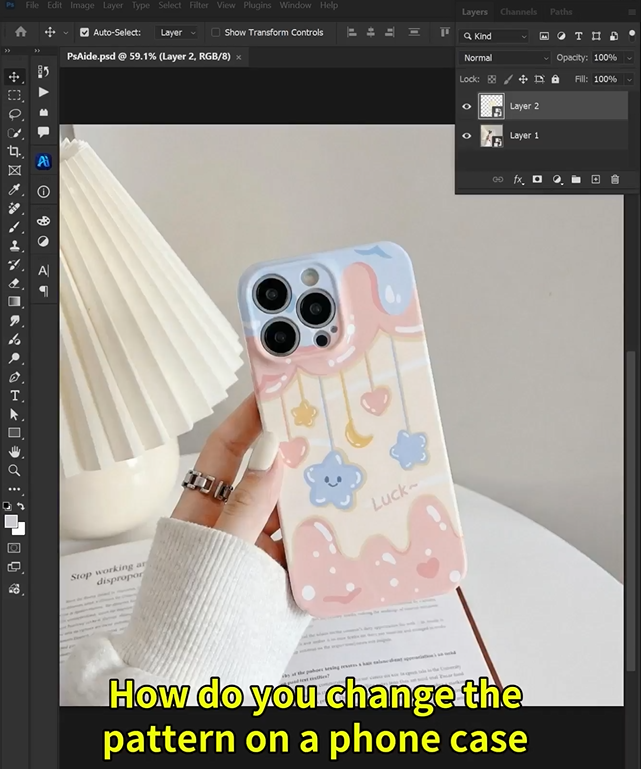
Open both your phone case mockup and your pattern design in Photoshop. Choose a mockup with clear lighting and a visible case surface. Your pattern should be high-resolution for clean transfer.
Step 2: Configure AI for High-Quality Output
Open Nano Banana and select the Pro version. Choose a 1:1 aspect ratio for balanced product presentation. Under resolution settings, select 2K output—this provides excellent detail while keeping file sizes manageable for e-commerce use. Upload both images to the interface.
In the prompt box, enter this clear command:
“Replace the pattern on the phone case in Image 1 with the design from Image 2”
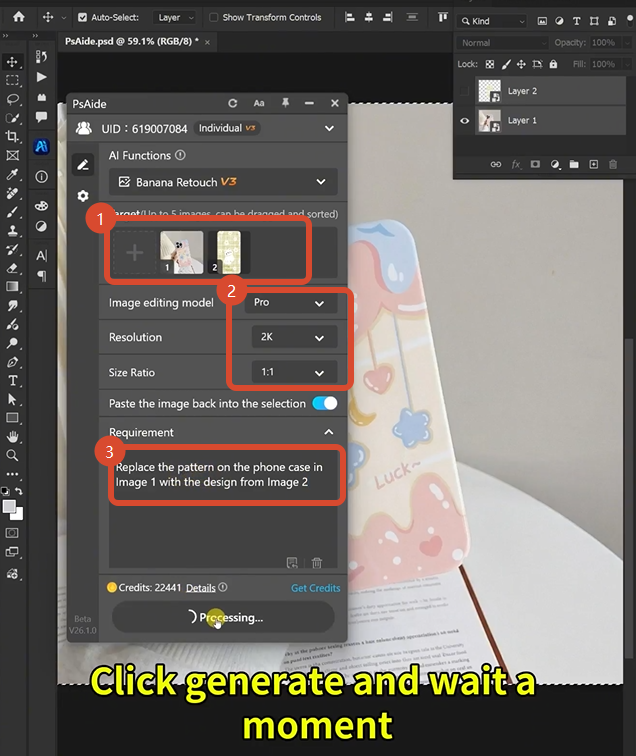
Step 3: Generate Your Professional Mockup
Click Generate. Within 45-60 seconds, the Pro version performs intelligent rendering:
- Surface Analysis: Identifies the phone case’s 3D shape, edges, and camera cutout areas
- Perspective Mapping: Warps your flat pattern to match the case’s exact viewing angle
- Edge Wrapping: Continues the design smoothly around curved corners and edges
- Shadow Integration: Adjusts pattern brightness in shadowed areas and preserves highlights
- Detail Preservation: Keeps pattern sharpness intact, especially around edges and cutouts
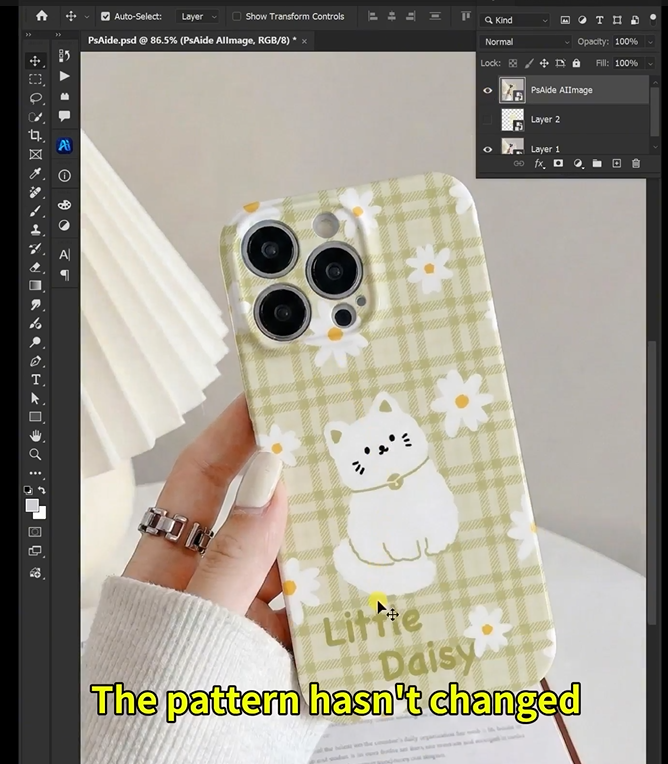
The result is a realistic mockup where your pattern looks professionally printed on the phone case.
3、Applications for Product Sellers
This technique is essential for:
- Print-on-Demand Stores: Create mockups for hundreds of designs without physical samples
- Phone Case Brands: Rapidly produce catalog images for new collections
- Design Marketplaces: Showcase how patterns look on actual products
- Social Media Content: Generate device-themed marketing visuals quickly
4、Pro Tips for Best Results
- Save as PNG to preserve transparency for use on different backgrounds
- Start with clean mockups that have even lighting and visible case edges
- Use high-contrast patterns initially to verify the AI’s perspective matching
- 2K resolution balances quality and file size for most e-commerce platforms
5、Download link
https://psaide.com/?sfrom=A86R4u
Invitation Code: A86R4u