
Table of Contents
Nano Banana streamlines fashion design workflows by letting you add custom patterns to garments — preserving the clothing’s texture, fit, and lighting for realistic, on-brand results. Here’s how to achieve polished designs quickly:
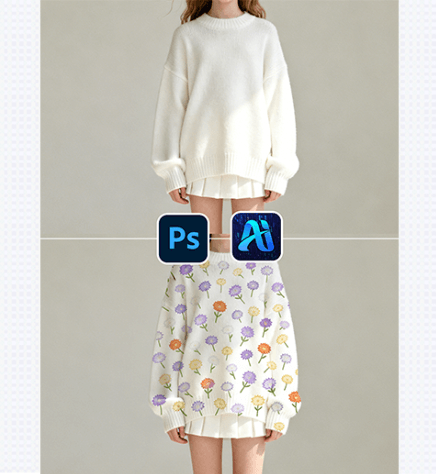
1. Pro Tip for Pattern & Garment Compatibility
Before editing: Choose a pattern that matches the garment’s style . For soft, flowy fabrics, pick patterns with lighter lines — this helps Nano Banana blend the design naturally with the fabric’s drape.
2. Key Benefits of Nano Banana for Clothing Pattern Application
① Wraps Patterns to Fabric Texture & Fit: Unlike basic “fill” tools , Nano Banana analyzes the garment’s shape and fabric texture to wrap the pattern — making it look stitched or printed directly on the clothing.
② Saves Design Iteration Time: Testing 2+ patterns on a single garment used to take hours of manual warping and shading. With Nano Banana, you can swap patterns in 2-3 minutes, ideal for fast fashion mockups.
3. 3-Step Workflow: Nano Banana + Photoshop
① Import Image: Open your garment image in Photoshop.
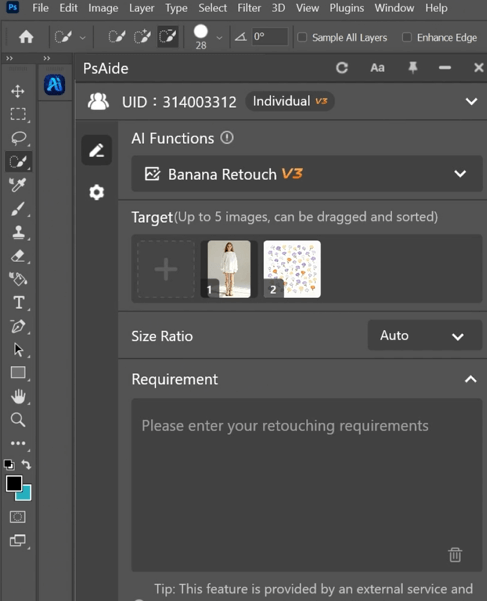
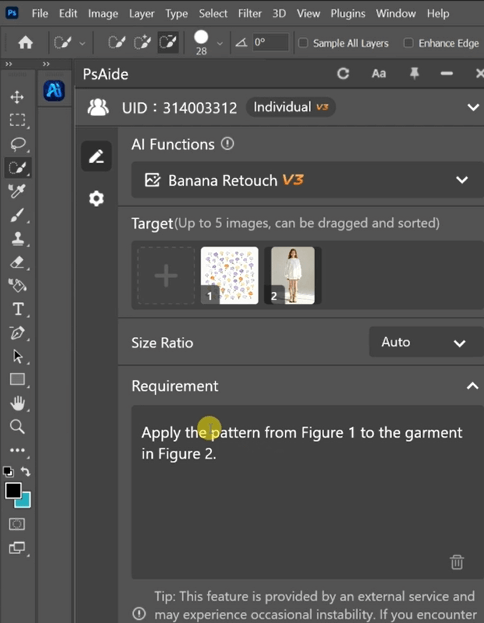
② Define the Pattern Application: In the plugin panel, upload both assets as “Target” files. Enter a prompt: “
“Apply the pattern from Figure 1 to the garment in Figure 2 ”
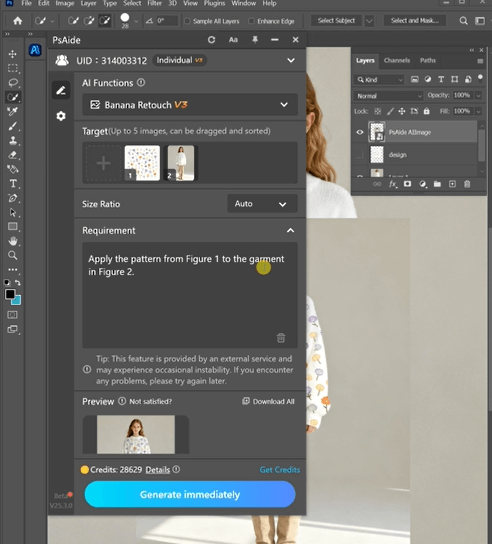
③ Generate & Finalize: Click “Generate Immediately” in Nano Banana. Preview the result — if needed, tweak the prompt and re-generate. Once satisfied, download the final design.
4. Tool Access & Download
Nano Banana is a must-have for fashion designers, stylists, and brands needing quick, high-quality clothing pattern mockups.
Download Link: https://psaide.com/?sfrom=ZfhxUK
Invitation Code: ZfhxUK

