Table of Contents
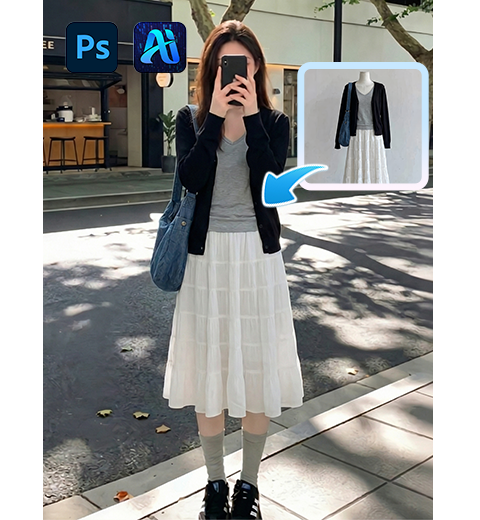
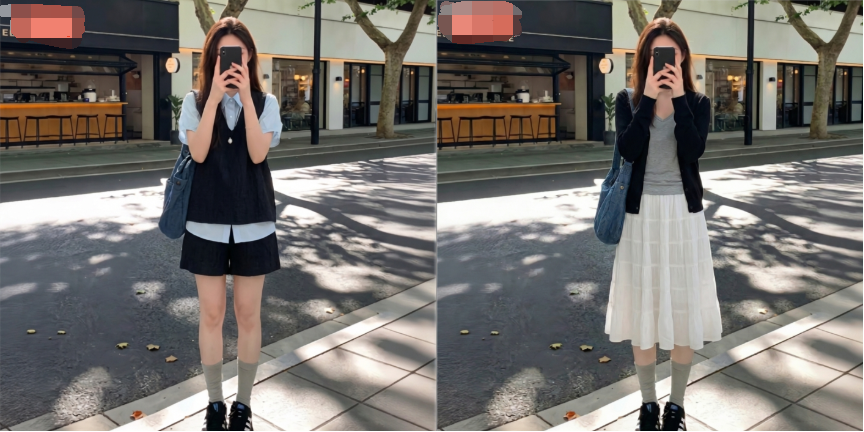
For e-commerce fashion designers and operators, changing clothes on models is essential for creating main images and detail pages without repeated shooting. However, doing this manually in native PS is extremely time-consuming and difficult.
Traditional PS requires cutout, liquify, wrinkle adjustment and light matching. The result often has distorted clothes, stiff edges and mismatched lighting, making commercial-quality results hard for beginners.
Psaide Nano Banana uses AI intelligent recognition to complete outfit changes in one click, automatically fitting the body, preserving details and unifying lighting.
1.Pain Points of Native PS for Changing Clothes
- Complex steps and low efficiency
- Easy distortion and loss of clothing details
- Unnatural lighting and fake appearance
- High technical threshold for commercial use
2.Step-by-Step Outfit Change with PS + Nano Banana
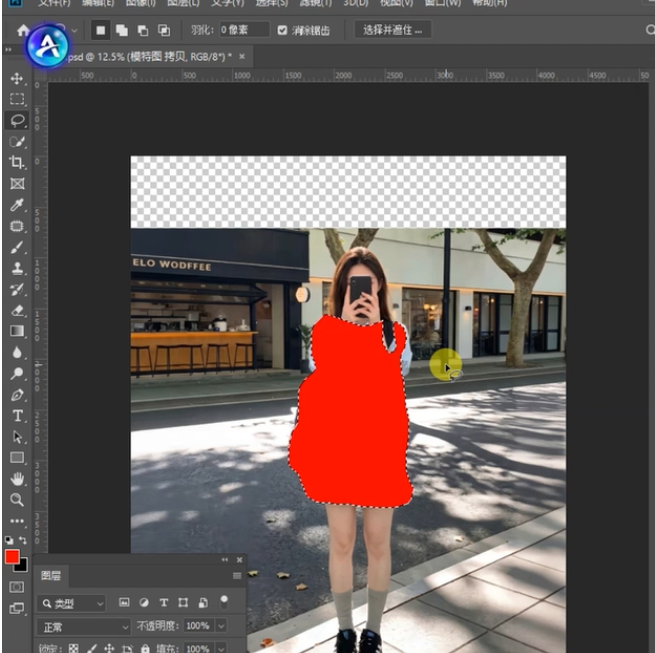
- Preprocess the model image Open the image in PS, duplicate the layer, use the Lasso Tool to select the original clothing, and fill the area with red to mark the replacement zone.
- Launch the plugin and set parameters Open Psaide, enter Nano Banana Pro for accurate results, and set the ratio matching the target clothing to avoid stretching.
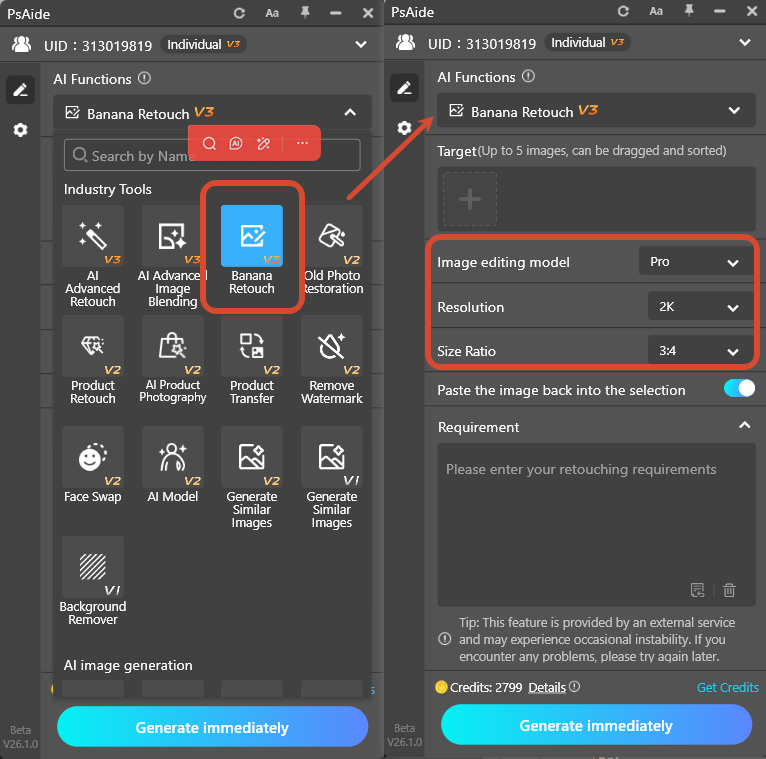
- Upload images and enter prompt Upload the new outfit (Image 1) and red-marked model image (Image 2).Use prompt:
- Replace the model’s clothes in Image 2 with the outfit from Image 1, keep all details of the outfit in Image 1.
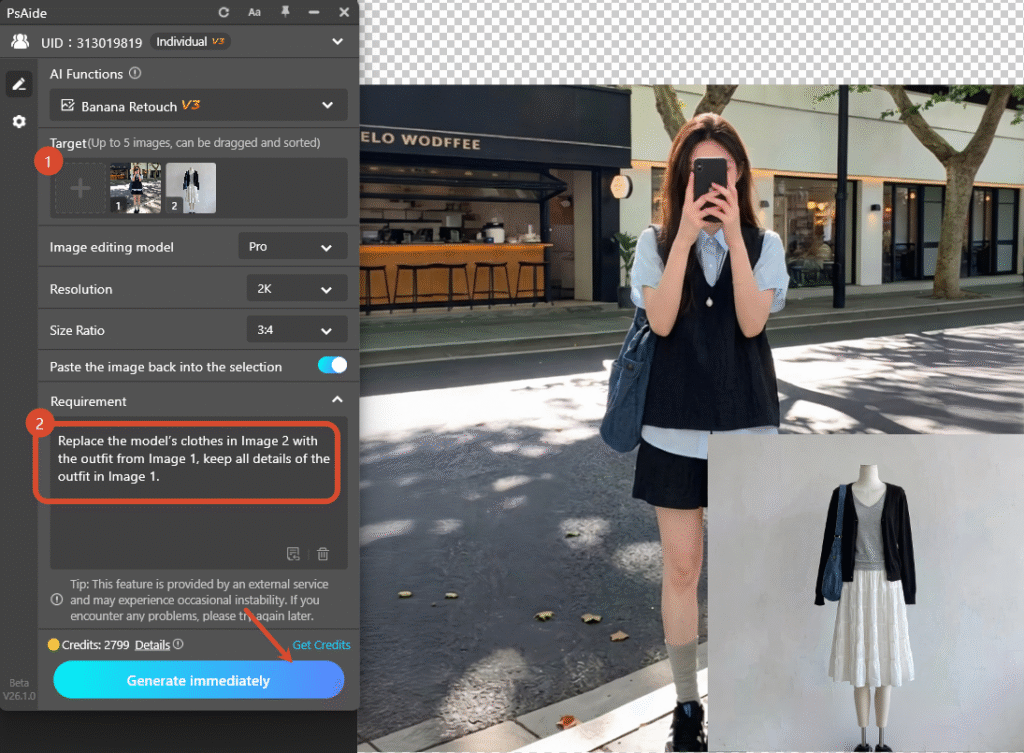
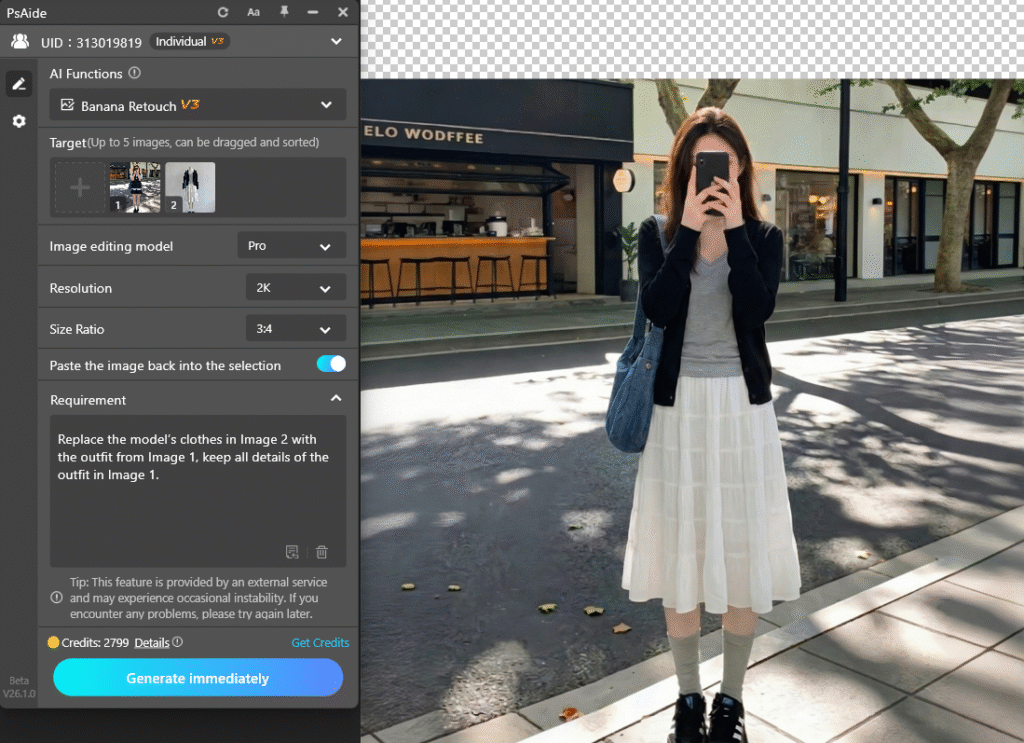
- Click Generate AI automatically replaces clothes, fits the body naturally, preserves patterns and wrinkles, and unifies lighting for a realistic effect.
3.Common Issues & Solutions
- Distorted or poorly fitted clothesRefine the red selection, use Nano Banana Pro, and match the output ratio.
- Lost clothing detailsUse high-definition outfit images and add keep patterns and wrinkles to the prompt.
- Unnatural lighting and disconnectionAdd unified natural lighting, match background tone and use similar lighting styles.
Create natural, commercial-ready outfit images easily with PS and Psaide Nano Banana.
4.Download link

https://psaide.com/?sfrom=A86R4u
Invitation Code: A86R4u