Table of Contents
For e-commerce designers and fashion photo editors, needing more model poses without reshooting is common. Manually changing poses in traditional PS is extremely difficult.
Using Liquify, warp and transform tools often breaks body proportions, distorts bags and accessories, creates unnatural wrinkles, and takes a lot of time. Even professionals struggle.
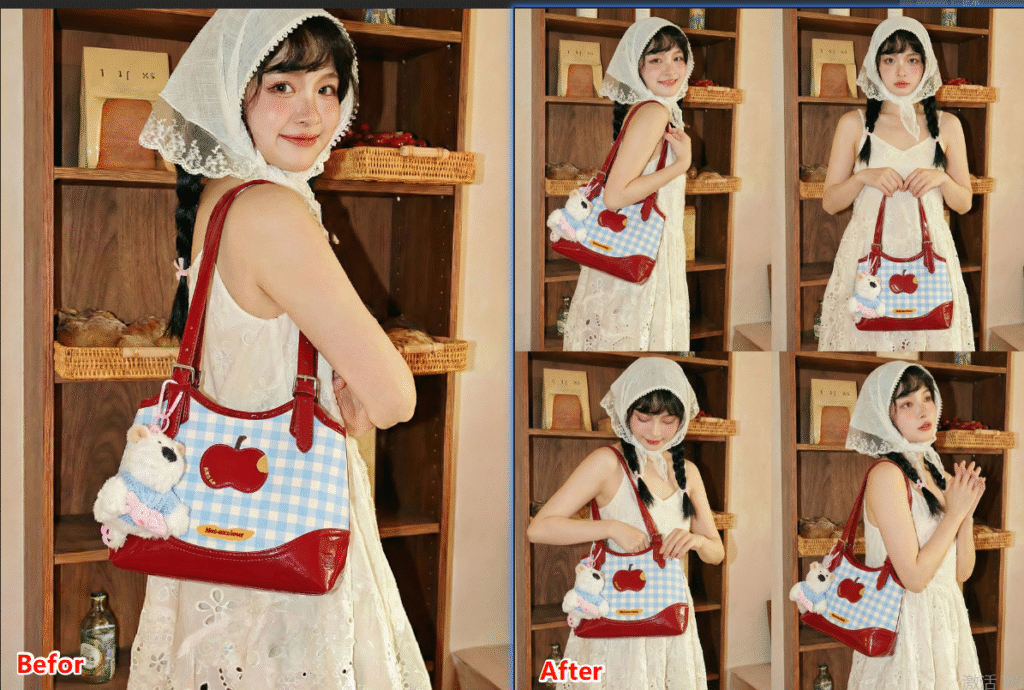
Psaide Nano Banana Pro uses AI to intelligently recognize human anatomy, auto-adjust poses, fix clothing folds, and preserve details. One click generates natural, realistic poses for beginners and experts alike.
1.Pain Points of Traditional PS Pose Editing
- Hard to control proportions; easy to create unnatural, distorted limbs
- Bags, clothes and accessories often get distorted
- Results look stiff and fake
- Very high skill barrier
2.How to Change Model Pose with PS + Psaide Nano Banana Pro
- Open your model image in PS and unlock the layer.
- Go to Window > Extensions and open Psaide.Select Nano Banana Retouch > Pro Version.
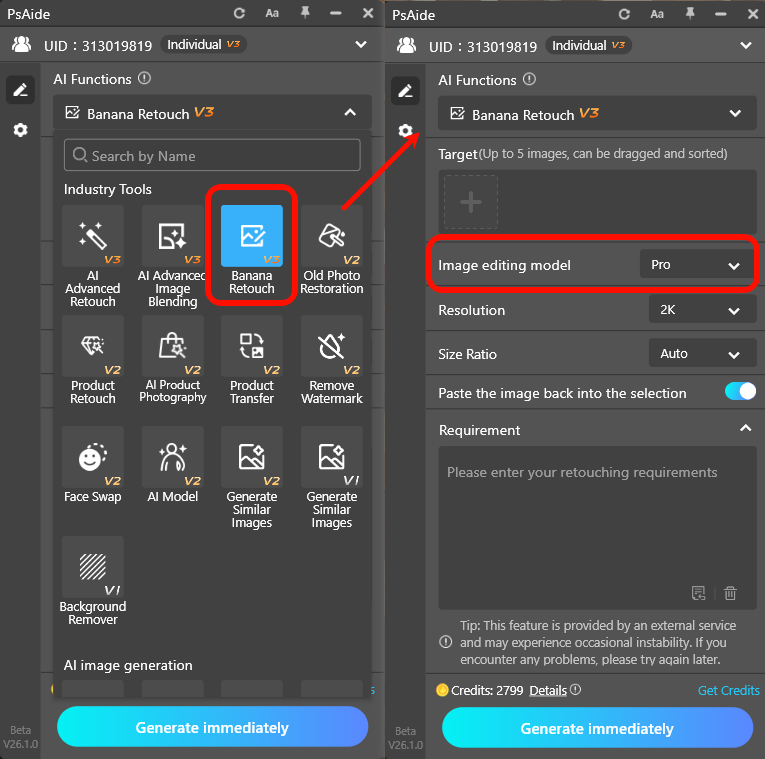
- Upload the layer and set ratio to 3:4 (e-commerce standard).
- Use this prompt:Create a 2*2 collage with 4 different natural and realistic poses of the model. Keep all details of the bag consistent with Figure 1.
- Click Generate.
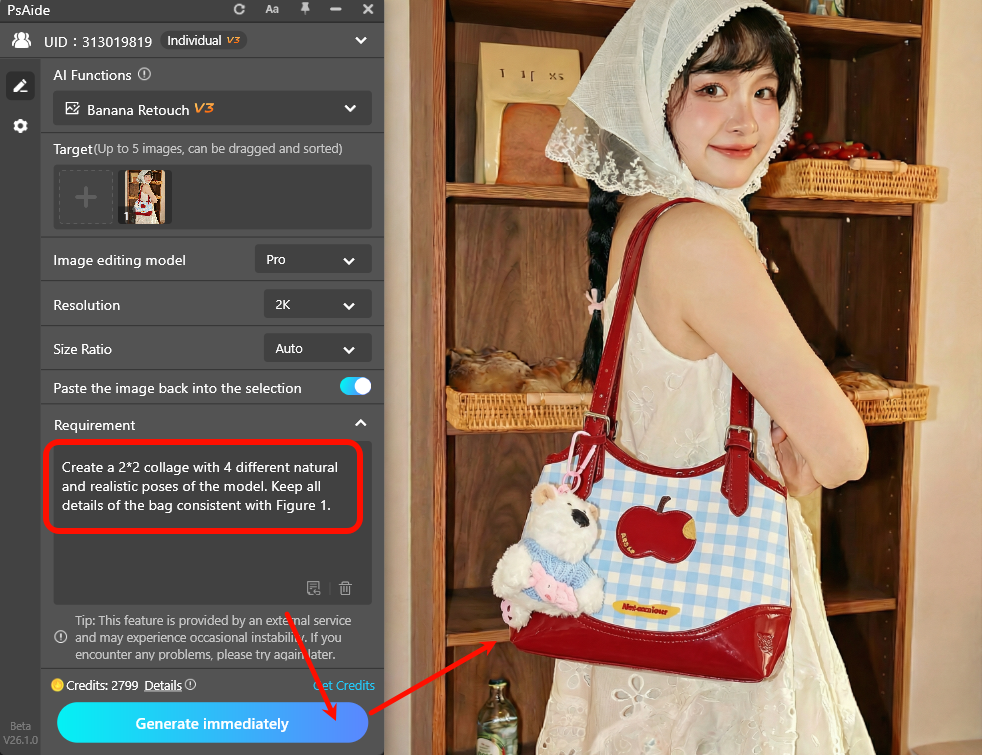
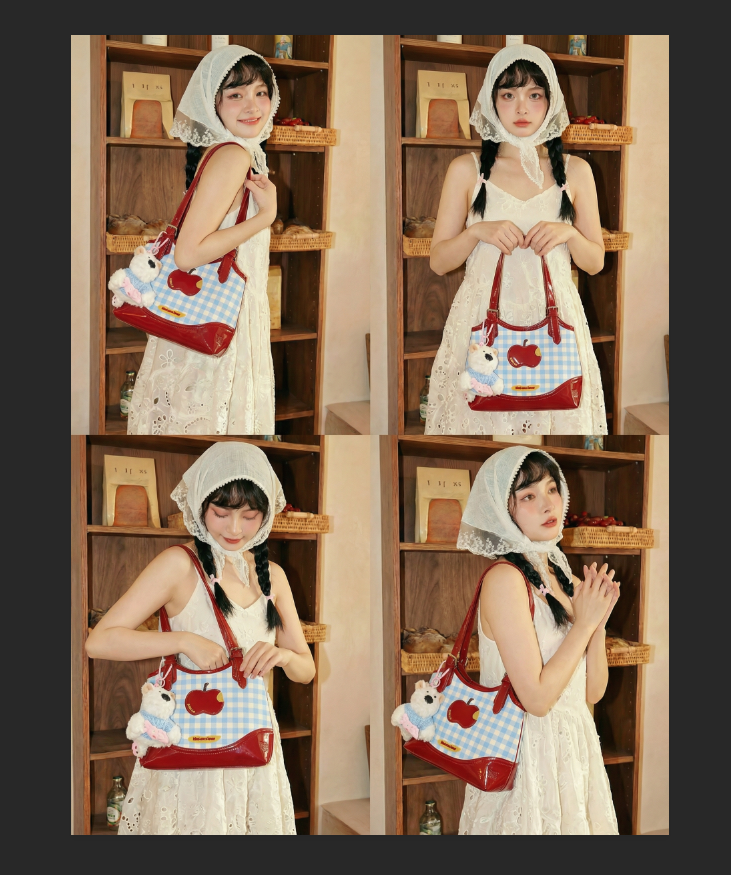
In 10–30 seconds, AI creates 4 natural poses, auto-fixes clothing and hair, and preserves bag details.
Apply the result to PS layers for direct use in main images and product pages.
Common Issues & Solutions
- Unnatural or distorted poses
- Use Nano Banana Pro
- Add to prompt: natural proportions, realistic movement, anatomically correct
- Use a clearer original pose
- Accessories like bags distorted
- Add to prompt: keep all bag details, no deformation, accurate color
- Ensure the bag is clear and unobstructed
Create unlimited natural model poses quickly with PS and Psaide Nano Banana Pro.
Download link

https://psaide.com/?sfrom=A86R4u
Invitation Code: A86R4u