
Table of Contents
1.The Designer’s Dilemma: Translating Art to Soft Goods
You’ve created the perfect character sketch—expressive, charming, full of personality. But visualizing it as a huggable, three-dimensional plush toy is an entirely different challenge. Designers and illustrators often hit a wall here. Translating clean 2D line art into the soft, rounded, and textured form of a premium plush toy like Jellycat requires reimagining proportions, adding subtle depth, and removing harsh outlines to suggest soft fabric instead of hard edges. Doing this manually is a time-consuming process of redrawing, shading, and guesswork, often losing the original charm in translation.
This is where the AI in Photoshop’s Nano Banana becomes a creative accelerator. It understands the specific aesthetic language of “plush”—softness, roundness, tactile texture—and can reinterpret your artwork through that lens in a single command.
Nano Banana’s AI is trained on vast datasets of images and styles. When you prompt it for “Jellycat-style,” it accesses this understanding to apply all these stylistic transformations at once, far faster than any manual method.
2.The 3-Step AI Transformation Process
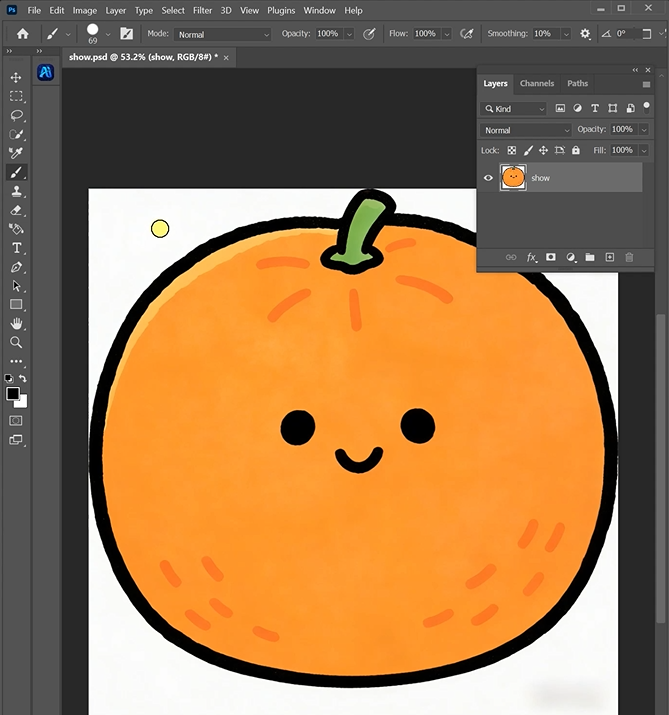
Step 1: Prepare Your Character Artwork
Open your 2D character illustration in Photoshop. Clear, bold artwork with a recognizable silhouette works best. The AI will use this as the blueprint. Simpler designs often yield more immediately plush-like results, but don’t be afraid to experiment.
Step 2: Command the AI with Stylistic Precision
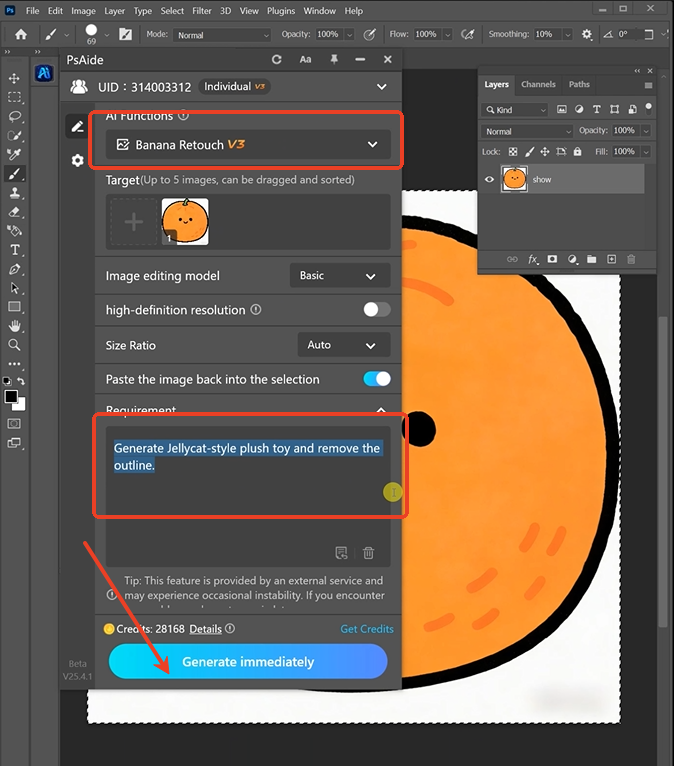
In the PsAide panel, launch Nano Banana. Upload your single image. In the prompt box, use a clear, descriptive command that defines both the style and a key technical requirement:
“Generate Jellycat-style plush toy and remove the outline.”
Step 3: Generate Your Plush Prototype
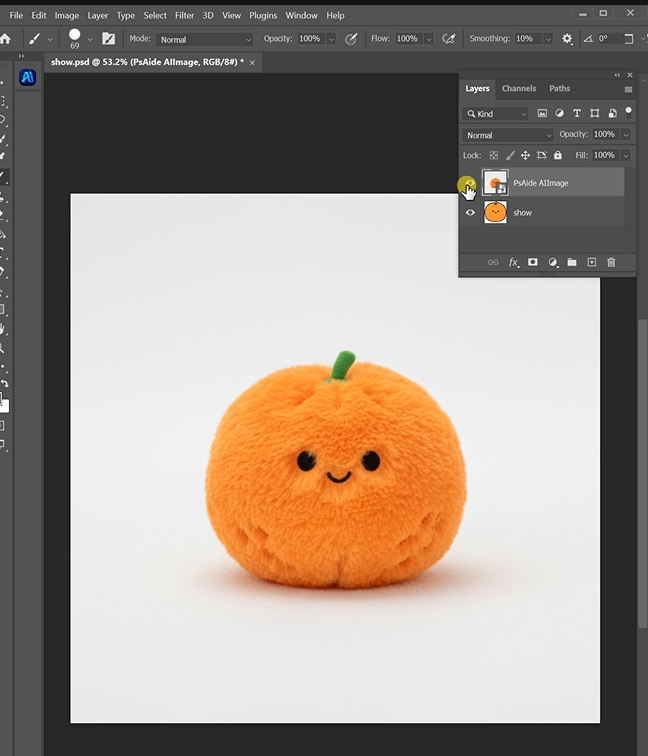
Click “Generate.” Within 30-60 seconds, watch your character evolve. The AI will:
- Reinterpret Form: “Puff out” the 2D shapes to appear three-dimensional and soft.
- Eliminate Hard Lines: Replace harsh outlines with gentle color transitions and internal shading that defines the form.
- Apply Style & Texture: Imbue the design with the characteristic gentle, friendly expression and a hint of soft, matte texture.
- Present a Cohesive Concept: Deliver a new image that looks like a direct product shot of a plush toy based on your drawing.
3.From AI Concept to Real-World Product
This generated image is a powerful visualization and communication tool.
- For Designers: Quickly validate a plush concept before moving to 3D modeling or physical prototyping.
- For Illustrators: Offer clients additional product potential for their characters.
- For Marketers: Create compelling “coming soon” visuals for crowdfunding or pre-orders.
- Next Steps: Use this AI-generated image as a perfect reference brief for a 3D artist or a manufacturer, as it clearly defines the desired soft aesthetic.
Pro-Tip: If the first result is too simplified, guide the AI further. Try a prompt like: “Jellycat-style plush toy, keep the detailed pattern on the character’s sweater, but make the material look like soft velour.” This gives you creative control over which details to preserve in the new style.fficiency is very low.
Download link
Begin your restoration journey today and rediscover your history with clarity and color that honors the original moment while making it accessible for future generations.
https://psaide.com/?sfrom=A86R4u
Invitation Code: A86R4u

