
Table of Contents
For e-commerce designers and operators, creating images with the same style as reference pictures is highly demanded.
Native Ps manual imitation is difficult and inefficient, while ordinary AI tools often produce inconsistent styles.
With Psaide Nano Banana, you can generate similar-style images intelligently with one click, matching tones, lighting and composition perfectly.
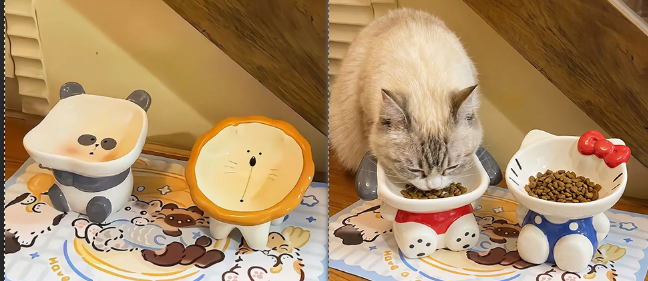
1.Method 1: Prompt Reverse Deduction (Accurate Style Capture)
- Open the reference image in Ps and launch Psaide.
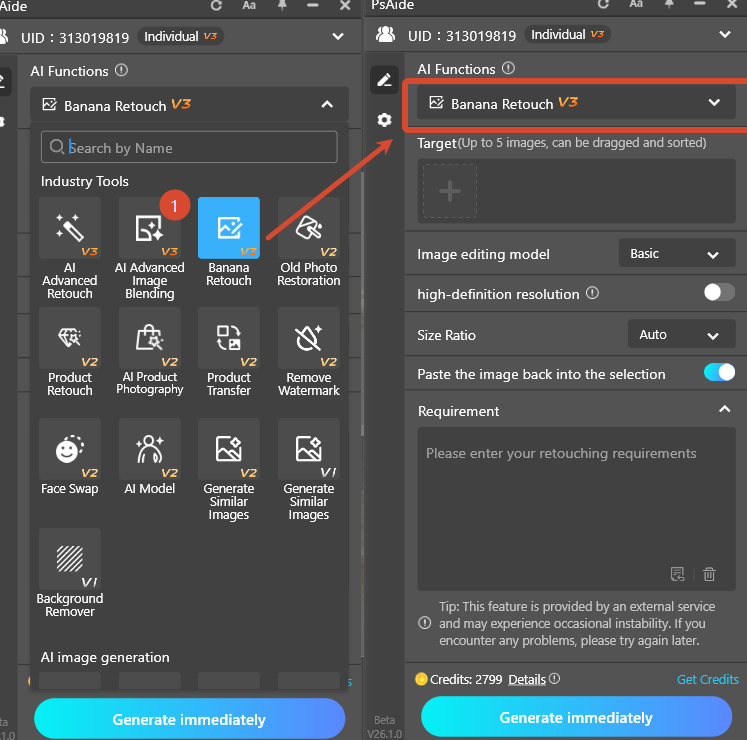
- Go to Nano Banana and click Prompt Reverse.
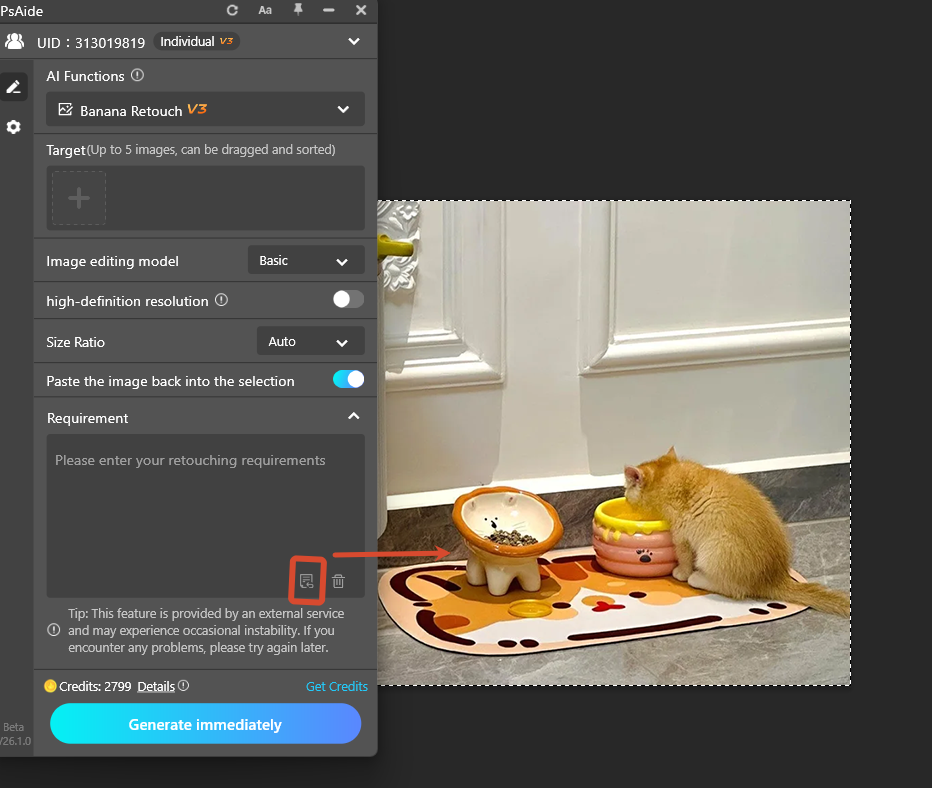
- The AI automatically analyzes style, tone, lighting and composition.
- Upload your product images and modify only the product description in the prompt.
- Click Generate to create a similar-style product image.
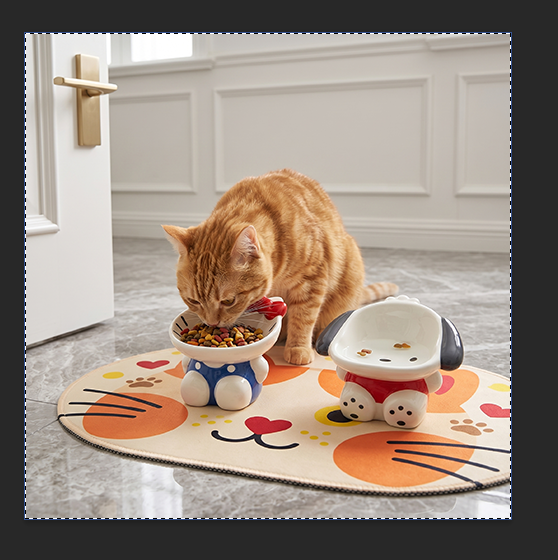
2.Method 2: Nano Banana Pro Direct Style Replication
- Launch Psaide and select Nano Banana Pro.
- Upload your product images and the style reference image.
- Use the prompt template:
- Based on Reference 3, create a high-quality e-commerce display image for the products in Image 1 and 2 with consistent style.
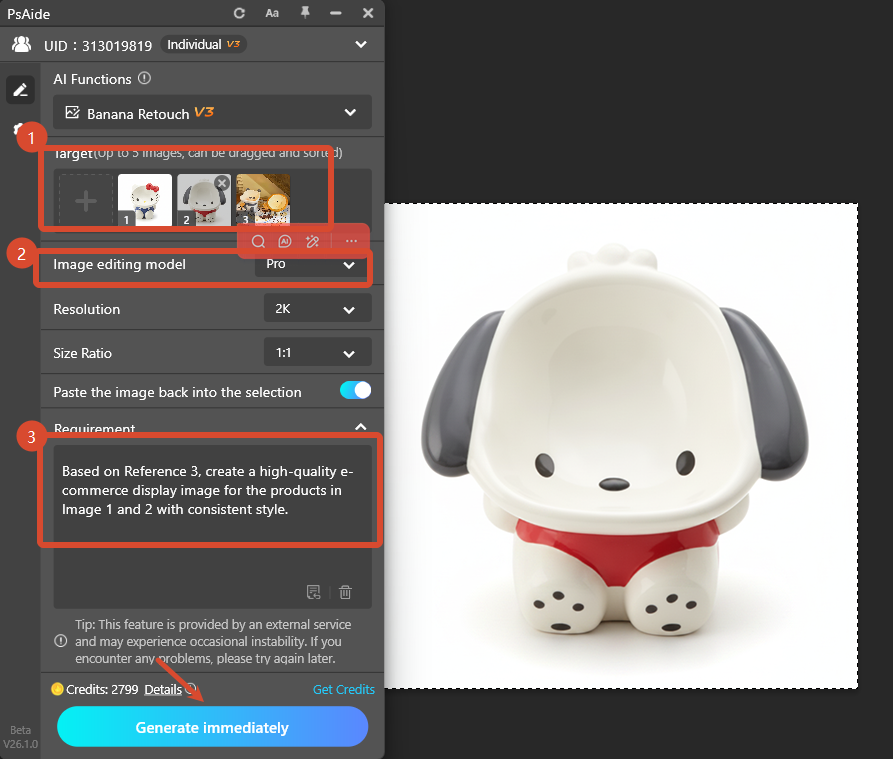
- Click Generate.AI replicates the style and integrates your products naturally.
3.Summary
These two methods help generate high-quality similar-style images efficiently for e-commerce main images and scene maps.
No professional skills needed — just use Ps and Psaide Nano Banana for accurate, fast AI image generation.
4.Download link

https://psaide.com/?sfrom=A86R4u
Invitation Code: A86R4u

