
Table of Contents
You have a model wearing the wrong skirt. Maybe it’s for a catalog update, a new collection launch, or just testing different styles before a shoot.
Traditional solution: 20-30 minutes of manual work.
- Masking around the waist
- Warping fabric to match the pose
- Matching shadows and highlights
- Blending edges so it doesn’t look pasted on
The result? Often still looks fake.
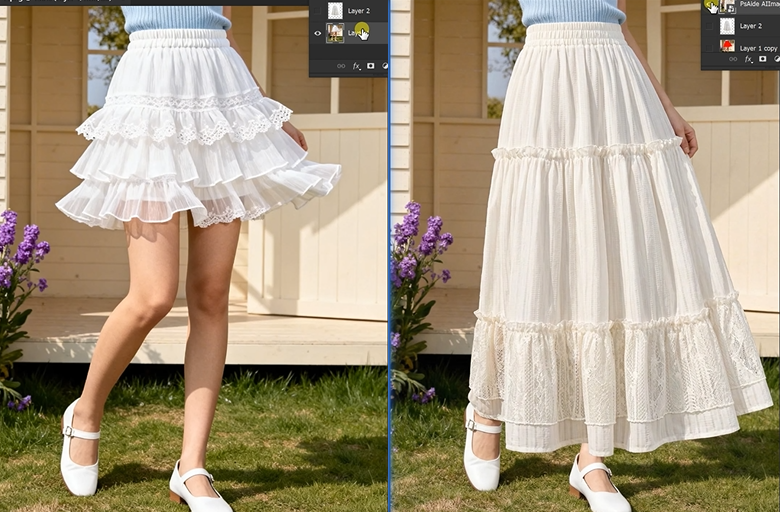
1、Why Skirts Are Hard (And Why AI Fixes It)
Three things make skirt replacement painful:
1. Waist positioning. The new skirt must sit at exactly the right height. Too high or too low and it looks wrong immediately.
2. Fabric drape. Skirts flow and fold based on the model’s pose. Standing vs. walking vs. sitting all change how the fabric behaves.
3. Natural movement. The hem should fall realistically. Wrinkles should form where the body bends. Manual editing almost never gets this right.
Manual methods struggle with all three. AI handles them automatically.
2、What You Need
- Photoshop (any recent version)
- PsAide plugin with Nano Banana Pro
- Your model photo
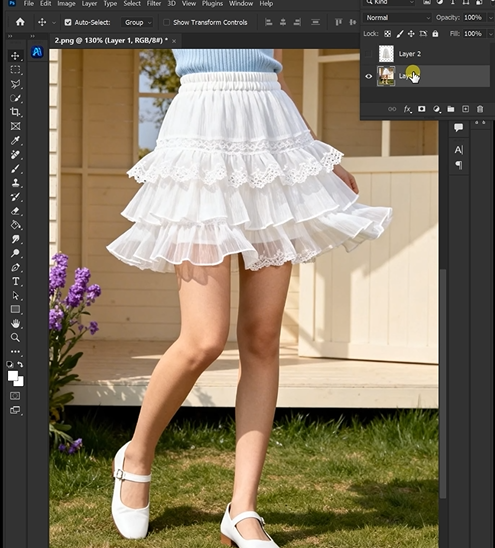
- Your new skirt product image
- 60 seconds
3、The 3-Step Workflow
Step 1: Mark in Red
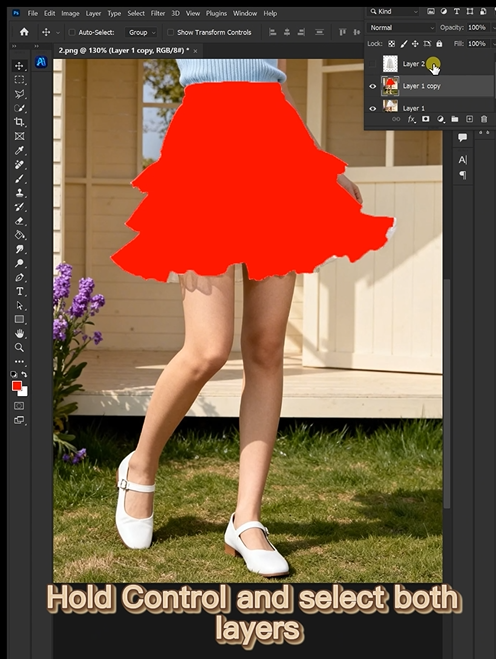
Open your model photo in Photoshop. Grab the Lasso Tool. Draw a rough selection around the current skirt. Fill with bright red (R=255, G=0, B=0).
That’s it. No perfect edges. Just cover the skirt area from waist to hem.
Why this works: Red is a color that rarely appears naturally in clothing or skin tones. The AI sees it as a clear instruction: “Replace exactly this area.”
Step 2: Write One Prompt
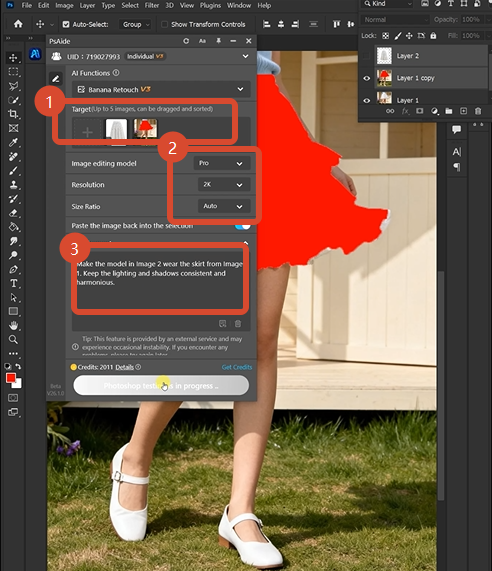
Open Nano Banana. Select Pro version. Set resolution to 2K—this gives you sharp fabric details without massive file sizes. Upload your two images in this order:
- Image 1: Your new skirt product photo
- Image 2: Your model photo with red-marked skirt
Then type:
“Make the model in Image 2 wear the skirt from Image 1”
Click Generate.
Step 3: Get Your Result (15 seconds)
Wait 45-60 seconds. The AI delivers a new image where the model is wearing your new skirt. The waist sits correctly. The fabric drapes naturally. The hem falls realistically.
Done.
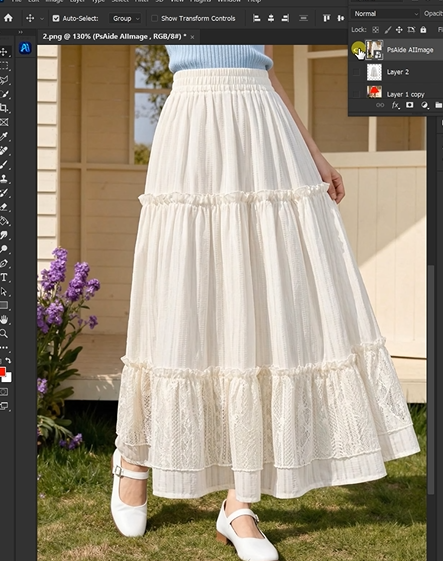
4、What The AI Does Behind The Scenes
While you wait, four things happen:
| Your Concern | AI’s Solution |
|---|---|
| Waist positioning | Detects the model’s waistline and places the new skirt at the exact height |
| Fabric drape | Analyzes the pose and creates realistic folds and flow |
| Hem movement | Positions the bottom edge to fall naturally based on stance |
| Lighting matching | Adjusts highlights and shadows to match the original scene |
You don’t see this happen. You just get the result.
5、Download link

https://psaide.com/?sfrom=A86R4u
Invitation Code: A86R4u

