
Table of Contents
Changing shoes on models is a common task for e-commerce designers. But doing it with native Ps is complicated and often leads to wrong size, weird perspective and mismatched lighting.
Traditional shoe replacement requires tedious cutting, warping and shadow painting. It is slow and not suitable for batch work.
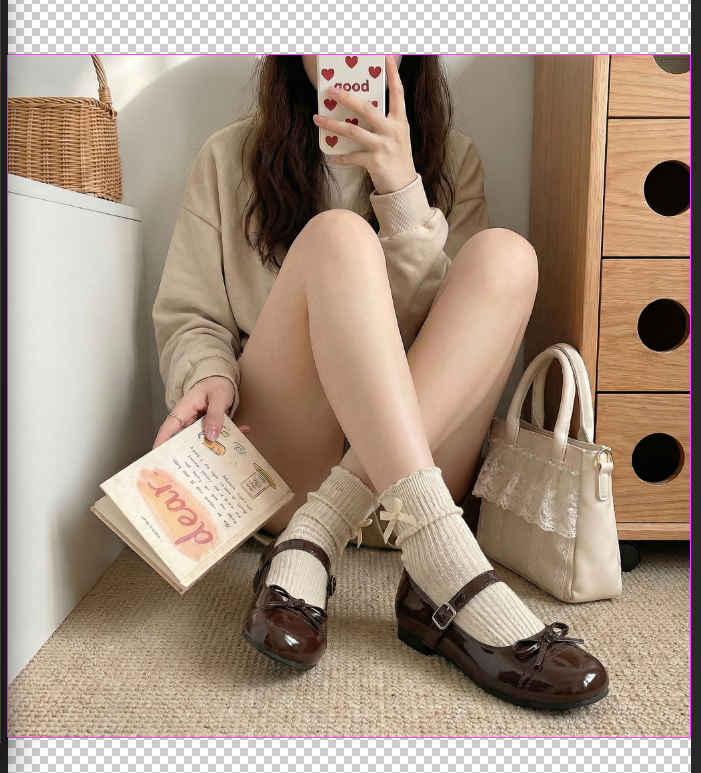
With Psaide Nano Banana, AI automatically recognizes the foot posture and matches the new shoes naturally, with accurate proportions and realistic lighting.

1.Pain Points of Native PS Shoe Replacement
- Hard to cut out shoes with complex shapes
- Difficult to match perspective and foot shape
- Fake shadows and unnatural lighting
- Low efficiency for e-commerce batches
2.3-Step Shoe Replacement with PS + Nano Banana
- Mark the shoes in red Open the model image in Ps, select the original shoes with the Lasso Tool and fill with red to help AI locate accurately.

- Set up Nano Banana Launch Psaide, open Nano Banana Pro, and keep the output ratio the same as the original image to avoid distortion.
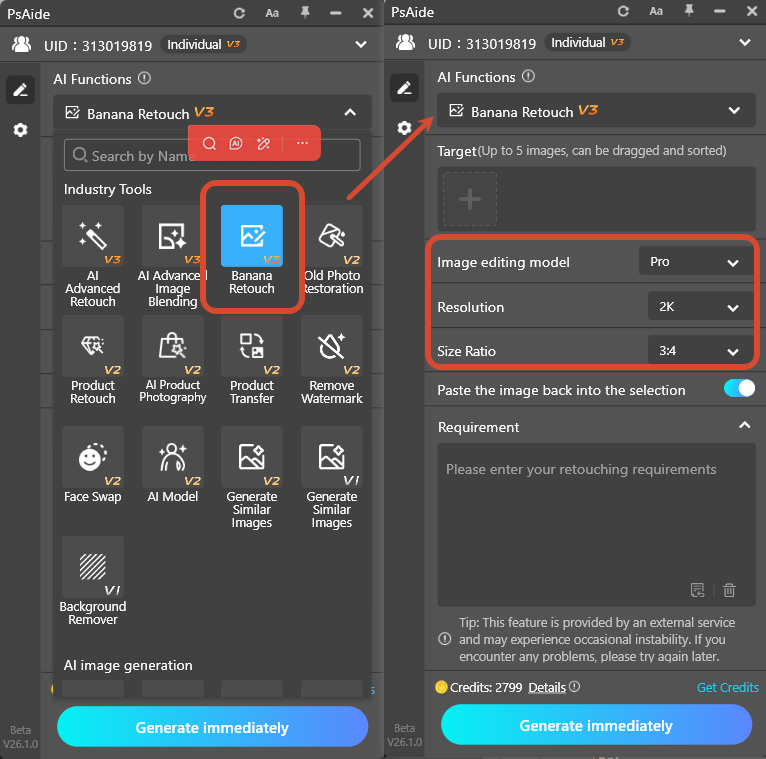
- Upload images and generate Upload the new shoe image (Image 1) and red-marked model image (Image 2).Use prompt:
- Replace the model’s shoes in Image 2 with the shoes in Image 1, keep the details of shoes in Image 1.
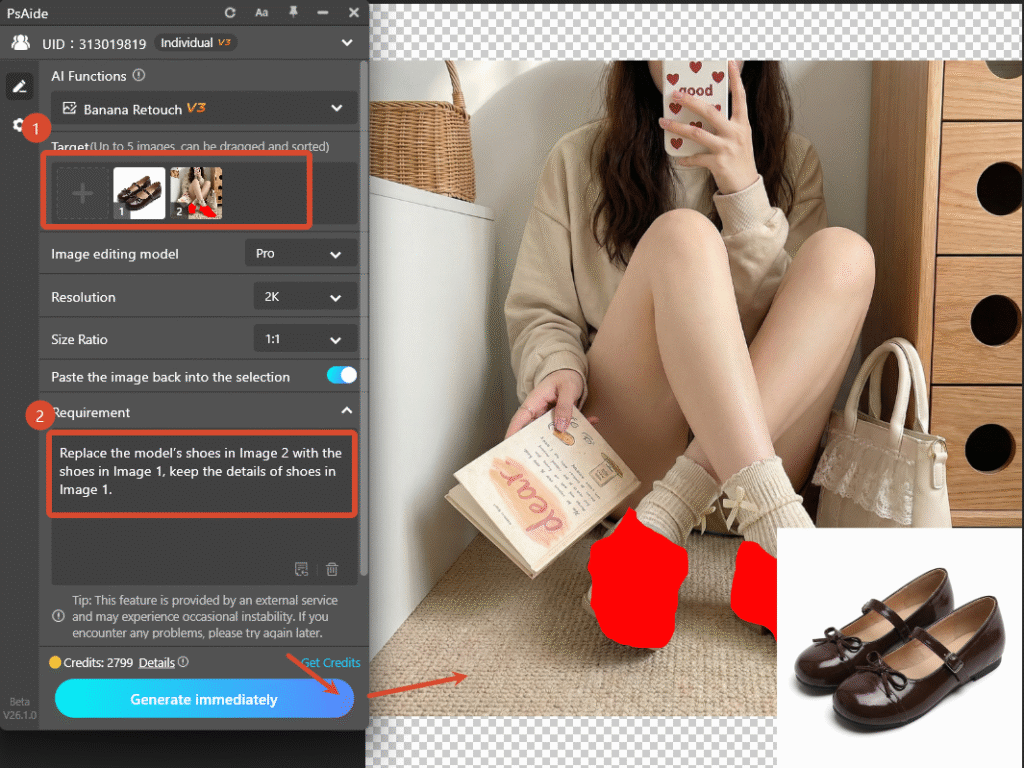
- Click Generate.AI completes realistic shoe replacement in seconds.
3.Traditional PS Methods (Backup)
- Cut and paste with Free Transform
- Use Puppet Warp to fit foot shape
- Paint soft shadows manually
- Adjust brightness to match lighting
Create professional and natural shoe replacement effects quickly with Ps and Psaide Nano Banana.
4.Download link

https://psaide.com/?sfrom=A86R4u
Invitation Code: A86R4u

