
Table of Contents
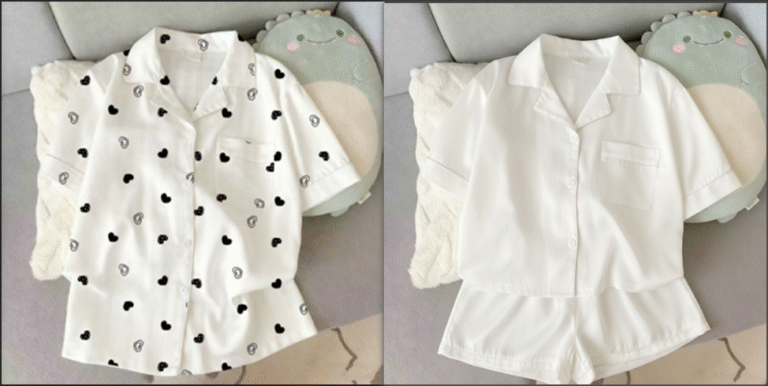
Removing chartlet, logos or stripes from clothing in native PS often leaves obvious traces and damages fabric texture.
Here are 3 effective ways, including a one-click AI method with Psaide Nano Banana.
2 Native PS Methods
1、Method 1: Patch Tool (Small & Simple Patterns)
- Duplicate the layer in PS.
- Select the Patch Tool and draw a selection around the pattern.
- Drag the selection to a clean texture area to auto-replace.
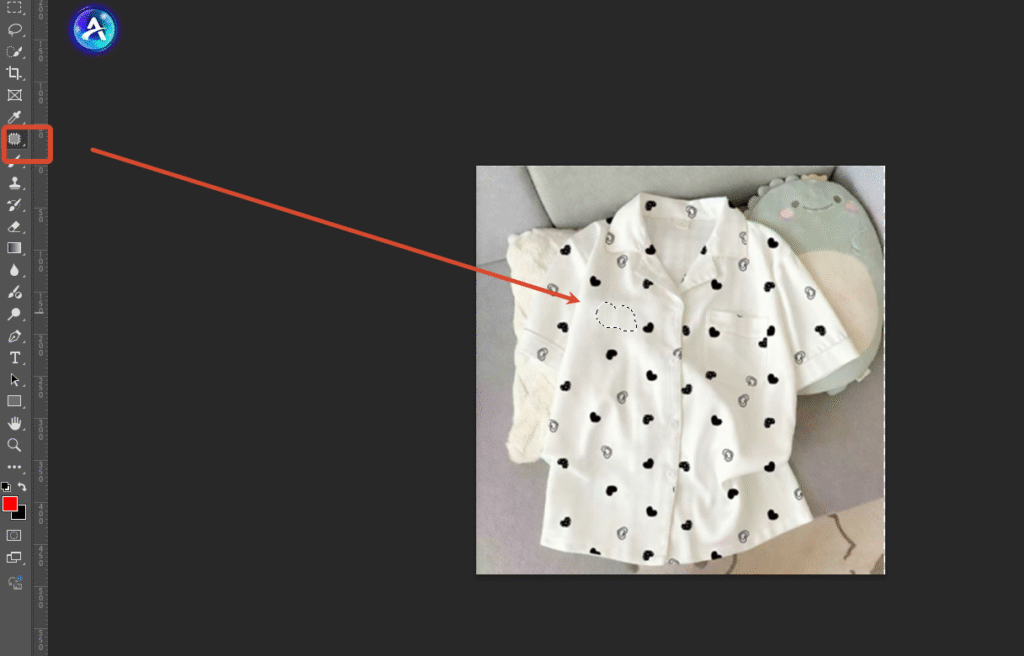
- Smooth edges with the Blur Tool.
2、Method 2: Content-Aware Fill (Large & Complex Patterns)
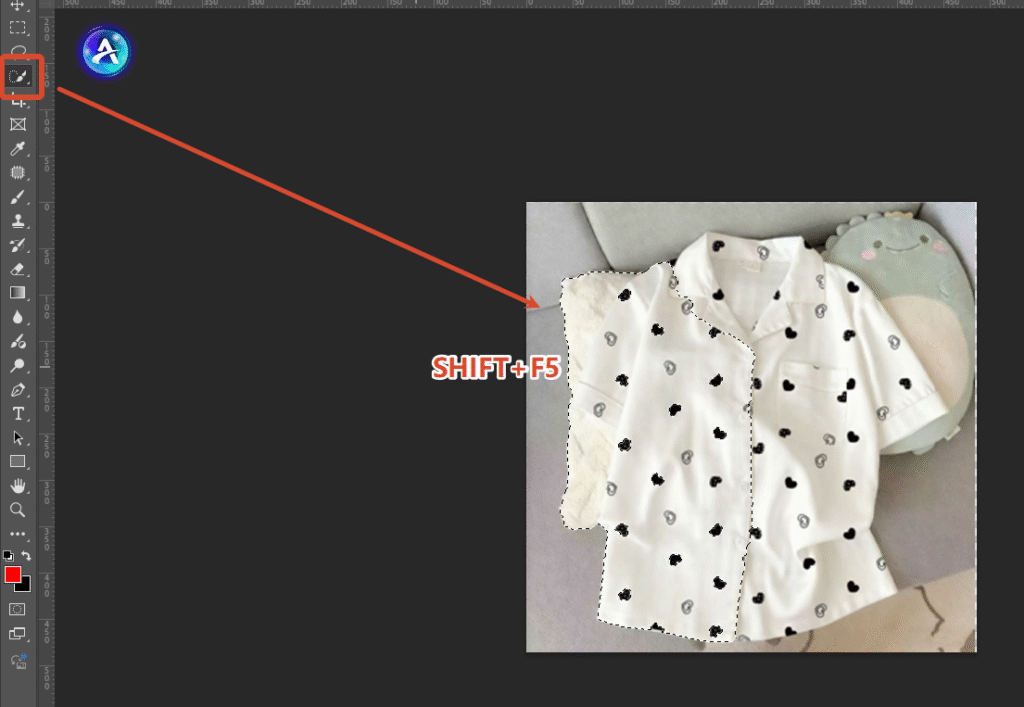
- Select the pattern with the Quick Selection Tool.
- Go to Edit > Content-Aware Fill.
- Adjust sample areas and confirm.
- Refine edges for natural texture.
3、One-Click AI Removal with PS + Nano Banana
- Open the clothing image in PS and launch Psaide.
- Enter Nano Banana, upload the image.
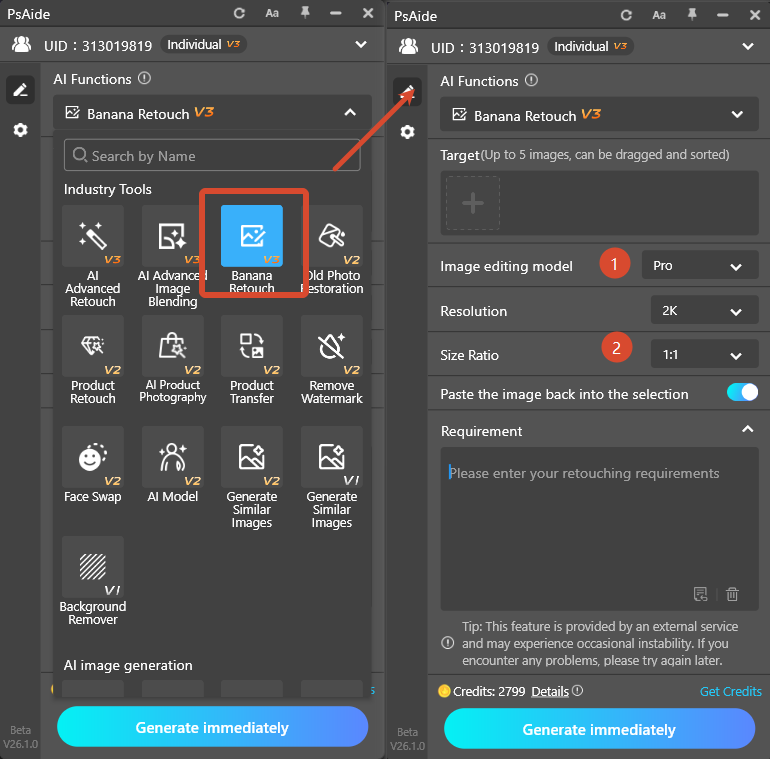
- Use prompt:
- Remove the stripe chartlet and keep clothing wrinkles and fabric texture.
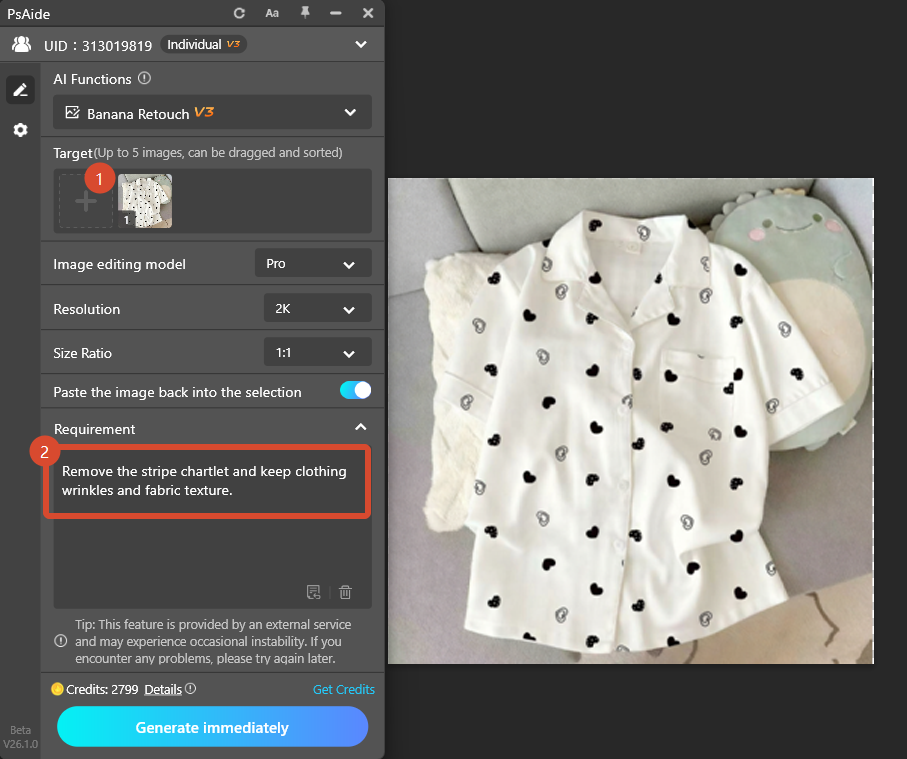
- Click Generate.AI removes the pattern cleanly in 30 seconds without damage.
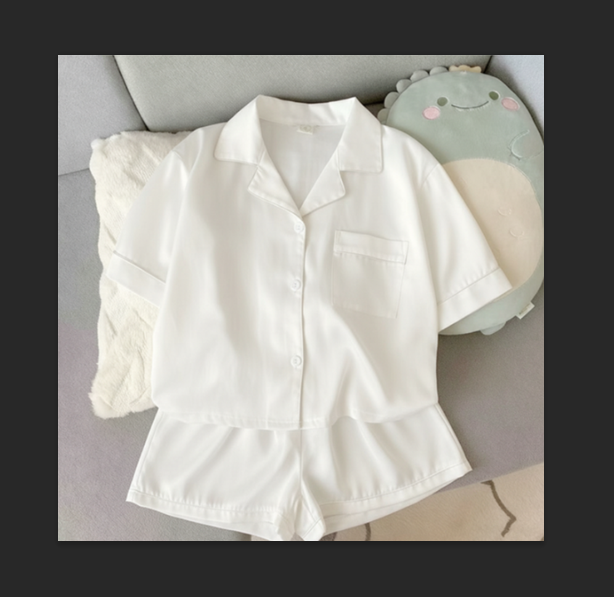
4、Summary
Native tools work for small edits; Nano Banana is best for fast, batch, high-quality clothing retouching in PS.acelet replacement quickly with Ps and Psaide Nano Banana.
Download link

https://psaide.com/?sfrom=A86R4u
Invitation Code: A86R4u

