
Table of Contents
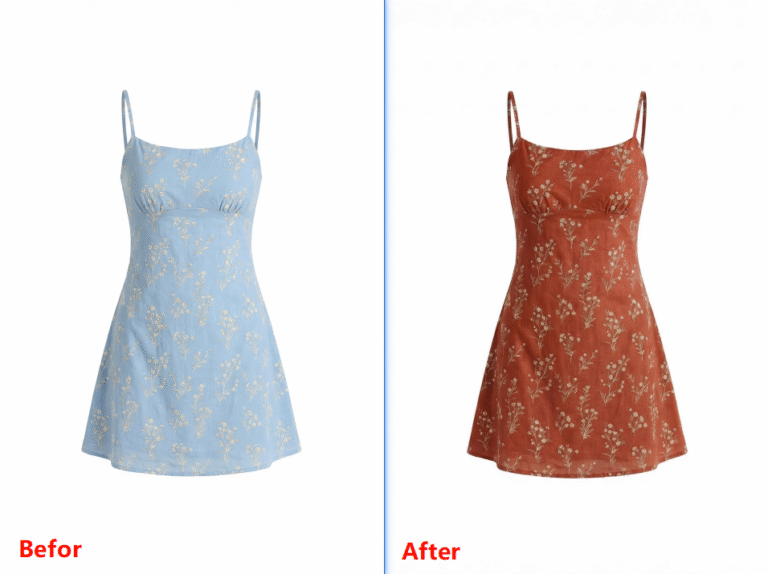
Seamless pattern mapping is widely used in fashion e-commerce and design. However, manual work in native PS is complex and inefficient, often causing stretched patterns, stiff edges and unnatural lighting.
Traditional PS requires warp, liquify, masks and lighting adjustment, which is difficult for beginners. Psaide Nano Banana Pro uses AI to intelligently recognize clothing structure, wrinkles and light, achieving seamless texture in one click.
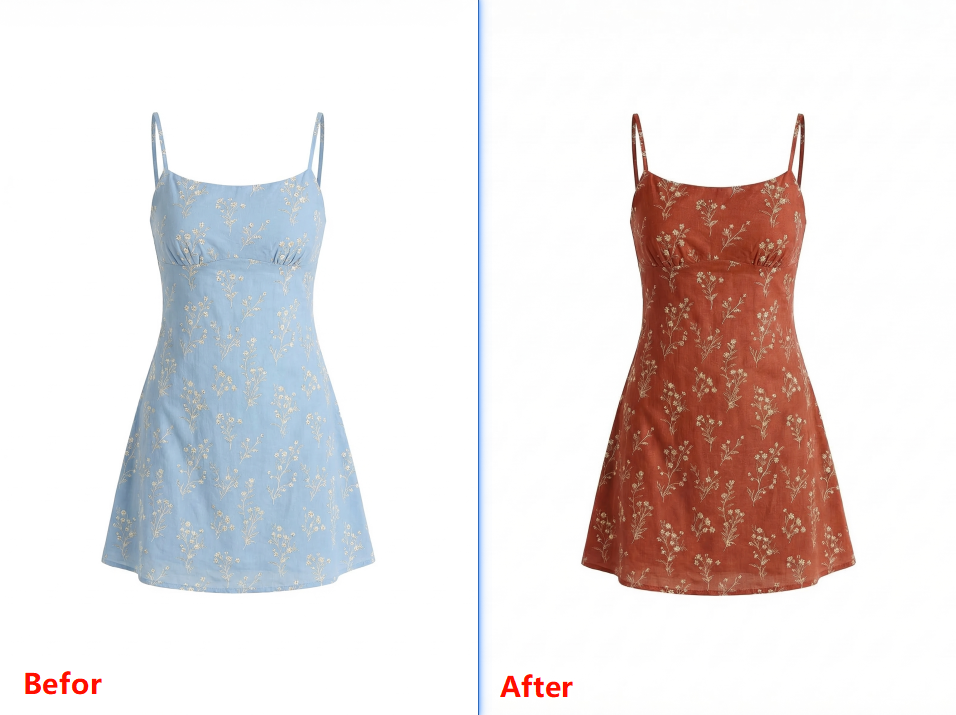
1.Pain Points of Native PS Seamless Texture
- Complicated workflow and high learning curve
- Patterns easily stretch, distort or blur
- Unnatural lighting without wrinkle shading
- Low efficiency, not suitable for batch production
2.How to Create Seamless Texture with PS + Nano Banana
- Prepare images
- Image 1: Your pattern or print design
- Image 2: Dress or clothing model photo
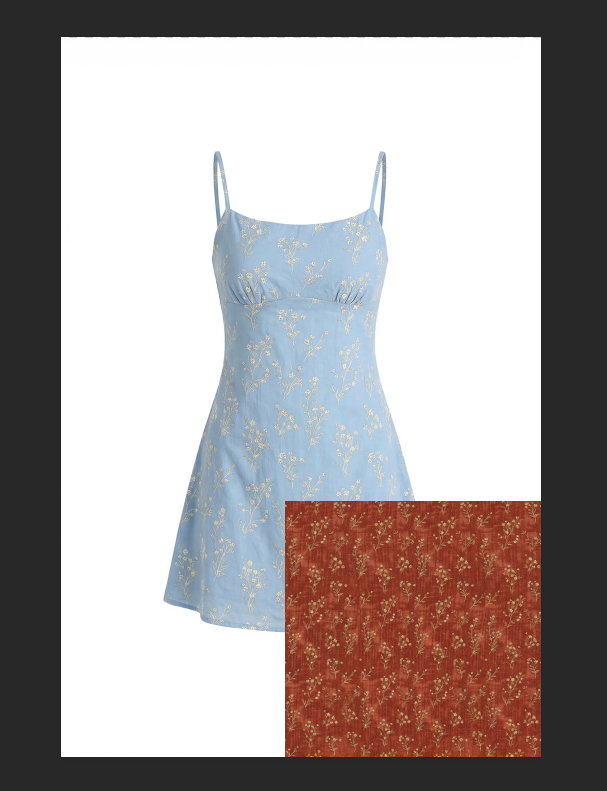
- Open plugin & set up Launch Psaide in PS, go to Nano Banana > Pro Version, and set the ratio the same as the original image.
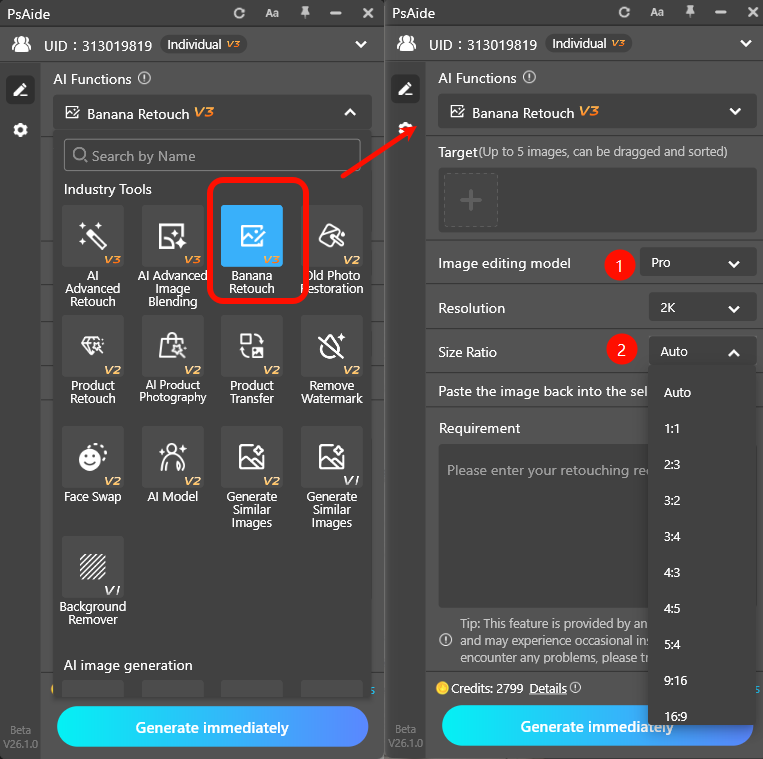
- Upload images Upload the print pattern and clothing image in order.
- Enter prompt Replace the pattern on the dress in Image 2 with the print from Image 1.
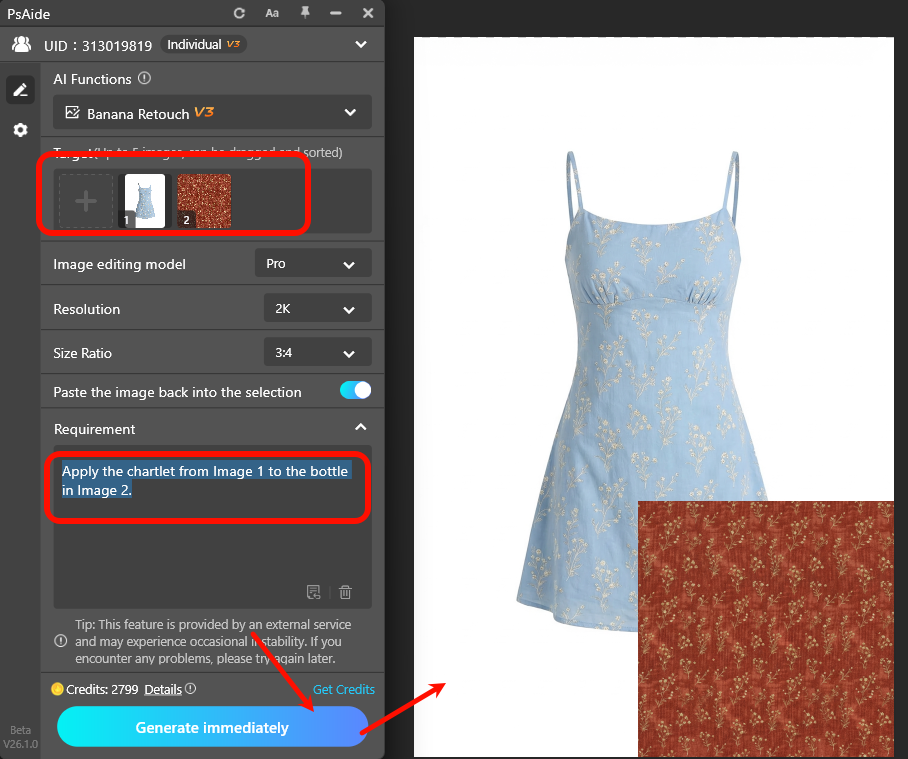
- Click Generate AI automatically:
- Identifies the clothing area
- Applies the pattern seamlessly
- Follows fabric wrinkles
- Unifies light and shadowThe result is ready for direct use in PS.
3.Common Issues & Solutions
- Stretched or blurry patternUse Nano Banana Pro and match the output ratio with the original image.
- Pattern not following wrinklesAdd to prompt: Pattern naturally fits clothing wrinkles with unified lighting.
- Generation failedRestart PS, select the correct layer, and use standard JPG/PNG files.
- Incorrect color matchingAdd: Keep true print color, no color shift and use high-quality pattern files.
Create professional, seamless clothing textures easily with PS and Psaide Nano Banana.
Download link

https://psaide.com/?sfrom=A86R4u
Invitation Code: A86R4u

