
Table of Contents
1. The Old Photo Restoration Challenge & AI Solutions
Q: Can AI really restore damaged old photos accurately?
A: Yes, remarkably well. Traditional photo restoration requires expert skills in scratch removal, tear repair, and colorization that can take hours per image. The challenges include identifying actual image content versus damage, preserving historical accuracy in colorization, and maintaining the photo’s original character while repairing flaws.
Q: How does AI handle the subtle details of historical photographs?
A: Nano Banana Pro is trained on historical photo databases, enabling it to distinguish between period-appropriate details and actual damage. It understands different photographic processes (sepia tones, silver gelatin prints) and applies contextually appropriate restoration rather than generic fixes.
2. Why Pro Version Excels at Historical Restoration
The Pro version’s advanced algorithms go beyond basic repair. It performs intelligent analysis of photo deterioration patterns, recognizes different types of damage (water stains, chemical fading, physical tears), and applies targeted restoration techniques for each issue. Most importantly, it maintains the historical authenticity of images while bringing them to their original clarity—something difficult to achieve with standard restoration tools.
3. What You’ll Need
- Adobe Photoshop(2025+) with PsAide plugin installed
- Click to get
- Scanned old photo (higher resolution yields better results)
- 2-3 minutes processing time
4. The Professional Restoration Process
Step 1: Prepare Your Historical Photo
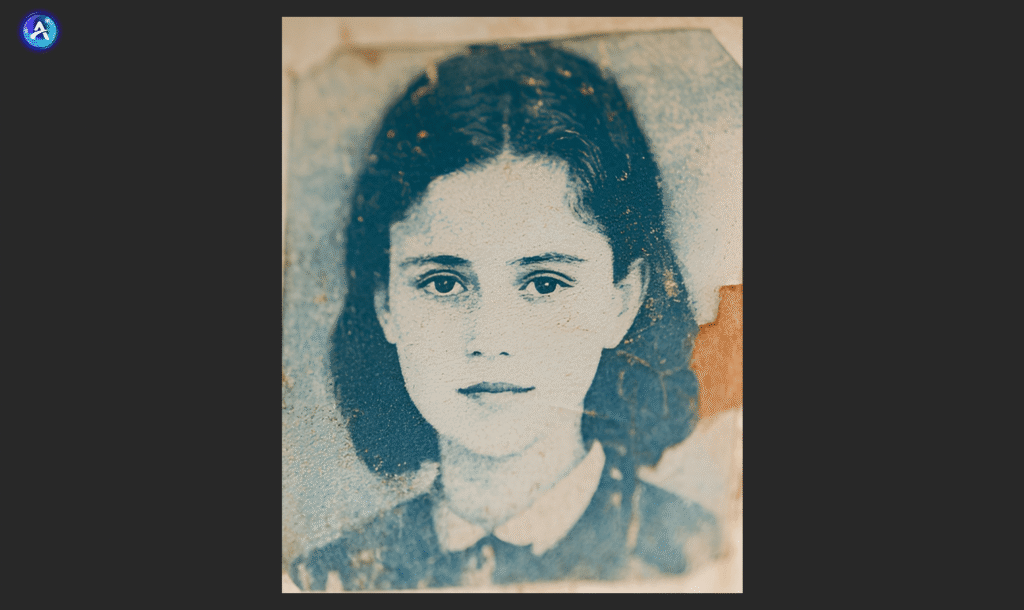
Open your scanned old photo in Photoshop. For best results, ensure your scan captures the full photo area with good clarity. The AI can work with various conditions, but clearer scans provide more detail for accurate restoration. No pre-cleaning or adjustments needed.
Step 2: Configure Pro Settings and Command
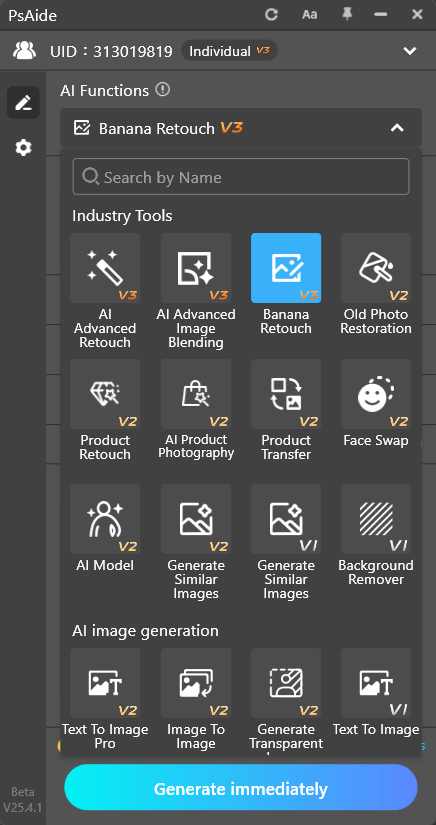
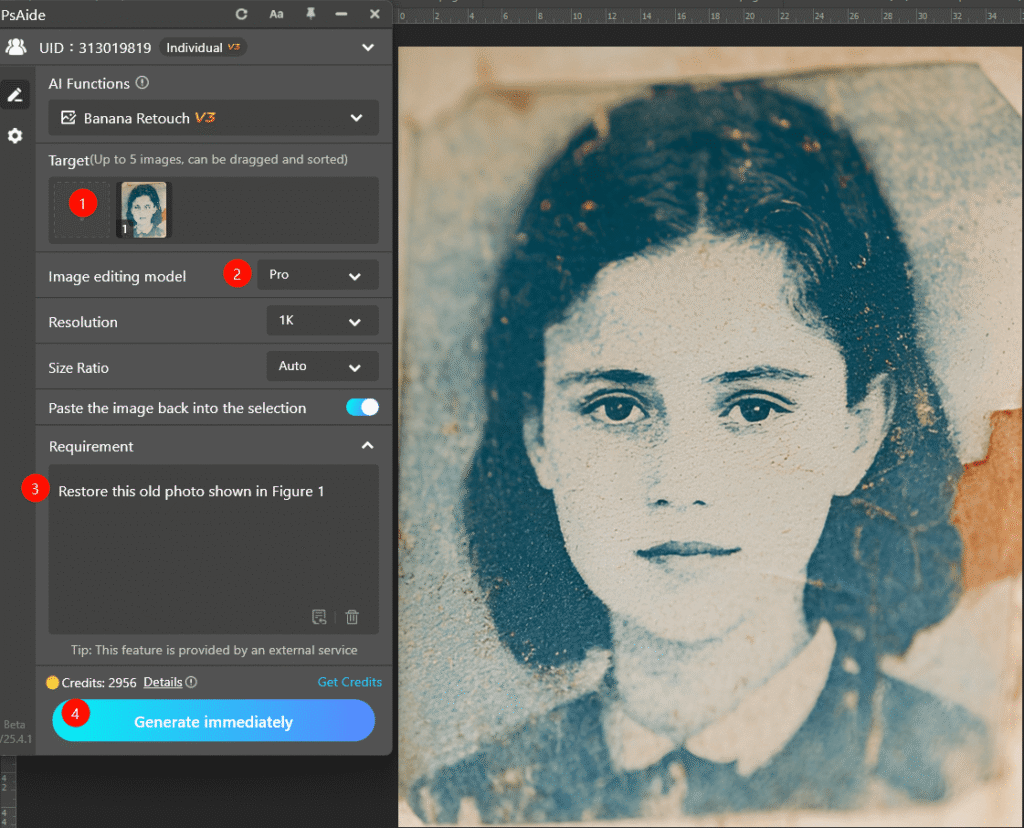
Launch Nano Banana and select the Pro version from options. Upload your single historical photo to the interface. In the prompt box, enter this comprehensive command:
“Restore this old photo shown in Figure 1.“
Step 3: Generate Restored Results
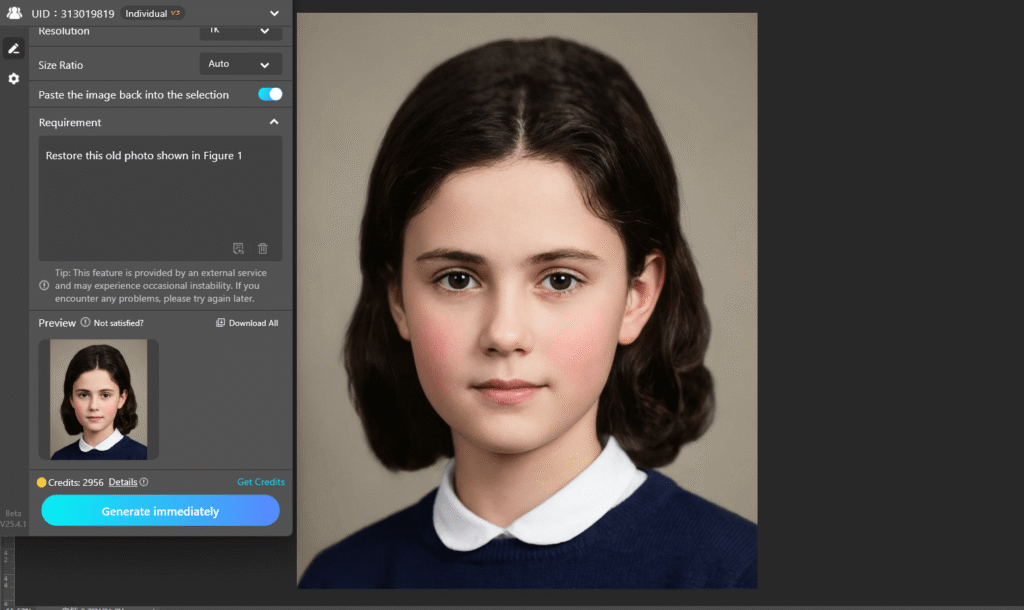
Click “Generate” and wait 45-60 seconds. The AI performs multiple restoration tasks simultaneously: removes scratches, dust, and surface damage, repairs tears and missing sections, corrects fading and discoloration, applies historically appropriate colorization, enhances details while preserving original textures, and maintains the photo’s period-appropriate appearance. The result is a revitalized version that looks like the original photo in its prime.
5. Practical Applications & Preservation Tips
This technique is invaluable for:
- Family History: Preserve and share ancestral photos
- Historical Archives: Digitize and restore historical collections
- Genealogy Projects: Enhance photos for family trees and records
- Personal Heritage: Restore cherished family memories
- Educational Materials: Prepare historical images for presentations
Pro Tips: For severely damaged photos, the AI may require clearer source material. If your photo has extensive damage, consider multiple restoration passes. The Pro version handles colorization intelligently, but you can guide it with additional prompts like “natural skin tones and period-appropriate clothing colors” for specific results. Always keep original scans as reference, and work with copies to preserve historical integrity
Download link
https://psaide.com/?sfrom=A86R4u
Invitation Code: A86R4u
Click here to discover more usage tips and in-depth information on Nano Banana Pro!

