Table of Contents
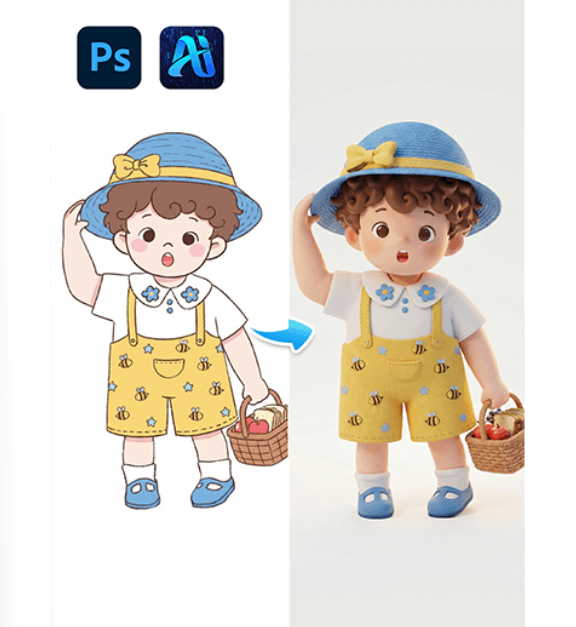
In product design, eCommerce visualization, and digital content creation, transforming flat images into realistic 3D visuals is becoming increasingly important. Instead of building complex 3D models manually, creators can use nano banana in the PsAide plugin to convert a simple 2D image into a three-dimensional visual with depth, lighting, and realistic structure.
With prompt-guided generation, nano banana analyzes the object in the uploaded image and reconstructs its spatial form, creating a natural 3D appearance suitable for product presentation and creative design.
1. nano banana Advantages for 2D to 3D Conversion
(1)Limitations of Traditional 3D Creation
Traditional 3D modeling requires professional software and time-consuming manual work, which can slow down creative workflows.
(2)How nano banana Simplifies the Process
Using AI-driven image analysis, nano banana can interpret shapes, textures, and lighting from a flat image and generate a realistic 3D result in just a few steps.
2. nano banana 3-Step 2D to 3D Workflow
(1)Upload the 2D Image
① Open the PsAide plugin panel.
② Upload the flat product or object image into the nano banana function.
③ Ensure the image is clear and centered for better results.
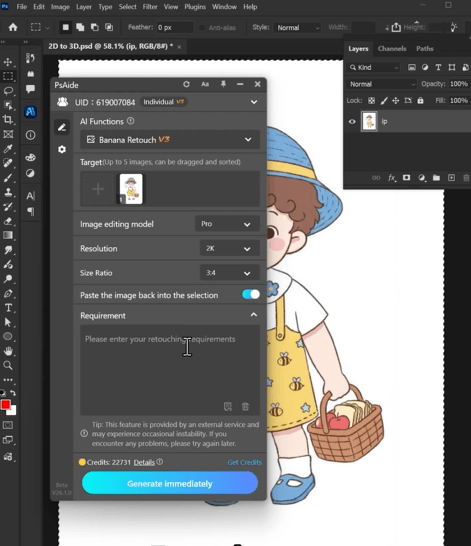
This step allows nano banana to analyze the object’s shape and visual structure.
(2)Enter a Prompt
① Describe the desired 3D effect.
② Mention realistic depth, shadows, and lighting.
③ Keep the prompt clear and descriptive.
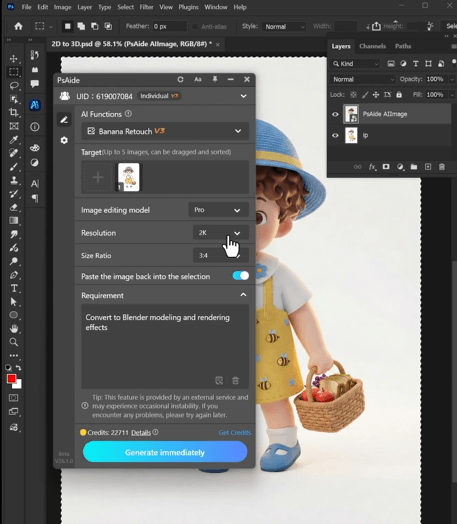
Example prompt:
“Convert to Blender modeling and rendering effects”
(3)Click Generate
① Click Generate in nano banana.
② The AI will automatically convert the 2D image into a 3D-style visual.
③ Regenerate if you want to explore different lighting or perspective variations.
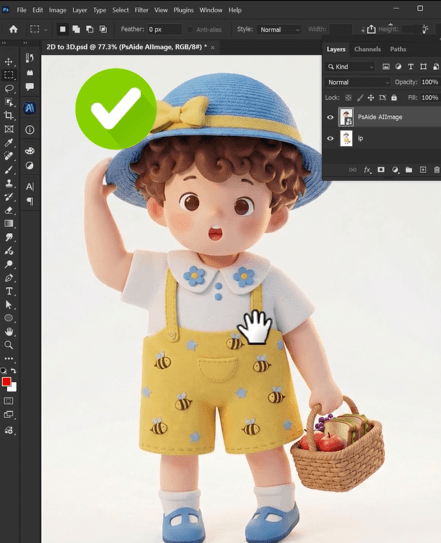
3. Visual Depth and Realism
(1)Natural Lighting and Shadows
nano banana automatically generates shadows and highlights that enhance the 3D effect.
(2)Accurate Object Structure
The generated image maintains the original design while adding realistic depth and dimension.
4. Practical Use Scenarios
(1)eCommerce Product Visualization
Turn flat product images into more engaging 3D-style visuals.
(2)Creative Design and Marketing
Produce eye-catching graphics for ads, posters, and social media.
5. Summary
By transforming flat images into dimensional visuals, nano banana offers a fast and efficient way to create 3D-style imagery without complex modeling software, making it ideal for designers, marketers, and eCommerce creators.

Download Link: https://psaide.com/?sfrom=ZfhxUK
Invitation Code: ZfhxUK