
Table of Contents
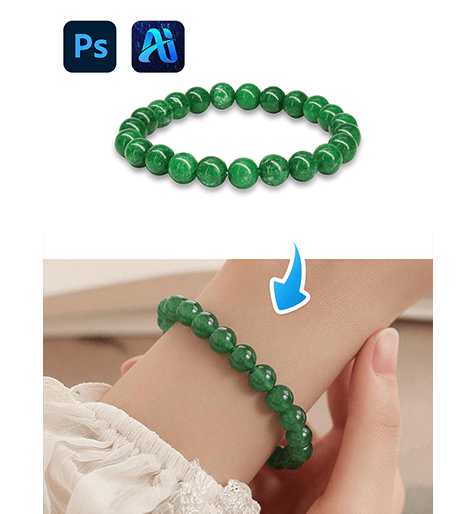
Bracelet replacement is widely used in fashion photography, accessory marketing, and lifestyle branding. Through nano banana in PsAide, creators can transfer bracelet products directly onto model wrist images while preserving pose, lighting, and fabric interaction.
Instead of cutting, resizing, and manually blending accessories, nano banana performs intelligent wrist analysis, ensuring that bracelets fit naturally around hand angles and sleeve edges.
1. nano banana Bracelet Replacement Benefits
(1)Limitations of Manual Bracelet Editing
Traditional methods often cause scale distortion, unnatural wrist positioning, or broken shadow alignment.
(2)Why nano banana Is More Reliable
nano banana evaluates wrist curvature, sleeve boundaries, and scene lighting to produce realistic bracelet placement.
2. nano banana Red Mask Bracelet Workflow
(1)Paint the Original Wrist Product Red
① Open the scene image.
② Paint the existing bracelet or wrist accessory red.
③ Keep the mask within the wrist area only.
This step helps nano banana accurately identify the replacement region.
(2)Upload Scene Image and Bracelet Product Image
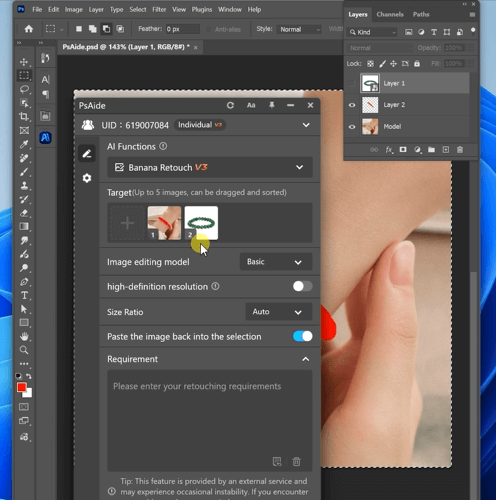
① Upload the red-masked scene image.
② Upload the bracelet product image with clear details.
③ Maintain good resolution for texture accuracy.
(3)Enter a Detailed Prompt
Replace the bracelet in Image 1 with the bracelet from Image 2.
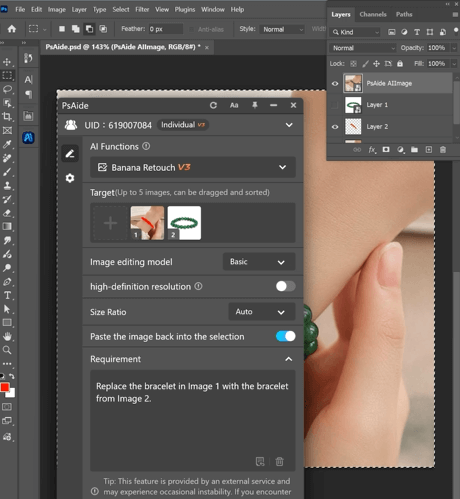
(4)Click Generate
① Click Generate.
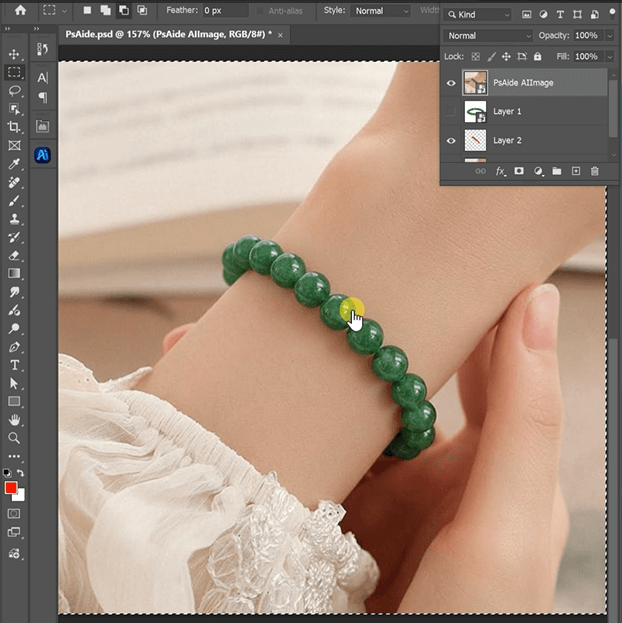
② Inspect wrist alignment and size.
③ Regenerate if micro-adjustments are required.
3. Enhancing Wrist Accessory Realism
(1)Natural Wrist Wrapping
nano banana automatically adapts bracelet curvature to wrist posture.
(2)Shadow and Fabric Interaction
Bracelets inherit nearby sleeve shadows and lighting softness.
4. Practical Applications
(1)Accessory Product Catalogs
Produce multiple bracelet styles from one base model photo.
(2)Social Media Visual Variations
Quickly create diverse accessory combinations for campaigns.
5. Summary
By combining red mask guidance with AI scene intelligence, nano banana delivers efficient and natural bracelet replacement suitable for everyday commercial workflows.

Download Link: https://psaide.com/?sfrom=ZfhxUK
Invitation Code: ZfhxUK

