
Table of Contents
1. Nano Banana Clothing Wrinkle Removal Tips in Traditional Photoshop
(1)Why Clothing Wrinkles Are Difficult to Fix
Clothing wrinkles are created by folds, gravity, and pressure, resulting in complex highlight and shadow transitions. Effective nano banana workflows begin with understanding how fabric reacts to light. Without this logic, wrinkle removal can easily damage texture and make clothing appear flat or artificial.
(2)Common Manual Photoshop Methods
① Healing Brush and Clone Stamp
These tools are used to copy smooth fabric areas to cover wrinkles. However, without nano banana–level structure analysis, repeated textures may appear unnatural.
② Liquify Tool for Fabric Reshaping
Liquify helps flatten deep folds and adjust garment contours, but excessive use can distort seams and edges.
③ Dodge and Burn on Neutral Gray Layers
Manual dodge and burn rebuilds highlights and shadows but requires strong lighting judgment. Nano banana automation greatly reduces this workload.
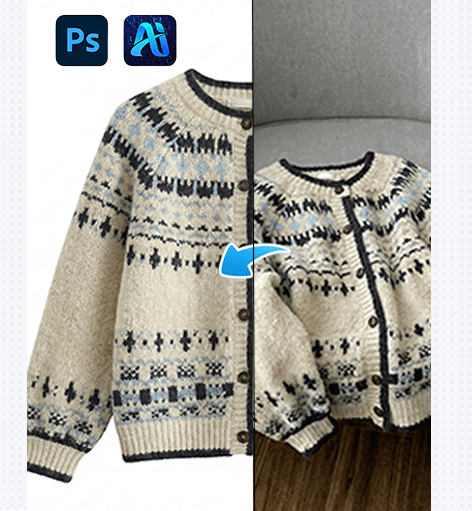
Traditional approaches lack the efficiency and consistency provided by nano banana workflows.
2. Nano Banana One-Click Wrinkle Removal with PsAide
(1)How Nano Banana Works with PsAide
Nano banana technology enables PsAide to analyze fabric texture, lighting direction, and wrinkle depth simultaneously. Instead of layered manual edits, nano banana delivers intelligent wrinkle smoothing while preserving material realism and three-dimensional structure.
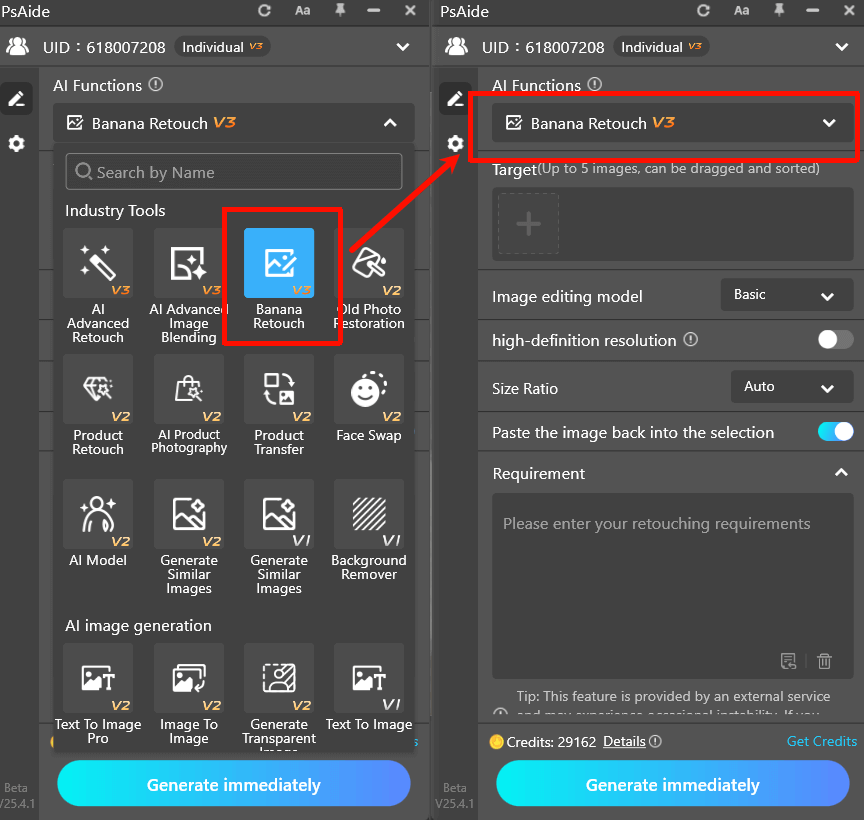
(2)Step-by-Step Nano Banana Workflow
① Import the Clothing Image
Open your garment image in Photoshop and activate PsAide.
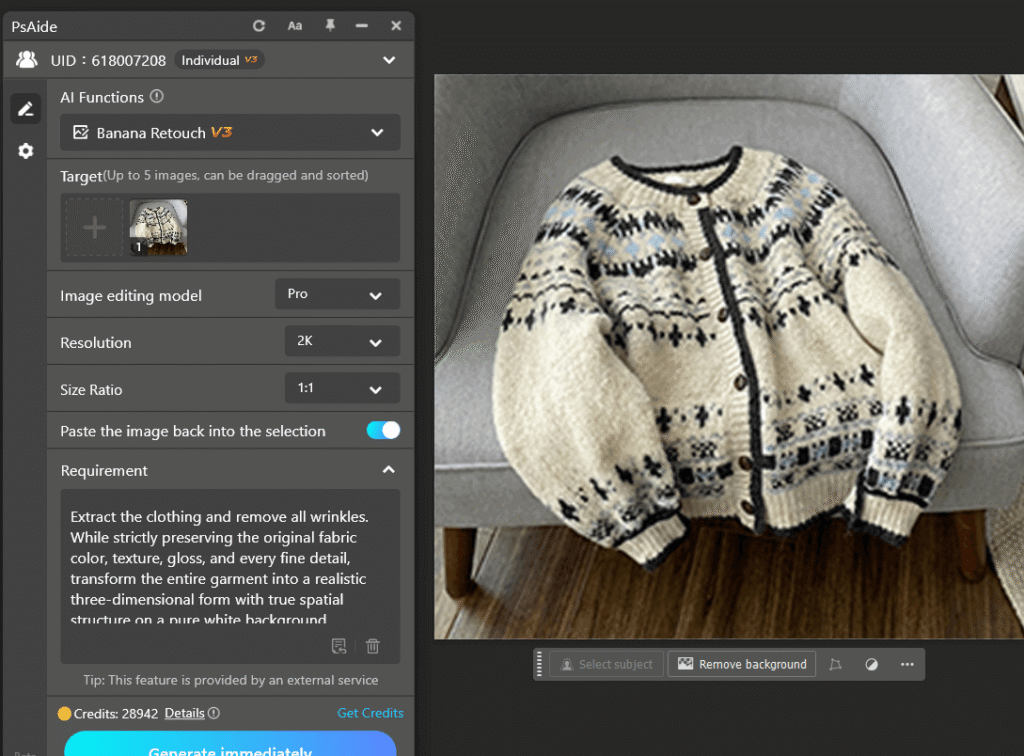
② Enter a Nano Banana Prompt
Example:
Extract the clothing and remove all wrinkles. While strictly preserving the original fabric color, texture, gloss, and every fine detail, transform the entire garment into a realistic three-dimensional form with true spatial structure on a pure white background.
③ Generate the Result
PsAide applies nano banana analysis to smooth wrinkles, restore fabric volume, and maintain accurate lighting.
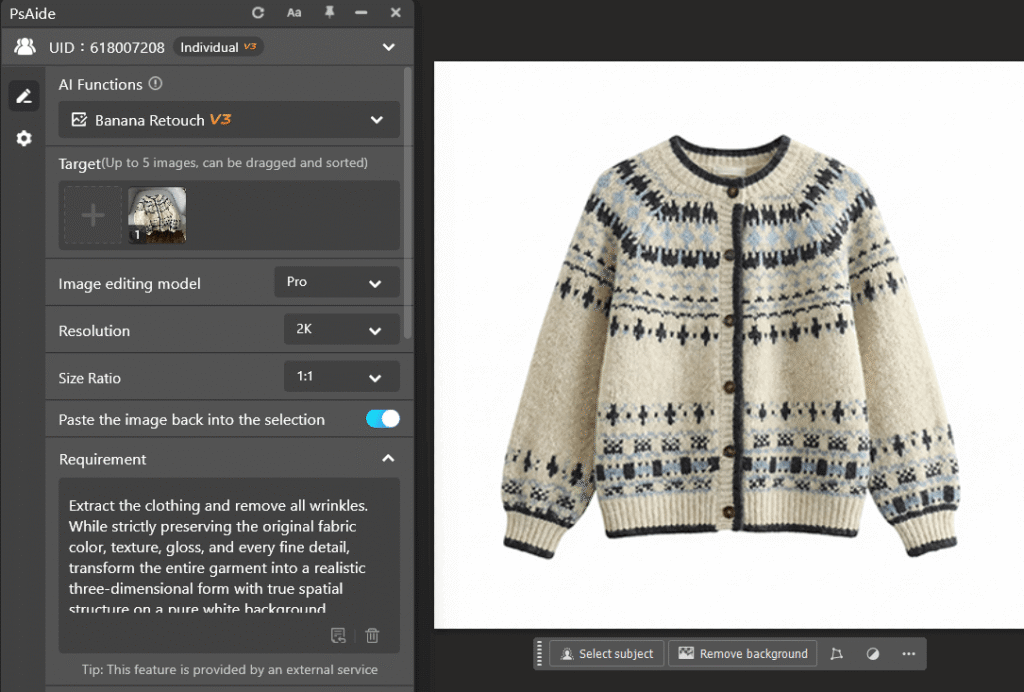
④ Fine-Tune if Necessary
Minor prompt adjustments or light manual refinement can further enhance results.
With nano banana, clothing wrinkle removal becomes fast, repeatable, and professional.
3. Why Nano Banana Is Ideal for E-commerce Clothing Images
(1)Preserves Fabric Texture
Nano banana avoids over-smoothing, ensuring materials such as cotton, silk, and knit fabrics retain realistic detail.
(2)High Editing Efficiency
Nano banana enables scalable workflows, allowing consistent wrinkle removal across large product catalogs.
(3)Improves Visual Quality and Conversions
Wrinkle-free, well-structured clothing images created with nano banana appear cleaner and more premium, increasing buyer confidence.
4.Conclusion
Nano banana significantly reduces editing time, improves consistency, and delivers professional-quality garment images, making it ideal for e-commerce product photos, fashion marketing visuals, and high-volume editing workflows.

Download Link: https://psaide.com/?sfrom=ZfhxUK
Invitation Code: ZfhxUK

