
Table of Contents
Outerwear defines style, season, and brand identity—but swapping jackets traditionally requires reshooting. With nano banana in PsAide, jackets and coats can be replaced directly in real-world scenes without disrupting pose, layering, or lighting.
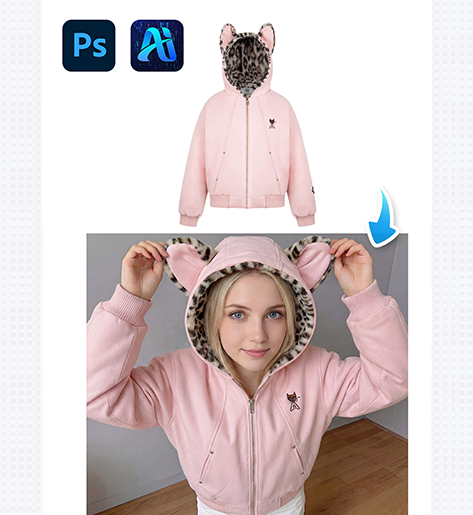
1. nano banana Jacket Replacement Process
A reliable four-step workflow ensures consistent results.
(1)Paint the Original Jacket Red
Paint the existing jacket or coat red to clearly mark the replacement area.
This helps nano banana separate outerwear from inner layers.
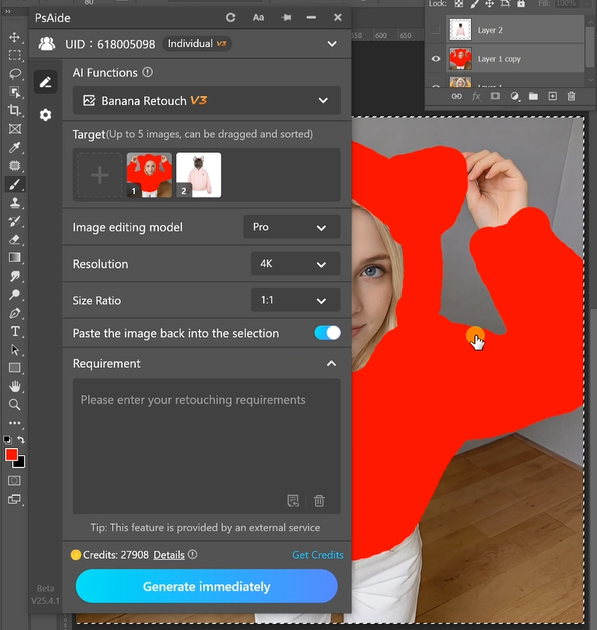
(2)Upload Scene and Jacket Images
Upload:
- Scene image with red-painted jacket
- Product image of the new outerwear
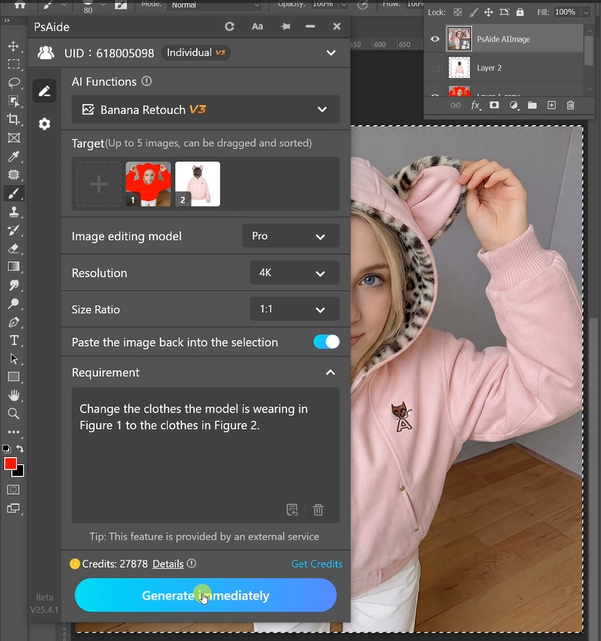
nano banana analyzes shoulder structure, sleeve length, and fabric weight.
(3)Write a Precise Prompt
Example:
Change the clothes the model is wearing in
Figure 1 to the clothes in Figure 2.
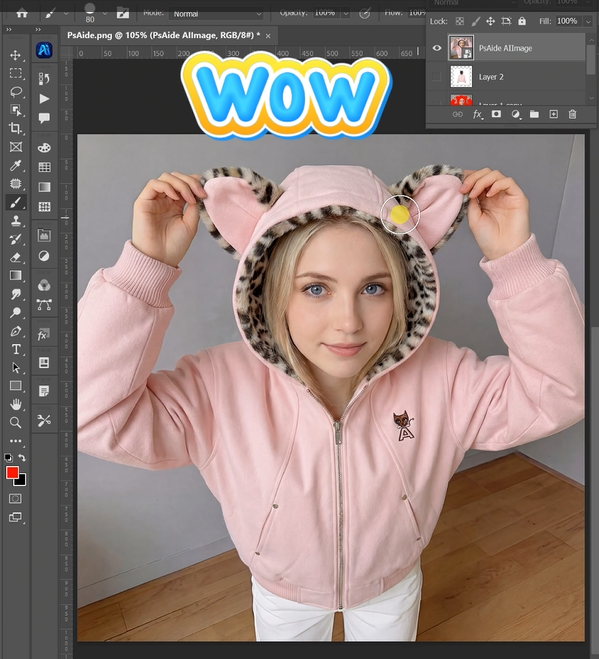
(4)Generate Final Output
Click Generate, and nano banana delivers a natural, scene-aware jacket replacement.
2. Why nano banana Is Ideal for Outerwear
- Maintains garment layering realism
- Accurate sleeve and shoulder alignment
- Ideal for seasonal campaigns
- Faster catalog updates
3.Conclusion
With nano banana in PsAide, outerwear replacement becomes a fast, professional solution for modern fashion teams.

Download Link: https://psaide.com/?sfrom=ZfhxUK
Invitation Code: ZfhxUK

