
Table of Contents
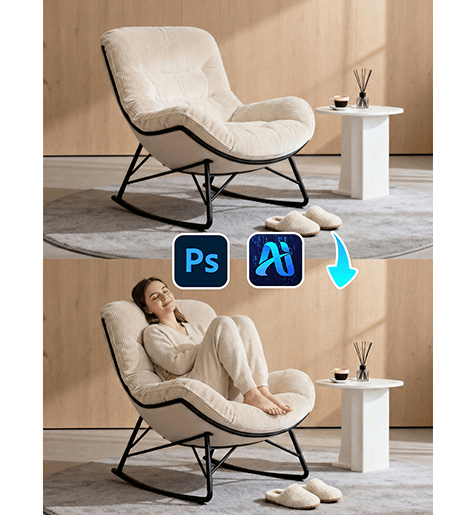
In furniture eCommerce and home decor marketing, showcasing sofas with models can significantly improve visual appeal and customer engagement. Instead of organizing expensive lifestyle photoshoots, creators can use nano banana in the PsAide plugin to generate a realistic model directly onto a sofa image.
With AI-powered scene understanding, nano banana analyzes the sofa structure, perspective, and lighting to place a model naturally into the scene, creating professional lifestyle visuals in just a few steps.
1. nano banana Advantages for Sofa Scene Generation
(1)Challenges in Traditional Lifestyle Photography
Capturing furniture with models requires studio setup, lighting adjustments, and coordination, which can be costly and time-consuming.
(2)How nano banana Simplifies Scene Creation
nano banana automatically generates a model that matches the sofa’s perspective, scale, and lighting, eliminating the need for manual compositing.
2. nano banana 3-Step Workflow for Adding a Model
(1)Upload the Sofa Image
① Open the PsAide plugin panel.
② Upload the sofa image.
③ Ensure the sofa is clearly visible and centered.
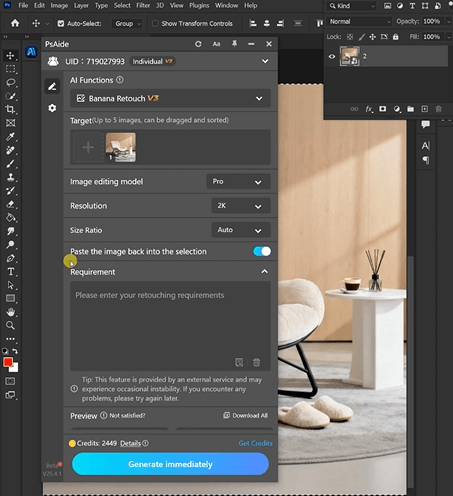
This allows nano banana to analyze spatial structure and seating position.
(2)Enter a Prompt
① Describe the model’s posture (sitting, leaning, relaxing).
② Mention clothing style and mood (casual, cozy, modern).
③ Include natural lighting consistency.
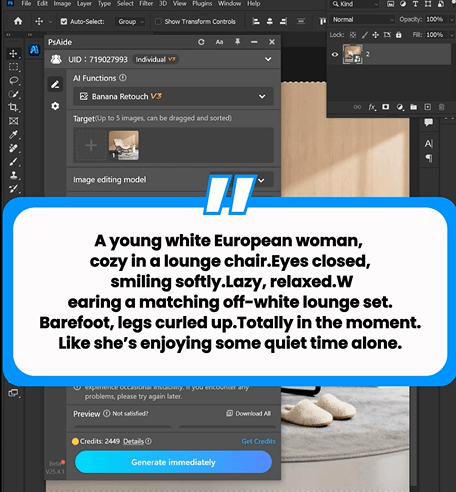
Example prompt:
“A young white European woman,cozy in a lounge chair.Eyes closed,smiling softly.Lazy, relaxed.wearing a matching off-white lounge set.Barefoot, legs curled up.Totally in the moment.Like she’s enjoying some quiet time alone.”
(3)Click Generate
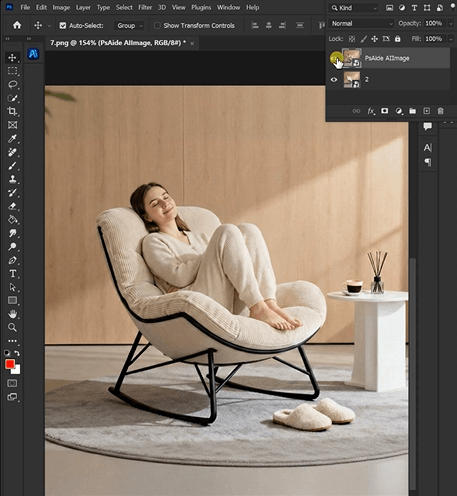
① Click Generate in nano banana.
② Review the model’s position and interaction with the sofa.
③ Regenerate if adjustments are needed.
3. Scene and Human Integration
(1)Natural Sitting Posture
nano banana ensures the model interacts correctly with the sofa surface.
(2)Lighting and Scale Matching
The generated model matches the scene’s lighting direction and proportions.
4. Application Scenarios
(1)Furniture eCommerce Listings
Create lifestyle visuals without photoshoots.
(2)Home Decor Marketing
Generate engaging content for ads and social media.
5. Summary
By combining scene understanding with prompt-based generation, nano banana enables fast and realistic model placement in sofa images, making lifestyle content creation more efficient and scalable.

Download Link: https://psaide.com/?sfrom=ZfhxUK
Invitation Code: ZfhxUK

