
Table of Contents
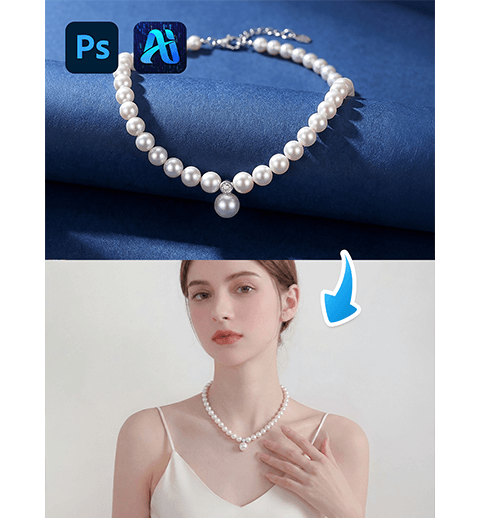
Replacing necklaces on models is a frequent demand in fashion eCommerce, catalog production, and social media marketing. With nano banana inside the PsAide plugin, creators can seamlessly transfer necklace products onto real-world model images without reshooting or complex manual compositing.
By combining red mask guidance with AI scene understanding, nano banana ensures that the necklace aligns naturally with neck contours, lighting direction, and clothing shadows—making jewelry replacement fast and commercially reliable.
1. nano banana Necklace Replacement Advantages
(1)Challenges of Traditional Jewelry Editing
Manual necklace compositing often leads to incorrect scale, floating chains, or mismatched reflections that break realism.
(2)How nano banana Improves Accuracy
nano banana analyzes neck angle, collar position, and lighting conditions to blend the necklace into the scene naturally.
2. nano banana Red Mask Necklace Workflow
(1)Paint the Original Product Area Red
① Open the scene image in Photoshop.
② Paint the original necklace or neck accessory red.
③ Avoid covering skin or clothing beyond the jewelry area.
This reduces interference from the original accessory and clearly defines the replacement zone for nano banana.
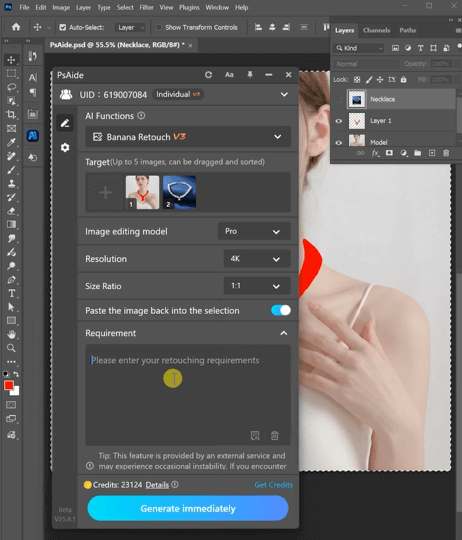
(2)Upload Product Image and Scene Image
① Upload the red-masked scene image.
② Upload the necklace product image with a clean background.
③ Ensure sufficient resolution for detail clarity.
(3)Enter a Clear Prompt
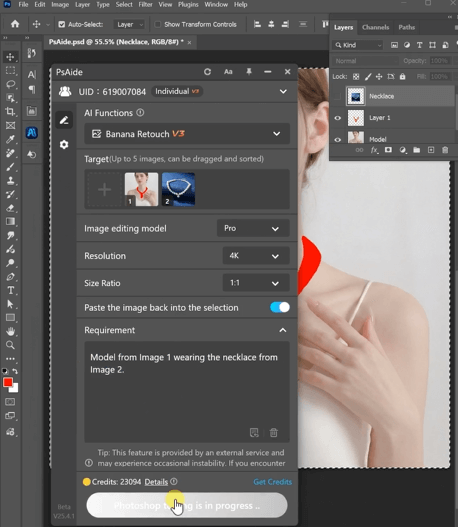
Model from Image 1 wearing the necklace from Image 2.
(4)Click Generate
① Click Generate in nano banana.
② Review alignment and scale.
③ Regenerate if refinement is needed.
3. Realism Control for Jewelry Integration
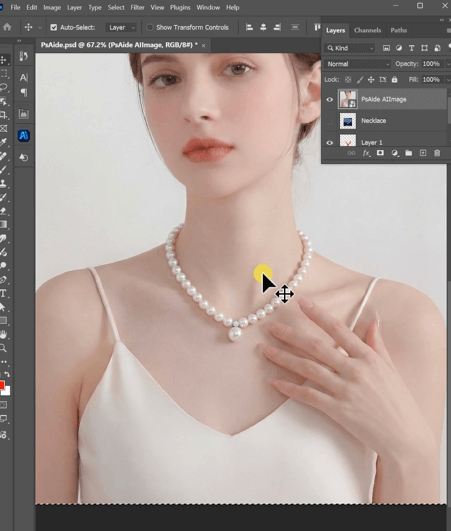
(1)Natural Chain Curvature
nano banana adapts the necklace curve to match the model’s posture.
(2)Lighting and Reflection Consistency
Metal shine and gemstone highlights follow the original scene lighting automatically.
4. Typical Use Scenarios
(1)Jewelry eCommerce Listings
Create multiple necklace styles from a single model shoot.
(2)Brand Campaign Visuals
Rapidly test different jewelry combinations without reshooting.
5. Summary
With its red mask workflow and AI scene adaptation, nano banana enables fast, realistic necklace replacement that reduces production cost while maintaining professional visual quality.

Download Link: https://psaide.com/?sfrom=ZfhxUK
Invitation Code: ZfhxUK

