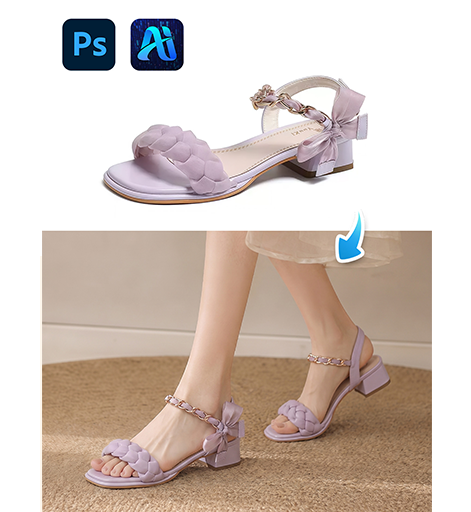
3 Minutes Guide: nano banana shoe transfer

Transfer shoes with nano banana by marking first and generating realistic footwear instantly.

Transferring shoes while keeping perspective correct is challenging. With nano banana, you can easily achieve a nano banana shoe transfer.
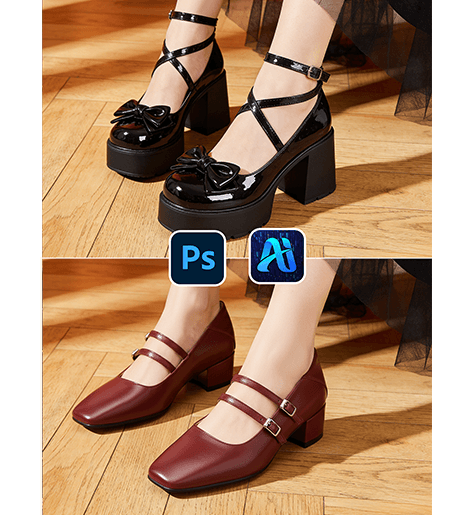
3 Minutes Guide: nano banana shoe transfer

1. nano banana shoe transfer workflow

(1)Simple process with nano banana
① Mark shoes
② Upload image
③ Generate nano banana shoe transfer

(2)Realistic results
① Keeps foot position
② Matches ground shadow


2. How to use nano banana

(1)Prepare image
① Ensure shoes visible
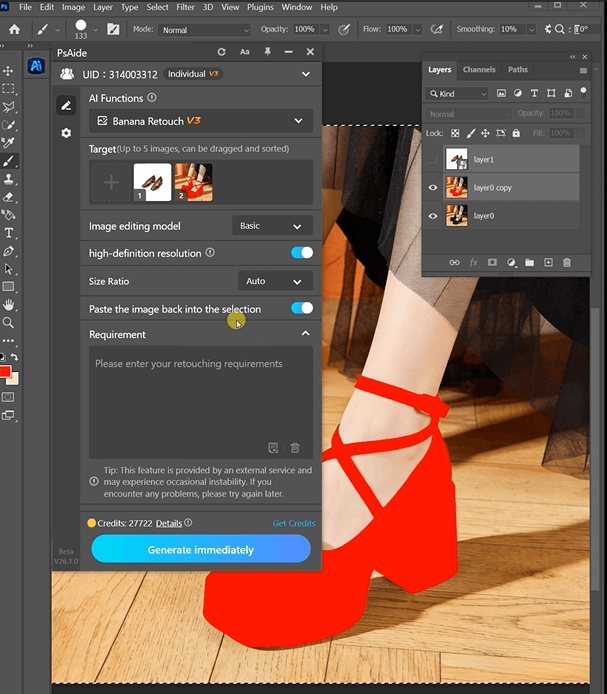
Ensure shoes visible

(2)Mark area
① Mark both shoes

(3)Upload + prompt
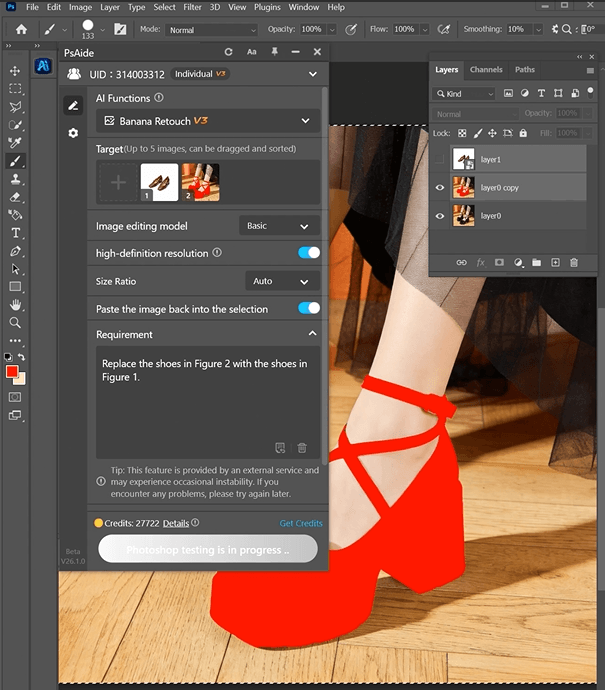
Replace the shoes in Figure 2 with the shoes in
Figure 1.
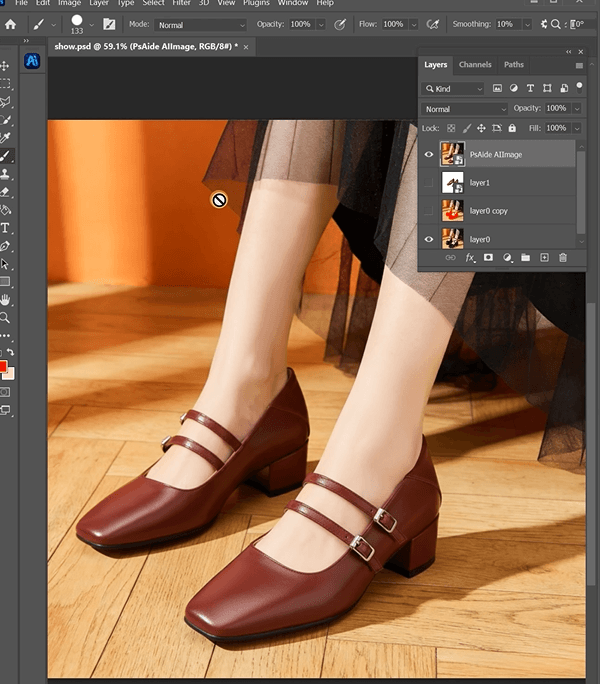
Recommended prompt:
Replace the shoes in Figure 2 with the shoes in
Figure 1.

the result

3. Tips

(1)Mark full shoes
(2)Use “realistic shadow”
(3)Match ground lighting


4. Use cases

(1)E-commerce
(2)Outfit styling

how to get psaide plugin and nano banana

Download Link: https://psaide.com/?sfrom=ZfhxUK

Invitation Code: ZfhxUK
More Tutorial:https://www.youtube.com/@psaidexl/s

More similar articles
  • How to Replace a Swimsuit on a Model in 60 Seconds with Nano Banana Pro

    How to Replace a Swimsuit on a Model in 60 Seconds with Nano Banana Pro

    Mark the original swimsuit in red, type one prompt, get…

  • From Sweatpants to Skirt: How to Change Bottoms on a Model with AI

    From Sweatpants to Skirt: How to Change Bottoms on a Model with AI

    Transform activewear into elegant skirts in seconds. Learn how to…