
Table of Contents
Nano Banana is an AI-powered tool designed specifically for old photo restoration.
It helps users restore clarity and facial details in vintage photos quickly, without requiring professional retouching skills.
For most users, the real question is simple:
how to use Nano Banana to restore old photos naturally, without overdoing it.
This Nano Banana old photo restoration tutorial walks through the full process using a real restoration case.

1、What to Prepare Before Restoring Old Photos with Nano Banana
Before starting the Nano Banana old photo restoration process, no complex preparation is required.
You only need to make sure of the following:
(1) The photo is a scan or original digital file
(2) The subject is recognizable, with no major missing areas
(3) The image has not been excessively compressed
2、Core Steps of Nano Banana Old Photo Restoration
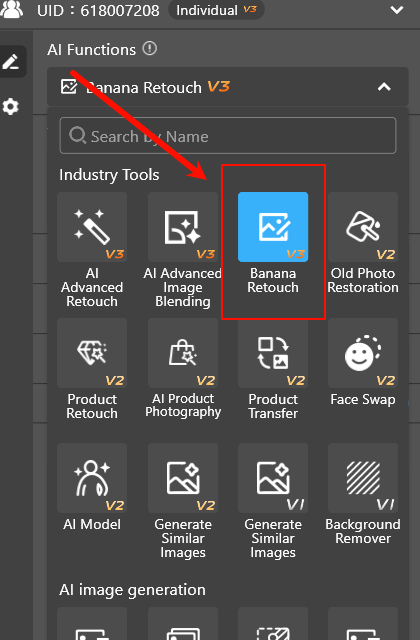
Inside the PsAide plugin, open Nano Banana Retouch (Nano Banana Pro).
The entire restoration workflow can be summarized in three simple steps.
(1) Upload the Old Photo to Nano Banana
Launch the PsAide plugin in Photoshop and enter the Nano Banana interface.
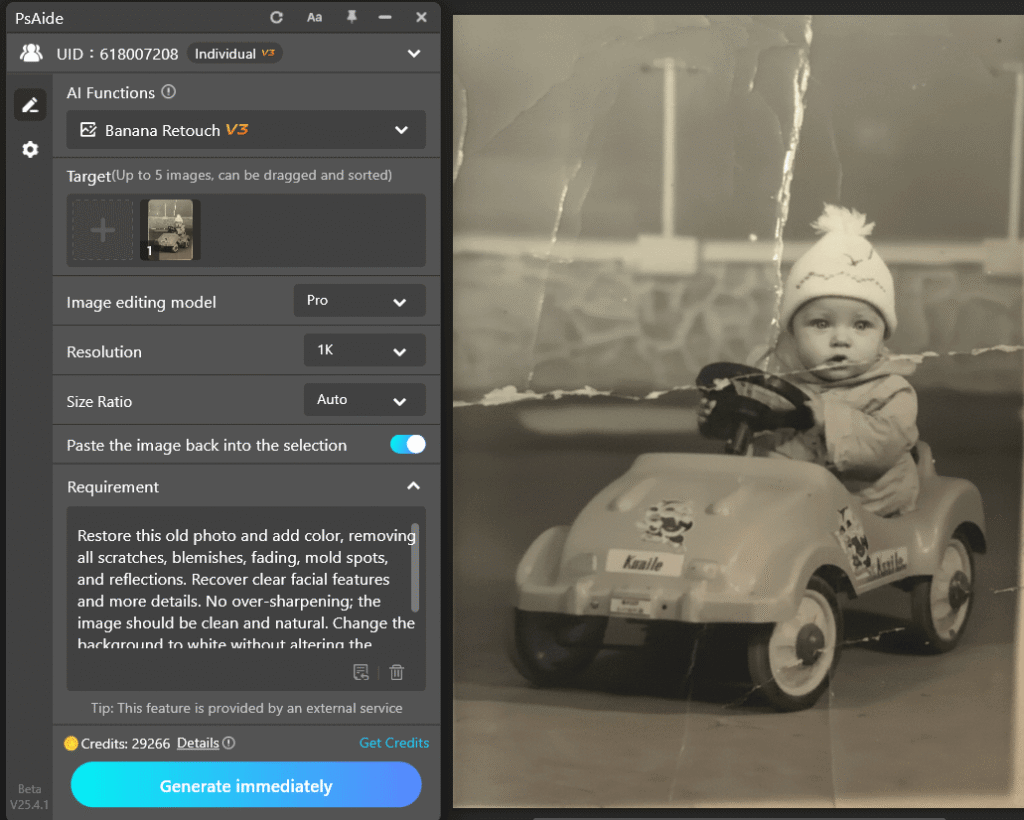
Select the old photo you want to restore. No additional resizing or parameter adjustment is required.
(2) Enter a Basic Restoration Request
In the input box, describe the restoration goal in clear and simple language, such as:
Restore this old photo and add color, removing all scratches, blemishes, fading, mold spots, and reflections. Recover clear facial features and more details. No over-sharpening; the image should be clean and natural. Change the background to white without altering the person’s details, resulting in a high-quality modern photo.
There is no need for complex instructions or technical terms.
Nano Banana is designed to make old photo restoration accessible to everyone.
(3) Click Generate and Complete the Restoration
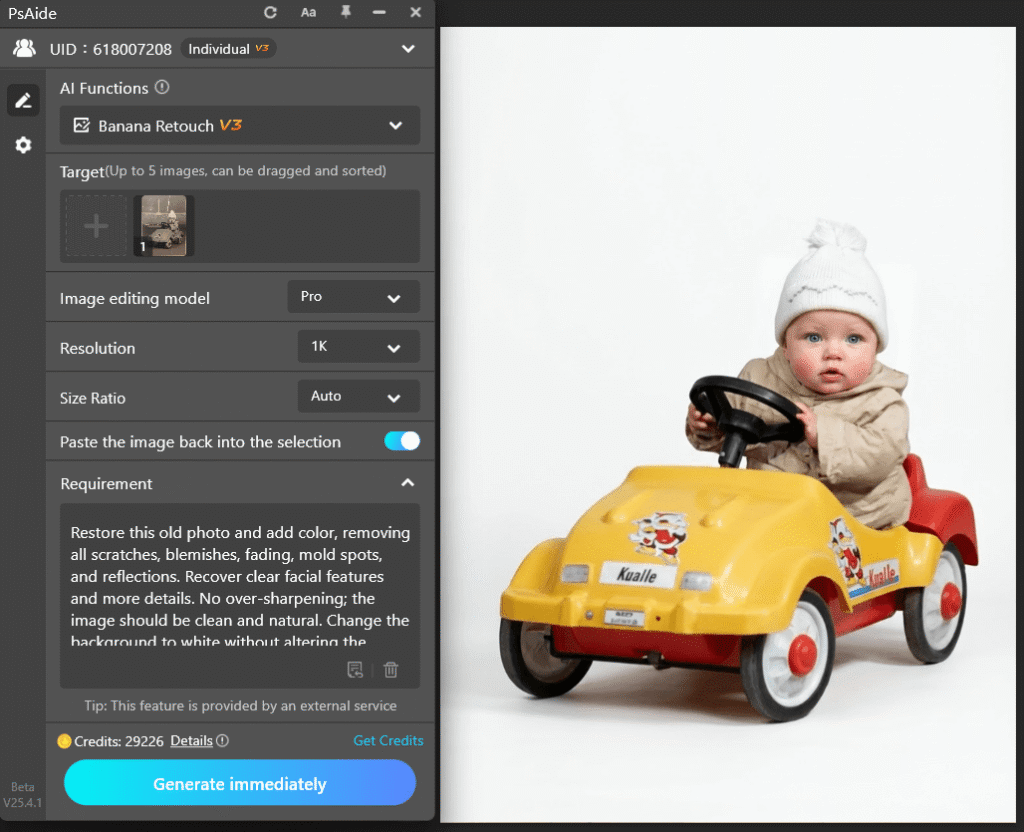
After clicking generate, Nano Banana analyzes the image and produces a restored result. In Photoshop, the restored image appears as a separate layer, leaving the original photo untouched.
At this point, the Nano Banana old photo restoration is essentially complete.
3、How to Evaluate Nano Banana Old Photo Restoration Results
In this real Nano Banana restoration case, three improvements are clearly visible:
(1)Facial features are sharper and easier to recognize
(2)Overall balance between brightness and detail is improved
(3)Original grain and historical texture are preserved
A good old photo restoration does not make the image look new. It makes the photo look closer to how it should have appeared originally.
4、Can the Result Be Further Improved After Restoration?
For most users, the result at this stage is already sufficient.
If you want more control, you can optionally refine the result using Photoshop tools after restoration, such as:
①adjusting layer opacity,
②applying masks to specific areas
③or blending the restored layer more subtly.
This is an advanced option, not a required step.
5、Summary: Key Takeaways from This Nano Banana Old Photo Restoration Tutorial
The Nano Banana old photo restoration workflow is straightforward
No complex setup or professional retouching experience is required.
This simplicity is exactly what makes Nano Banana so effective for old photo restoration.

Download Link: https://psaide.com/?sfrom=ZfhxUK
Invitation Code: ZfhxUK

