
Table of Contents
1. Nano Banana Challenges in Removing Wrinkles from Patterned Clothes
(1)Why Patterned Clothes Are Harder to Retouch
Patterned clothes include stripes, florals, grids, or repeated graphics. When wrinkles appear, these patterns bend, compress, and distort along the fabric folds. Traditional Photoshop methods often flatten wrinkles but break pattern continuity. A nano banana workflow starts by understanding how patterns follow fabric structure and lighting direction.
(2)Common Problems with Manual Photoshop Editing
① Pattern Misalignment
Using clone or healing tools can easily cause duplicated or misaligned patterns.
② Texture Over-Smoothing
Excessive blur or smoothing removes wrinkles but destroys fabric texture.
③ Edge and Seam Distortion
Liquify adjustments can damage seams or graphic edges if not precisely controlled.
Without nano banana-level structure analysis, these issues are difficult to avoid.
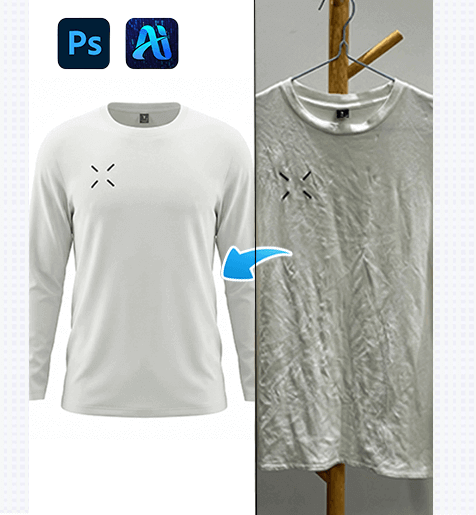
2. Nano Banana Traditional Photoshop Techniques for Patterned Fabrics
(1)Careful Local Wrinkle Repair
Small wrinkles can be fixed using localized healing techniques, sampling along the pattern direction to maintain visual continuity. However, this process is slow and requires strong experience.
(2)Liquify with Pattern Awareness
① Use Liquify only on major folds
② Lock edges and seams before deformation
③ Adjust gradually to avoid breaking repeated patterns
Even with careful execution, manual methods lack the consistency provided by nano banana automation.
3. Nano Banana One-Click Patterned Wrinkle Removal with PsAide
(1)How Nano Banana Works in PsAide
Nano banana enables PsAide to analyze fabric folds, lighting transitions, and pattern repetition simultaneously. Instead of flattening textures, nano banana reconstructs natural fabric flow while keeping patterns aligned and undistorted.
(2)Step-by-Step Nano Banana Workflow
① Import the Patterned Clothing Image
Open the image in Photoshop and launch PsAide.
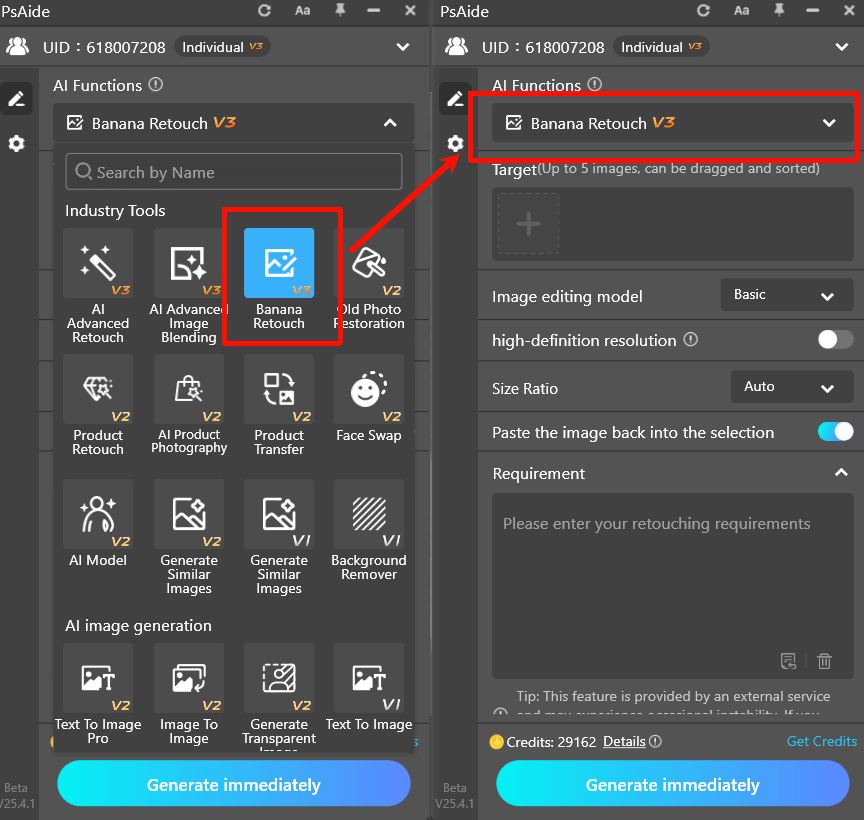
② Enter a Nano Banana Prompt
Example:
Extract the clothing and remove all wrinkles. While strictly preserving the original fabric color, texture, gloss, and every fine detail, transform the entire garment into a realistic three-dimensional form with true spatial structure on a pure white background.
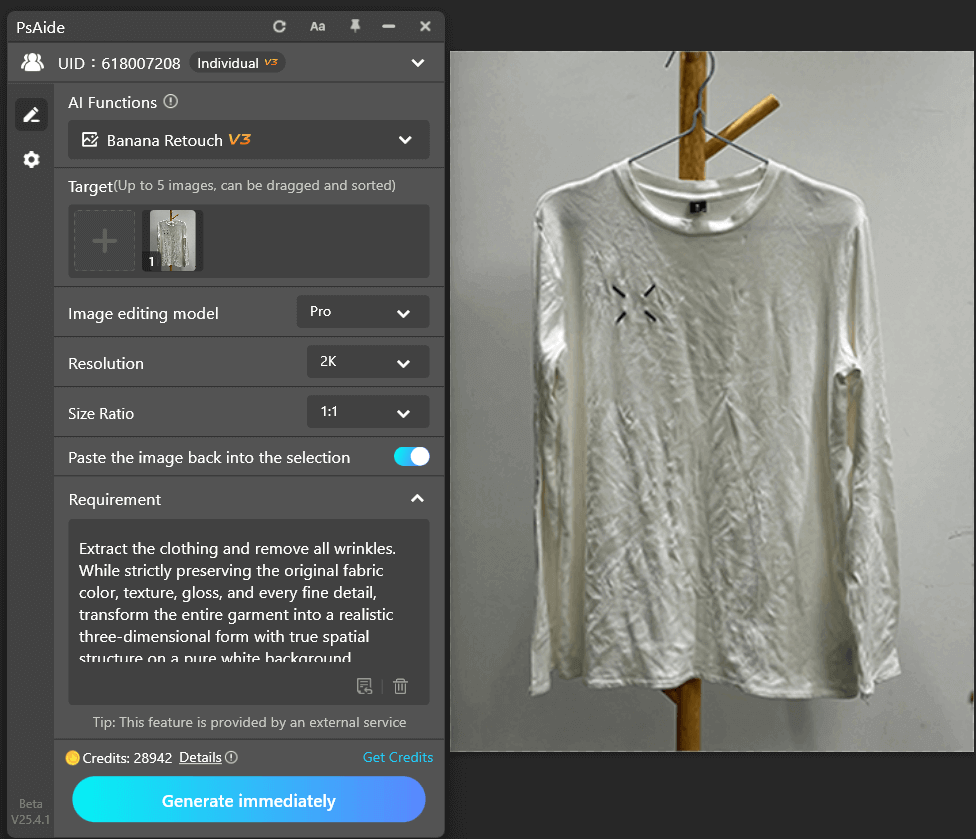
③ Generate the Result
PsAide applies nano banana analysis to smooth wrinkles, restore pattern continuity, and maintain realistic fabric depth.
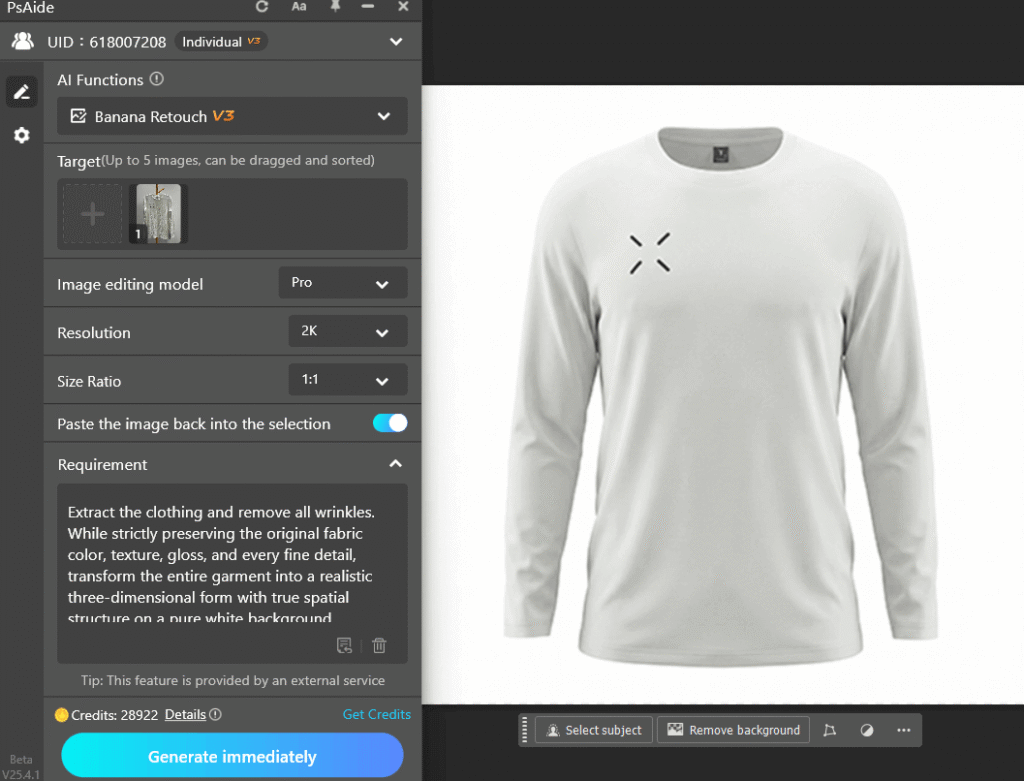
④ Optional Fine Adjustment
Minor prompt refinements or light manual edits can further enhance accuracy.
Nano banana transforms complex patterned wrinkle removal into a fast, repeatable workflow.
4. Why Nano Banana Is Ideal for Patterned Clothing Images
(1)Preserves Pattern Integrity
Nano banana avoids pattern stretching, duplication, or visual breaks during wrinkle correction.
(2)Improves Editing Efficiency
Nano banana reduces hours of manual work into seconds, especially useful for large fashion catalogs.
(3)Enhances Professional Appearance
Wrinkle-free patterned clothes edited with nano banana look cleaner, more structured, and more visually appealing.
5.Conclusion
Nano banana significantly reduces manual retouching time and minimizes pattern distortion, making it ideal for e-commerce fashion images, textile design previews, and high-volume garment retouching workflows.

Download Link: https://psaide.com/?sfrom=ZfhxUK
Invitation Code: ZfhxUK

