Table of Contents
For beverage marketers, packaging designers, and e-commerce content creators, applying custom patterns to can mock ups is a critical step in showcasing products. A well-fitted pattern—whether a brand logo, seasonal design, or promotional graphic—can make a can stand out on shelves and resonate with consumers. Yet traditional pattern application to can models in Photoshop is a tedious, error-prone process. It often involves hours of adjusting perspective with the Warp Tool, matching pattern proportions to the can’s curves, and fixing distorted details—only to end up with a flat, unrealistic result. This is where Nano Banana, the AI-powered feature in the PsAide plugin, revolutionizes the workflow with AI Photo Editing, making can pattern application fast and flawless.
Nano Banana addresses the core pain points of manual can pattern editing by leveraging advanced AI to understand 3D object contours and pattern dynamics. Unlike manual tools that treat the can as a 2D surface, this feature analyzes the can’s shape, curvature, and lighting in the model image. It then adapts the specified pattern to fit seamlessly—adjusting perspective on the can’s body, preserving pattern details around curves, and matching the pattern’s lighting to the can’s environment. Whether it’s a complex brand pattern or a simple graphic, Nano Banana ensures the design looks printed directly on the can, outperforming traditional AI Photo Editing tools in realism and efficiency.
Tutorial materials that can be used for practice
Before:
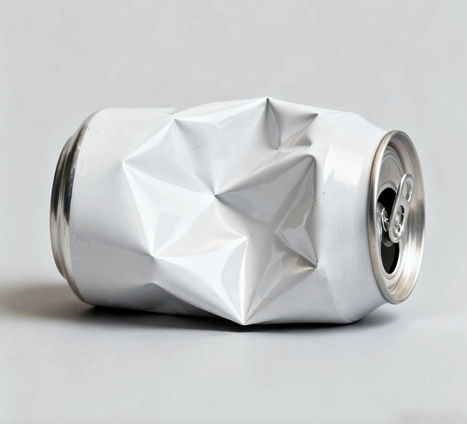
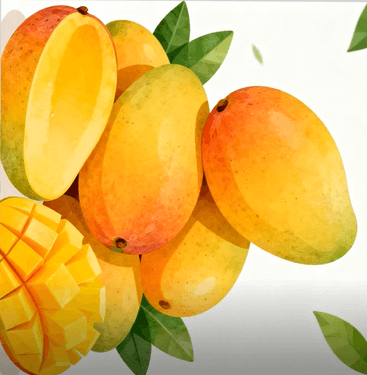
After:
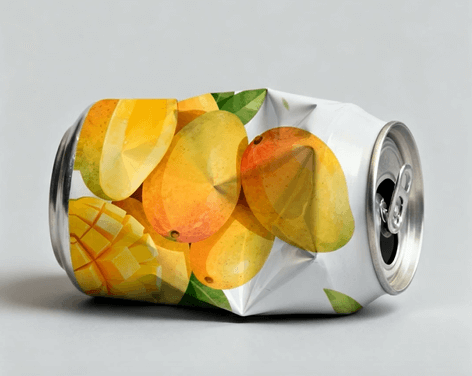
3-Step Guide to Apply Patterns to Can Models with Nano Banana
Even users with basic Photoshop skills can master can pattern application in minutes using Nano Banana. Follow these three straightforward steps:
- Prepare Images and Launch Nano Banana: Open two images in Photoshop (compatible with versions 2015 and above): Image 1 (the specified pattern you want to apply) and Image 2 (the can model image). Install the PsAide plugin, then launch Nano Banana from the plugin menu. Upload both images to the Nano Banana workspace—no additional pre-editing is required.
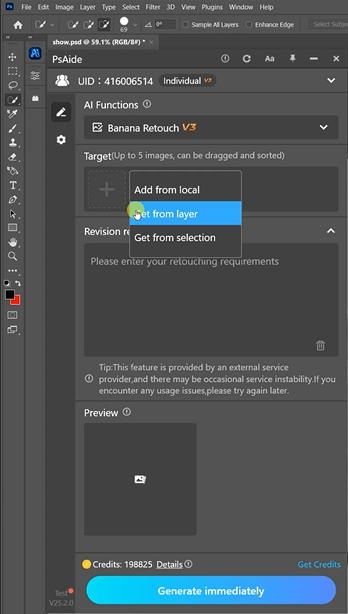
- Enter the Precise AI Photo Editing Prompt: Locate the prompt box in the Nano Banana interface and type the clear instruction: “Apply Image 1 to the can of Image 2.” This prompt directs the AI Photo Editing engine to focus on precise pattern alignment and natural integration with the can’s shape.
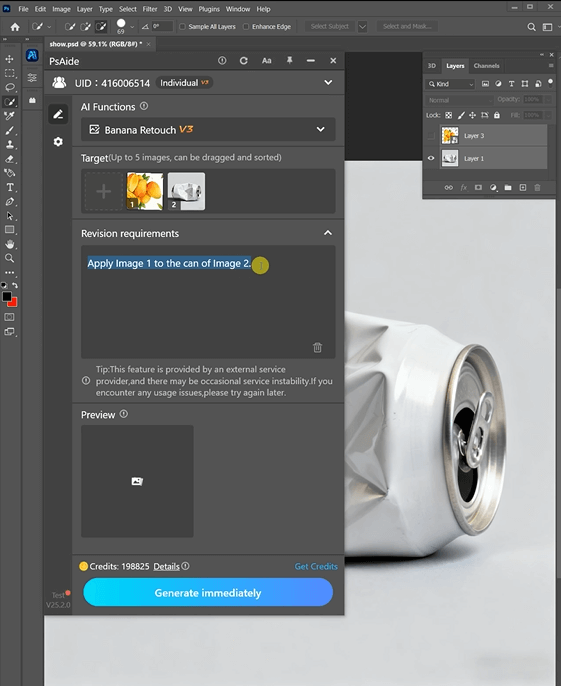
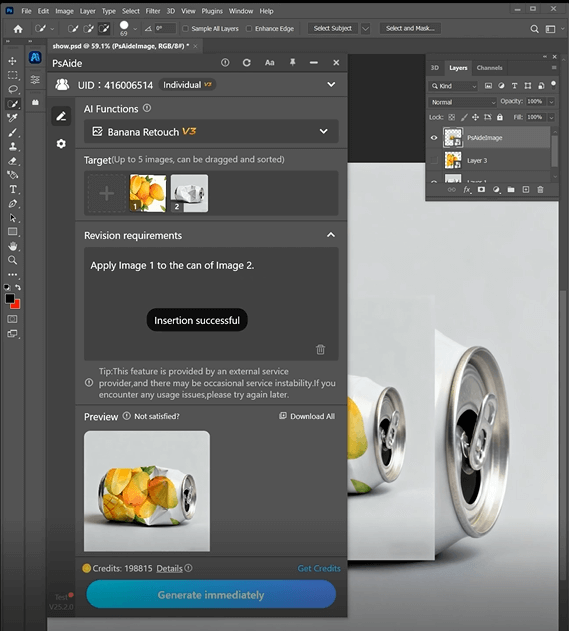
- Preview and Finalize the Result: Click the “Apply Pattern” button. Nano Banana processes the request in 3–5 seconds, generating a preview where the pattern is seamlessly applied to the can. The design will follow the can’s curvature, with consistent proportions and realistic lighting. Save the edited image directly to your Photoshop project for further tweaks if needed.
Key Advantages of Nano Banana for Can Pattern Application
Compared to traditional editing methods, Nano Banana offers unmatched benefits for packaging and marketing professionals. First, it saves time—cutting editing from hours to seconds, which is ideal for bulk can mockup creation. Second, it ensures realism: the AI’s 3D contour recognition eliminates flat, distorted patterns, making mockups look like physical samples. Third, it’s user-friendly—no advanced AI Photo Editing or Photoshop skills are needed, allowing designers and marketers to focus on creativity rather than technical adjustments. Finally, it preserves pattern integrity, ensuring logos, text, and fine details remain clear and undistorted on the can’s surface.
Industry Application Value
Nano Banana is a game-changer for multiple fields. Beverage brands can quickly test different patterns on can models for market research. Packaging designers can present clients with realistic mockups in minutes. E-commerce sellers can create high-quality can product images to boost listing appeal. Marketers can generate seasonal or promotional can designs efficiently for campaigns. All these use cases leverage Nano Banana’s ability to deliver professional results with minimal effort.
If you’re tired of tedious manual pattern application to can models, Nano Banana is the solution. It combines the power of AI Photo Editing with simple operation, making can pattern application a breeze. Download PsAide today to unlock Nano Banana and elevate your can mock up creation process!!