Table of Contents
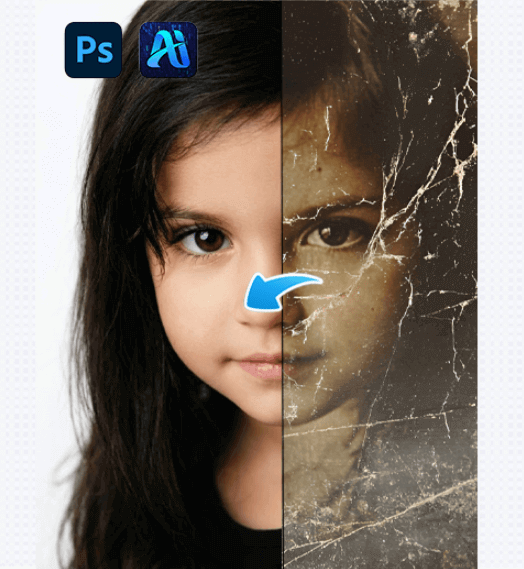
In old photo restoration, “distortion” is one of the most common concerns.
Many users find that after using AI to restore old photos, the image becomes clearer—but the person no longer looks like themselves, often showing obvious AI artifacts.
So the real question is:
Does AI old photo restoration inevitably cause distortion? And how does Nano Banana minimize this risk?
This article explains where distortion comes from, how Nano Banana approaches old photo restoration differently, and demonstrates its effect through a real-world example.
1、How Does Distortion Occur in Old Photo Restoration?
Before evaluating any tool, it is important to understand the root causes of distortion.
(1)Severely Missing Original Information
Many old photos have extremely low resolution, especially in facial areas where pixel data is no longer sufficient to support accurate reconstruction.
In these cases, any restoration method must rely on inference to some extent.
(2)Overreliance on Fully Automated Restoration
Some AI tools use one-click restoration with no user control. The model generates details based on the most common facial patterns in its training data, often leading to generic or altered appearances.
When AI restoration lacks human guidance, it is more likely to shift from “restoration” to “re-creation.”
2、Old Photo Restoration Case: How Nano Banana Avoids Distortion
The following real case demonstrates how Nano Banana maintains authenticity during restoration.
(1)Case Background
This photo is a scanned family portrait from decades ago.
The image appears soft overall, facial edges are blurred, and facial features lack clarity, but the original proportions are still recognizable.
Traditional sharpening amplifies noise, while fully automated AI restoration risks altering the subject’s appearance.
(2)Nano Banana Restoration Process
① Upload the Image to the Plugin
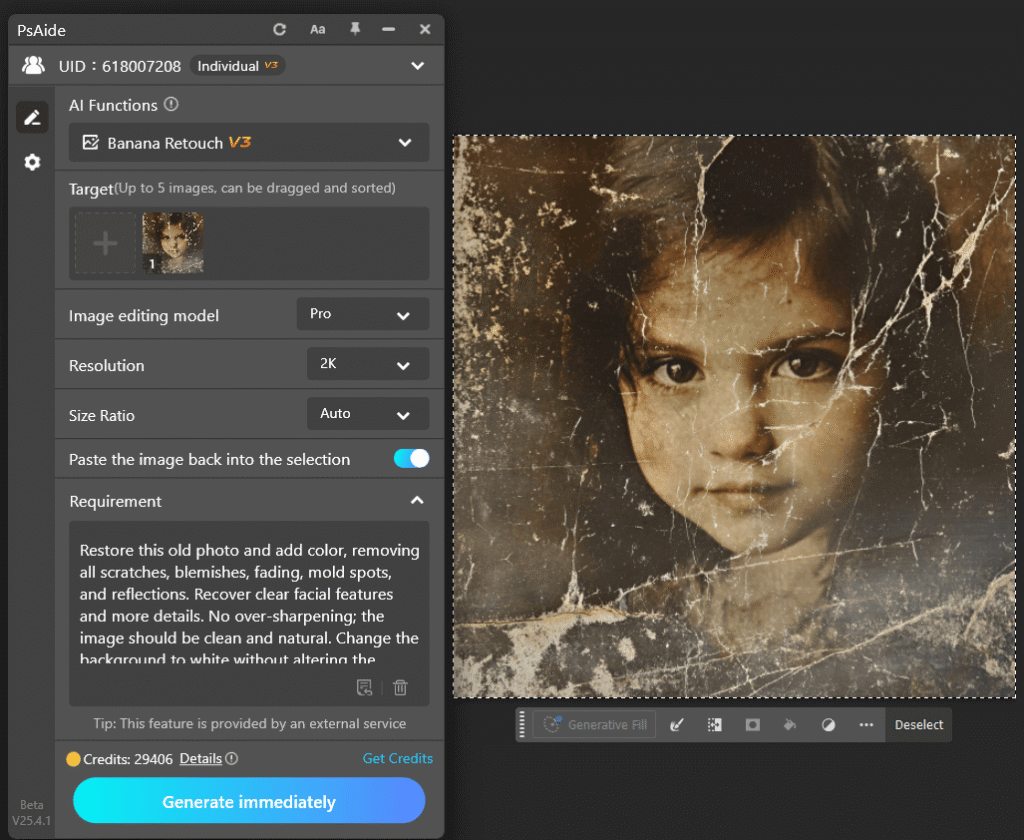
Open the old photo in Photoshop, launch PsAide, and access Nano Banana Retouch to upload the image into the plugin interface.
② Enter Prompts Focused on Authenticity
The prompt emphasizes restoring clarity while preserving the natural appearance, avoiding instructions that exaggerate facial features.
Restore this old photo and add color, removing all scratches, blemishes, fading, mold spots, and reflections. Recover clear facial features and more details. No over-sharpening; the image should be clean and natural. Change the background to white without altering the person’s details, resulting in a high-quality modern photo.
③ Generate and Apply Human Control
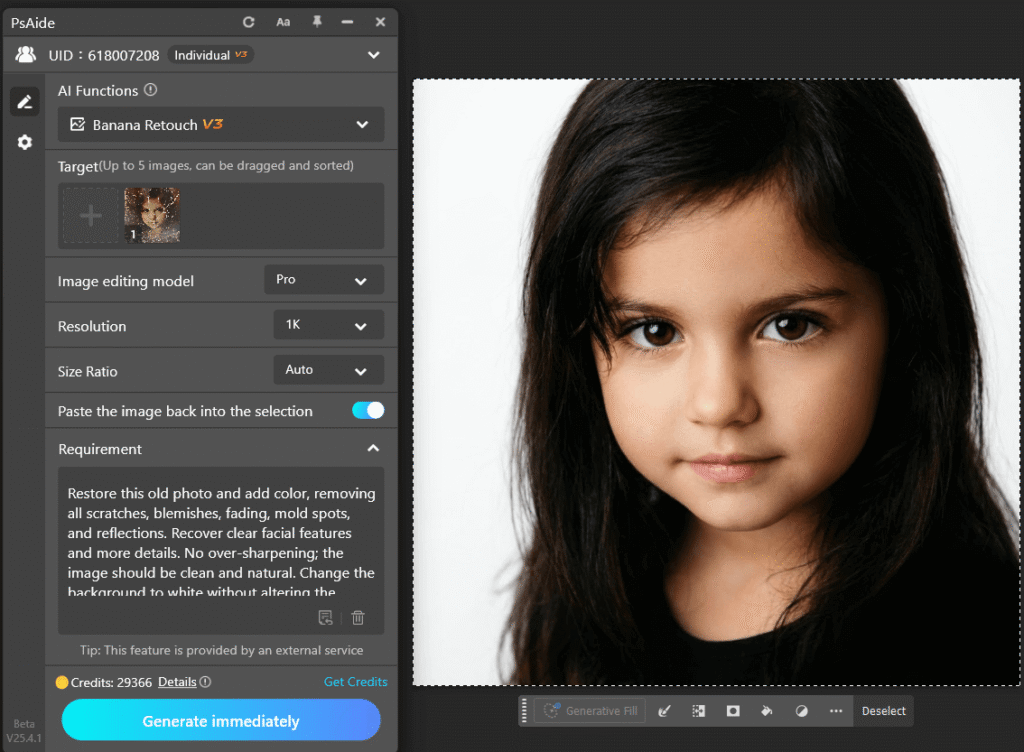
After generation, the restored layer’s opacity is reduced slightly, and masks are applied to blend the result with the original image.
(3)Result Analysis
The final image shows a noticeable improvement in clarity while maintaining the subject’s original character and expression, with no obvious AI reconstruction artifacts.
Good old photo restoration does not make the photo look newer—it makes the memory clearer.
3、Conclusion: Will AI Old Photo Restoration Cause Distortion?
AI old photo restoration does not inherently cause distortion. The key factors are tool design and usage method.
Nano Banana’s strength lies in giving users control, rather than making irreversible decisions for them.
With well-crafted prompts and a Photoshop-based workflow, Nano Banana can significantly enhance clarity while preserving the authenticity of old photos.

Download Link: https://psaide.com/?sfrom=ZfhxUK
Invitation Code: ZfhxUK