Table of Contents
Old photo restoration has evolved rapidly with the introduction of AI-powered tools. While traditional Photoshop techniques rely heavily on manual retouching, modern AI solutions such as Nano Banana allow users to restore damaged and blurry old photos more efficiently and naturally.
This complete guide explains common old photo problems, compares traditional and AI restoration methods, and demonstrates a real restoration case using Nano Banana Pro in Photoshop.
1、What Is Old Photo Restoration?
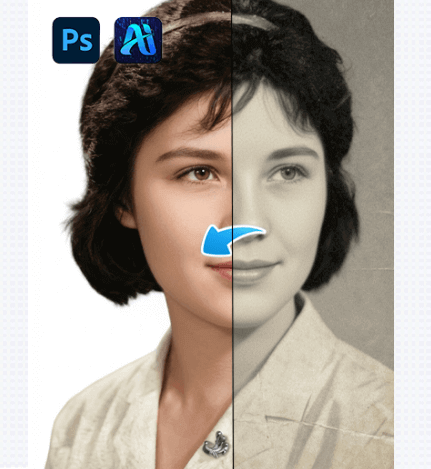
Old photo restoration is the process of repairing and enhancing aged photographs that have deteriorated over time. Common causes include physical damage, low-resolution scans, fading, blur, and noise.
The goal of old photo restoration is not to make photos look overly sharp or artificial, but to recover lost details while preserving the original character of the image.
2、Common Problems in Old Photos
Old photos often share similar quality issues that make restoration challenging.
(1)Blur and Low Resolution
Many old photos were taken with early cameras or later digitized using low-quality scanners. As a result, facial features and fine details are often unclear.
(2)Noise, Grain, and Scratches
Aging film and paper introduce grain, noise, and visible scratches, which cannot be fully removed using simple filters.
(3)Facial Detail Loss
In portrait photos, eyes, noses, and mouths often lose definition, making manual restoration extremely time-consuming.
3、Traditional Old Photo Restoration Methods in Photoshop
Before AI tools became available, old photo restoration relied entirely on manual techniques.
(1)Manual Retouching and Cloning
Editors use clone stamp and healing tools to remove scratches and repair damaged areas, which requires patience and experience.
(2)Sharpening and Contrast Adjustment
Sharpening can slightly improve clarity but often introduces halos and unnatural textures when overused.
(3)Limitations of Traditional Methods
Traditional workflows are slow and struggle to reconstruct details that no longer exist in the image data.
4、Old Photo Restoration Case Using Nano Banana Pro
The following case demonstrates how Nano Banana can be used in a real restoration scenario.
(1)Case Background
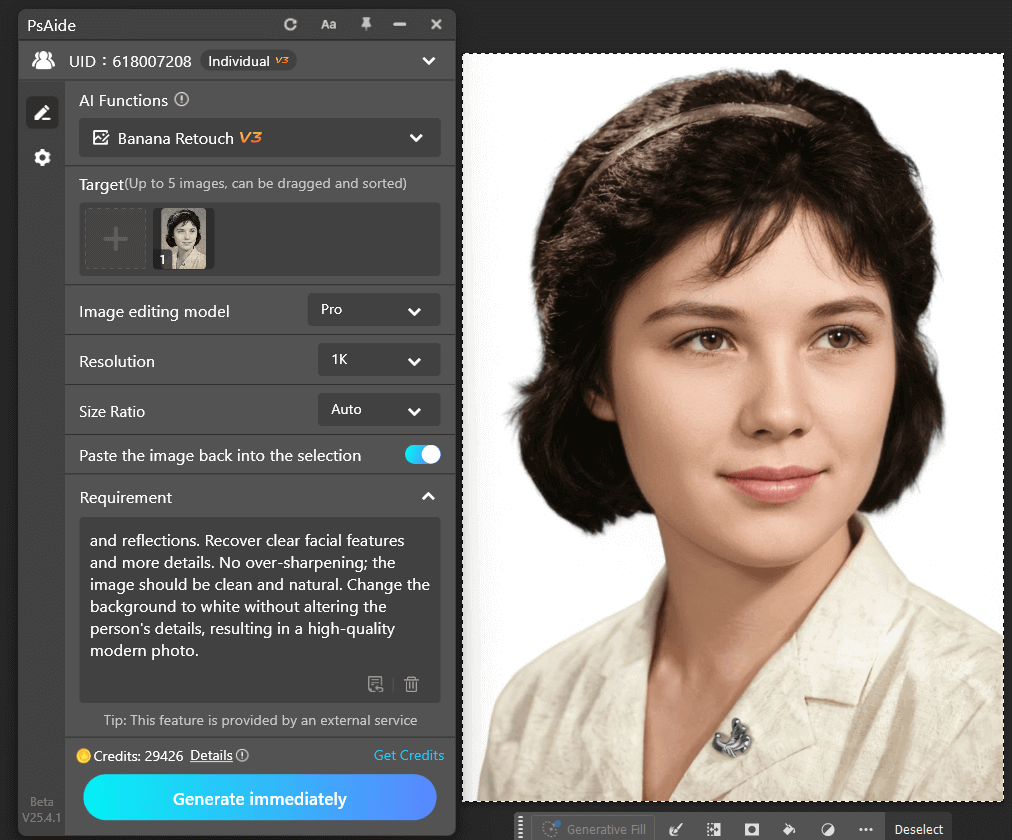
The original image is a decades-old family photo. The subject’s face is blurry, fine details are missing, and grain becomes severe when the image is enlarged. Traditional sharpening fails to recover usable detail.
(2)Three-Step Restoration Process
① Upload the Image
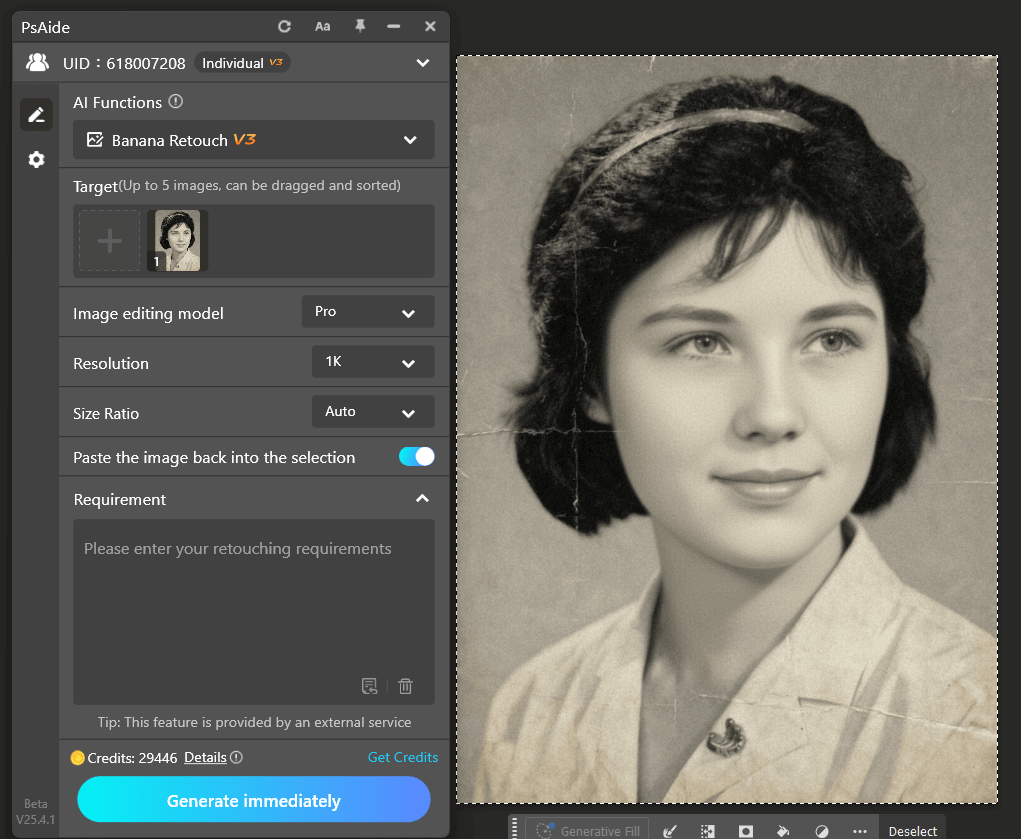
Open the old photo in Photoshop, launch the PsAide plugin, and upload the image into Nano Banana Retouch. Keeping the original layer is recommended for comparison.
② Enter a Restoration Prompt
Enter a prompt describing the goal, such as restoring facial clarity, reducing blur, and maintaining a natural appearance without over-enhancement.
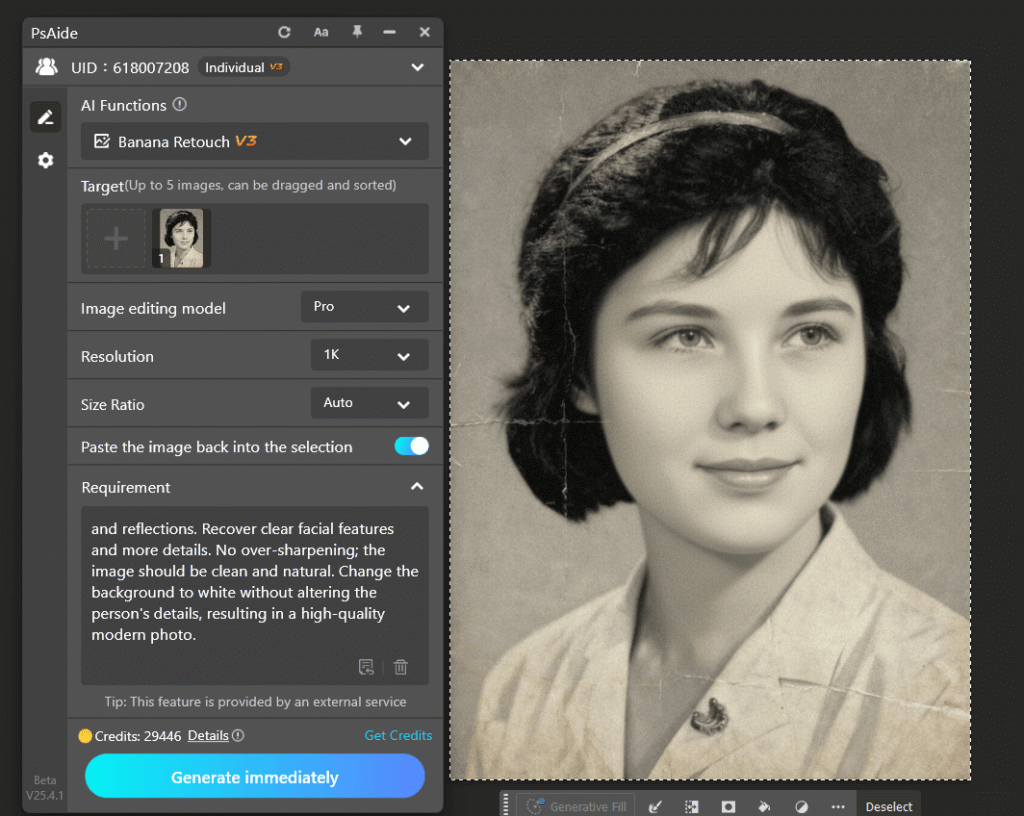
③ Generate the Result
Click generate to let Nano Banana Pro process the image. The restored result appears on a new layer, ready for further manual refinement if needed.
5、Who Is This Old Photo Restoration Guide For?
This guide is suitable for Photoshop users who restore old photos regularly, professionals working on portrait restoration projects, and anyone looking to improve restoration efficiency with AI-assisted tools.
6、Conclusion
Old photo restoration no longer needs to rely entirely on slow manual workflows. With AI solutions like Nano Banana Pro integrated into Photoshop, users can restore damaged photos more efficiently while maintaining control and natural image quality.

Download Link: https://psaide.com/?sfrom=ZfhxUK
Invitation Code: ZfhxUK