
Table of Contents
1、Why Photoshop Users Need to Be More Careful When Choosing Restoration Software
For long-time Photoshop users, old photo restoration is not just about “fixing” an image. It is a controlled, reversible, and refinement-friendly workflow.
Many old photo restoration tools on the market emphasize “one-click AI restoration.”
However, they often ignore what professional users care about most:
natural results, authentic details, and the ability to continue manual refinement.
From a Photoshop user’s perspective, choosing restoration software follows a very different logic.
2、Key Criteria Photoshop Users Care About Most
(1)Compatibility With the Photoshop Workflow
Photoshop users rely heavily on layers, masks, and non-destructive editing.
If a restoration tool requires frequent exporting and re-importing—or only outputs a flattened final image—it disrupts the entire workflow.
An ideal solution should work inside Photoshop or, at minimum, produce results that remain fully editable.
(2)AI Results Should Be Controllable, Not Replacements
A common issue with many AI restoration tools is this:
the photo looks “new,” but no longer looks like the original person.
Photoshop users expect AI to assist with base reconstruction, not override human judgment. The result should function as a foundation for refinement, not an irreversible final product.
(3)Preservation of Original Texture and Era
The value of old photos lies not only in clarity, but in texture, facial character, and historical context.
Excessive sharpening or smoothing can erase what makes the photo meaningful.
Good restoration software respects the limits of the original image while improving legibility.
3、Common Types of Old Photo Restoration Software
(1)Native Photoshop Manual Restoration
Photoshop provides tools such as Healing Brush, Clone Stamp, and Neural Filters.
They offer maximum flexibility but require strong skills and significant time investment.

(2)Standalone AI Old Photo Restoration Software
These tools focus on automation and speed but usually require exporting images out of Photoshop.
Once restored, results are often difficult to refine at a structural level.
(3)Integrated AI Plugins for Photoshop
Integrated plugins perform AI restoration directly inside Photoshop while preserving layers and masks.
This approach aligns better with professional expectations for both efficiency and control.
4、Case Study: Why Photoshop Users Choose Nano Banana for Old Photo Restoration
The following real-world scenario illustrates why Photoshop users often prefer integrated solutions.
Reference This case is based on an actual old photo restoration workflow and is intended to explain tool selection logic rather than exaggerated visual results.
(1)Restoration Workflow Using Nano Banana
① Open the old photo in Photoshop
② Launch Nano Banana Retouch via PsAide
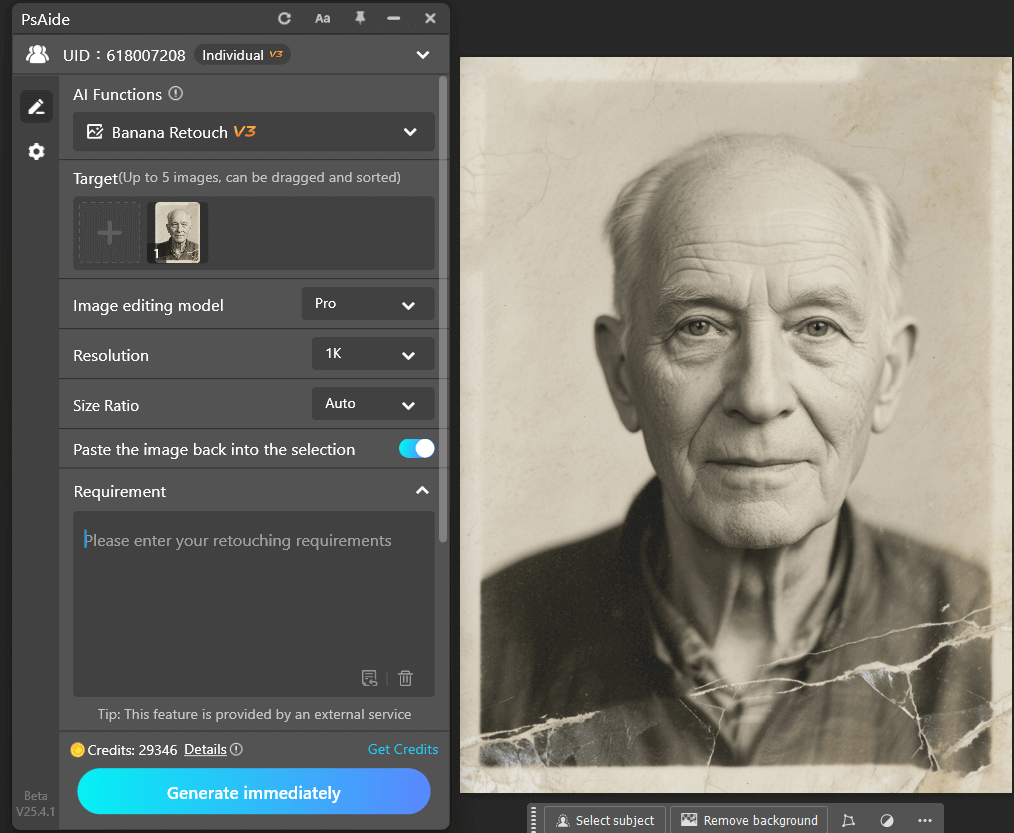
③ Enter the promt and click generate to obtain the AI-restored base layer
Restore this old photo and add color, removing all scratches, blemishes, fading, mold spots, and reflections. Recover clear facial features and more details. No over-sharpening; the image should be clean and natural. Change the background to white without altering the person’s details, resulting in a high-quality modern photo.
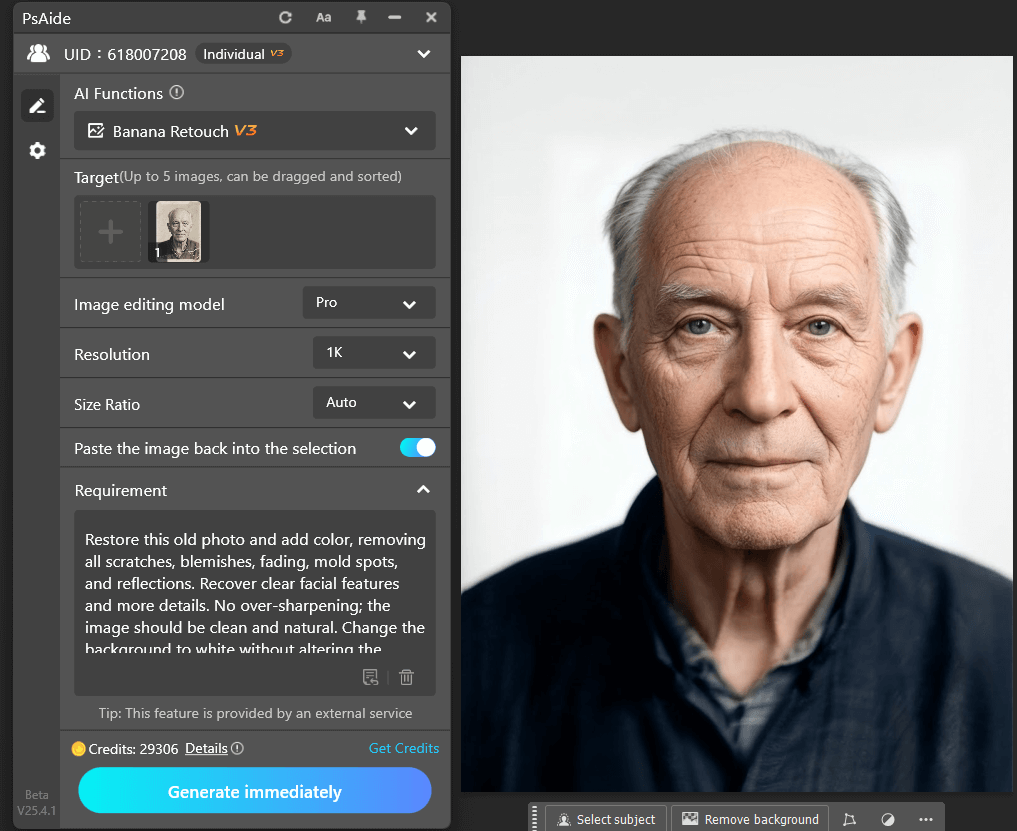
The generated result appears as an editable layer, allowing further refinement within Photoshop.
(2)Result Analysis
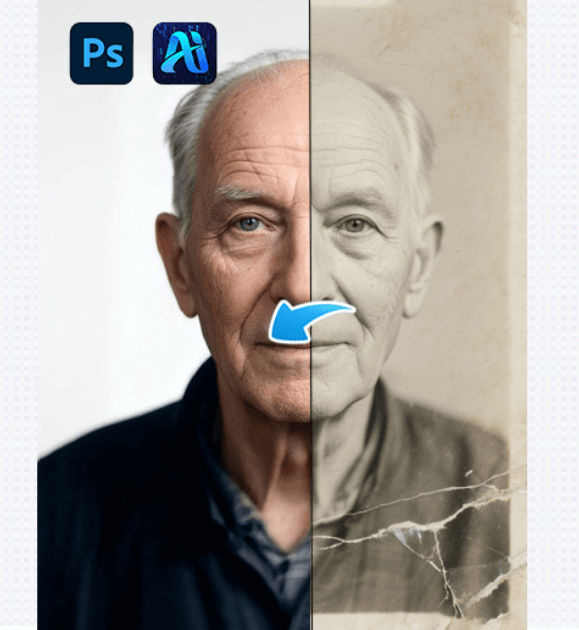
Nano Banana produces a structurally clean and restrained restoration base. Facial characteristics are preserved, and the image avoids an overly modern AI look.
For Photoshop users, this kind of result is more valuable than a polished image that cannot be adjusted.
5、Conclusion: How Photoshop Users Should Think About Restoration Software
From a Photoshop user’s perspective, choosing old photo restoration software is not about automation alone. The key considerations are:
① Seamless integration with Photoshop
② AI results that support further refinement
③ Respect for original photo characteristics
④ A balance between efficiency and control
Integrated solutions like Nano Banana fit naturally into professional restoration workflows.

Download Link: https://psaide.com/?sfrom=ZfhxUK
Invitation Code: ZfhxUK

