
Table of Contents
As AI-driven photo restoration becomes more accessible, users are often faced with a choice:
restore old photos directly inside Photoshop, or rely on standalone AI restoration tools.
While both approaches use AI technology, the difference between them goes far beyond interface preference.
For professional users—especially those already working in Photoshop—the workflow, control, and long-term usability matter far more than instant results.
This article breaks down the real differences between Photoshop-based restoration and standalone AI tools, from a practical, production-oriented perspective.
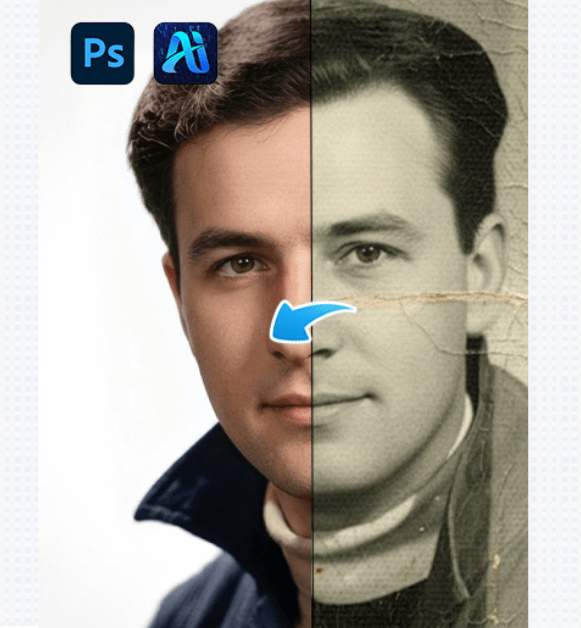
1、Workflow: Integration vs Isolation
(1)Photoshop-Based Restoration
Photoshop-based restoration relies on AI tools that operate inside the Photoshop environment, usually as plugins or integrated features.
The key advantage is continuity:
layers, masks, blending modes, and non-destructive edits remain intact throughout the restoration process.
This approach treats AI as one step in a larger workflow, not the final destination.
(2)Standalone AI Restoration Tools
Standalone tools typically require users to upload an image, process it externally, and download the result.
While fast, this workflow is isolated.
Once the AI finishes, the result is usually flattened, limiting further structural adjustments.
Speed is prioritized over flexibility.
2、Control: Adjustable Foundations vs Fixed Results
(1)Photoshop-Based Tools Offer Adjustable Bases
In Photoshop-based restoration, AI output is commonly delivered as a new layer.
This allows users to adjust opacity, apply masks, or blend AI restoration selectively.
AI becomes a foundation, not a replacement.
(2)Standalone AI Tools Deliver Fixed Outputs
Most standalone AI tools present the restored image as a finished product.
If facial structure or texture feels incorrect, users often have no choice but to reprocess the image or accept the result.
This lack of granularity can be limiting for professional restoration work.
3、Case Study: Restoring a Portrait From the 1950s
Reference This case reflects a real restoration workflow and is used to compare restoration approaches, not to showcase exaggerated AI results.
(1)Using a Standalone AI Restoration Tool
The photo is uploaded and processed automatically.
The output appears sharper, but skin texture becomes overly smooth, and facial features look subtly modernized.
Further refinement options are limited.
(2)Using Photoshop-Based AI Restoration nano banana
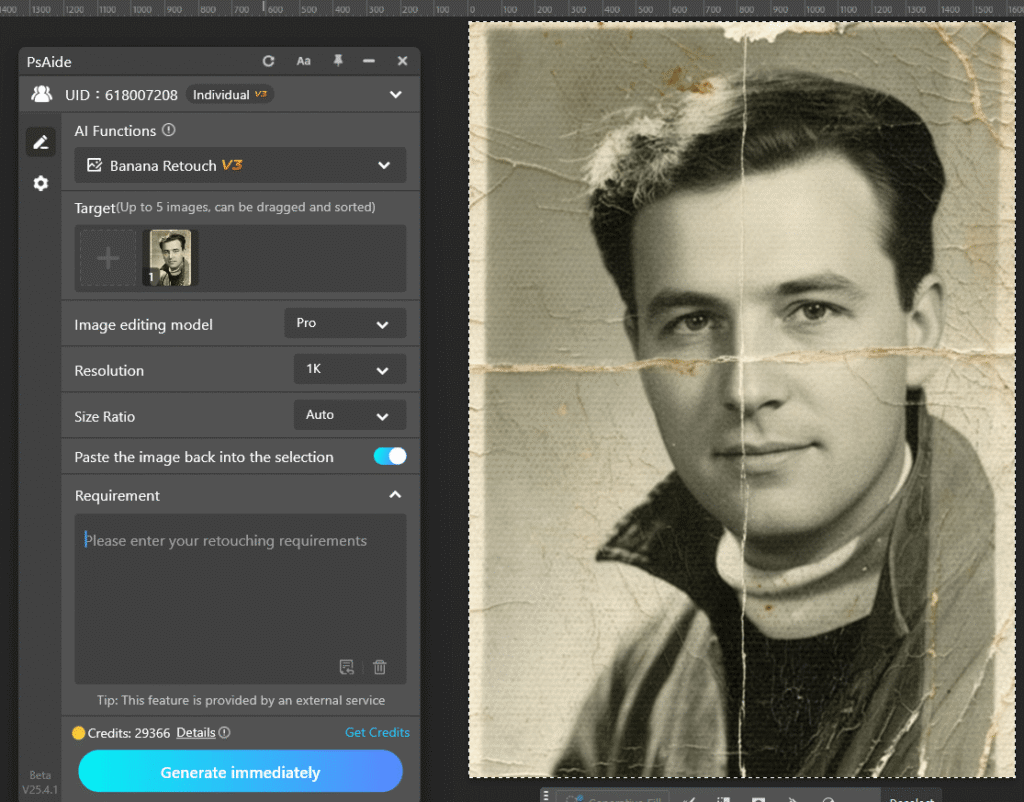
The image is opened in Photoshop and processed using an integrated AI restoration tool.
The restored result appears on a separate layer.
By reducing opacity and applying masks, clarity is improved while original grain and facial structure remain intact.
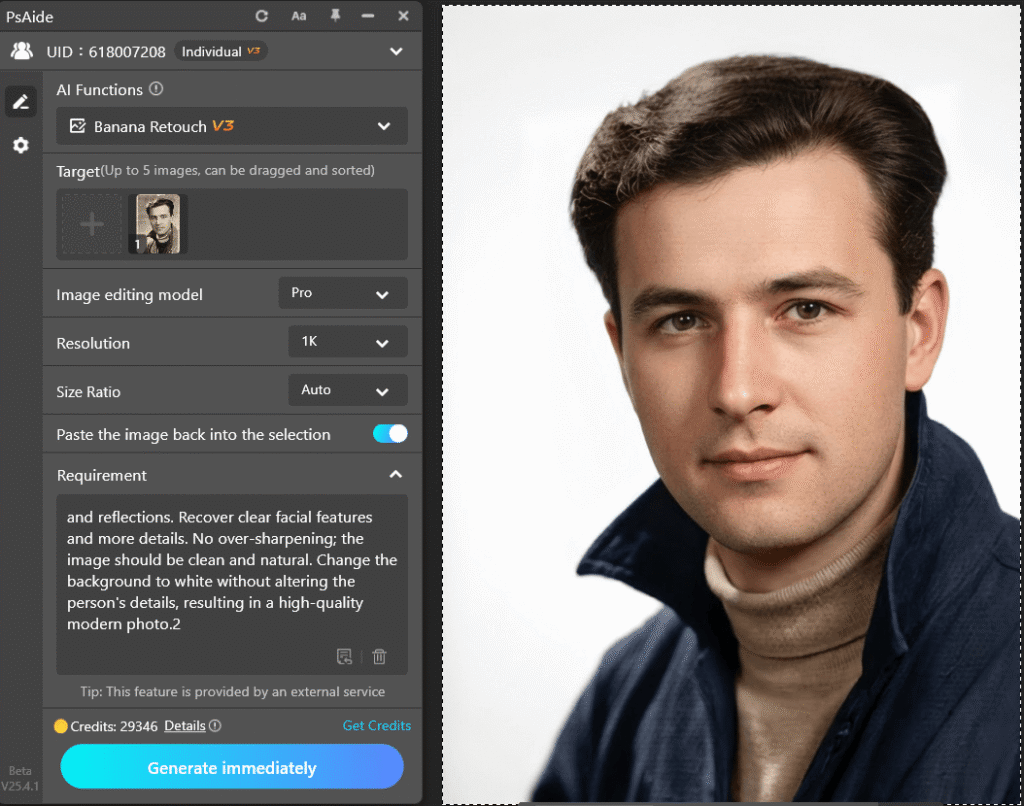
This workflow allows the user to stop restoration before authenticity is compromised.
4、Conclusion: The Real Difference Is Control
The true difference between Photoshop-based restoration and standalone AI tools is not AI quality—it is control.
Photoshop-based restoration treats AI as a collaborator.
Standalone AI tools treat AI as the decision-maker.
For users who value authenticity, flexibility, and professional refinement, Photoshop-based restoration remains the more sustainable choice.

Download Link: https://psaide.com/?sfrom=ZfhxUK
Invitation Code: ZfhxUK

