Table of Contents
Selling cosmetics online? You need stunning photos of models holding your products—perfume, lipstick, skincare bottles, and more. But reshooting for every new item? Or spending hours editing old pictures? It’s a total hassle… until now!
Banana Retouch (powered by Nano Banana inside the PsAide plugin) makes swapping cosmetics in model photos incredibly easy. No professional skills or complicated steps—perfect for busy beauty e‑commerce sellers!
How to Swap Cosmetics Using Banana Retouch (3 Simple Steps)
Generate & Use Your Perfect Photo
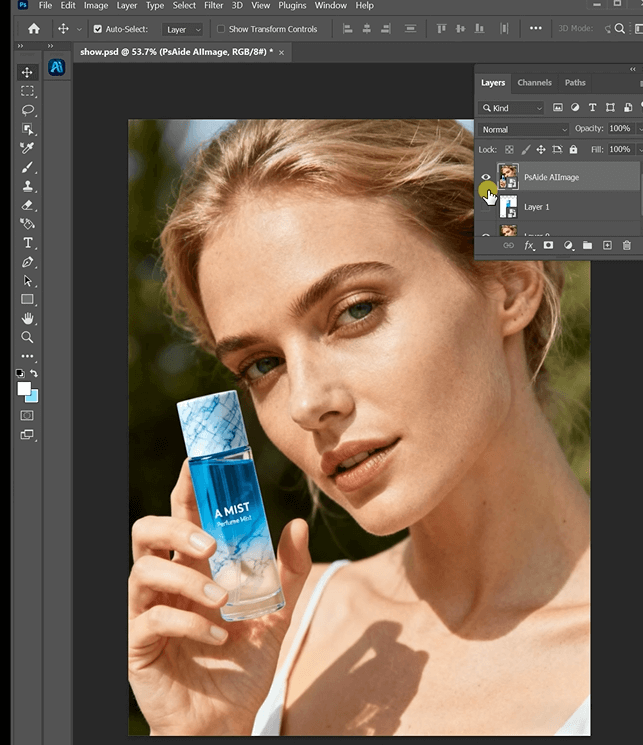
Click “Generate.” In seconds, Banana Retouch’s AI delivers a natural‑looking result: the model holds your new cosmetic as if it were made for them—perfectly sized, lit, and positioned. Export it and use it instantly in listings, social media, or ads.
1.Prepare Your Photo in Photoshop – A 2‑Minute Trick
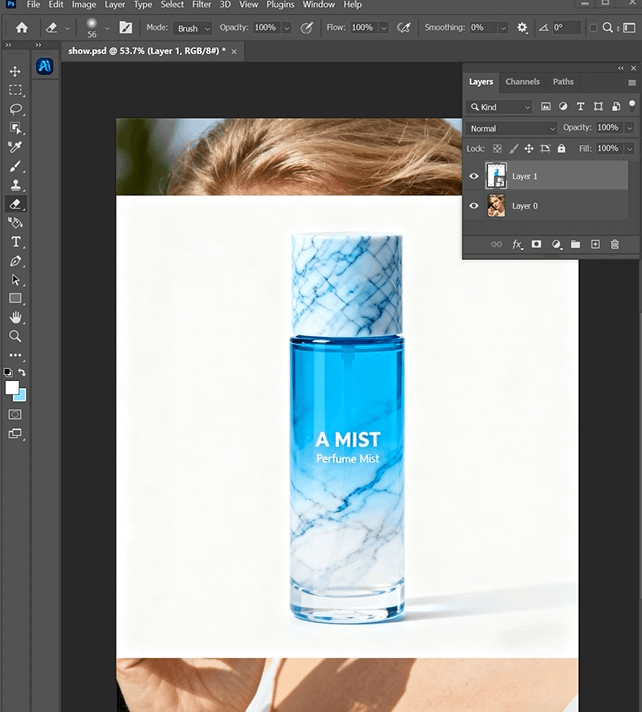
Upload your model photo (with the old cosmetic item, such as a perfume bottle) to Photoshop.
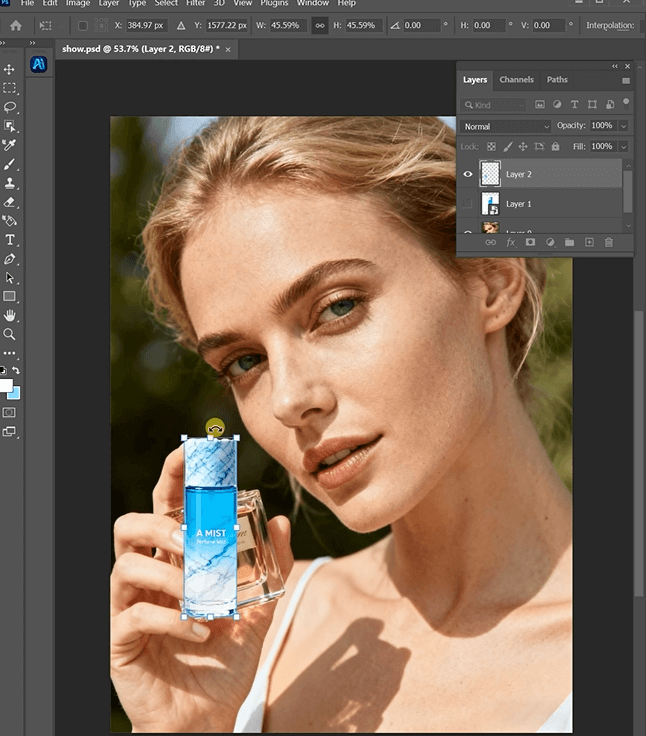
2.Open Banana Retouch in PsAide
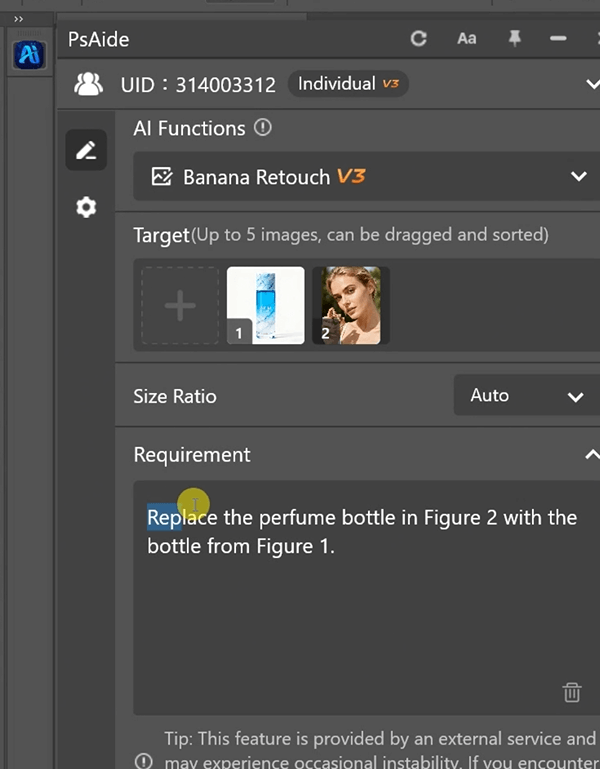
Launch the PsAide plugin and select “Banana Retouch.” The interface is clean and intuitive—no confusing buttons or sliders, even for beginners.
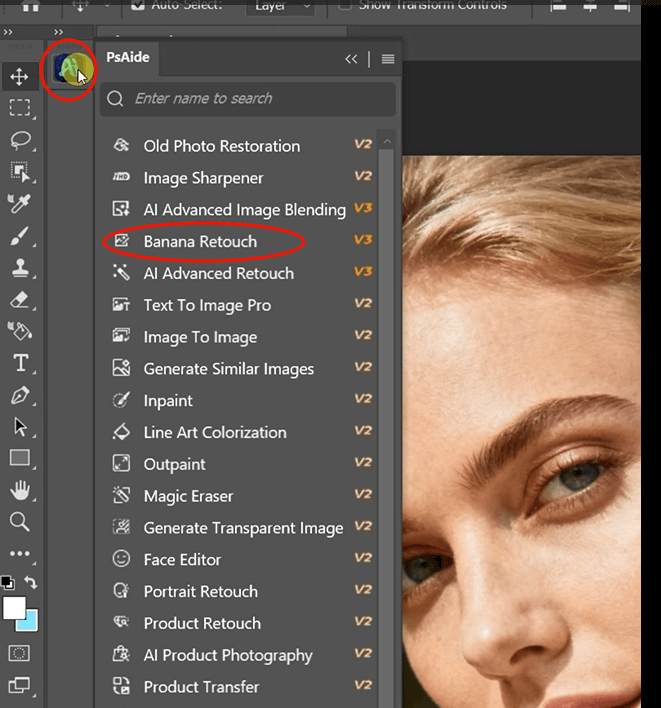
3.Upload Your Images & Enter a Simple Prompt
Upload two photos:
Image 1: Your new cosmetic product (the one you want to feature).
Image 2: The model photo
Then type a prompt like: “Replace the perfume bottle in Image 2 with the bottle from Image 1.” (You can swap “perfume bottle” with lipstick, serum, or any cosmetic—it works for all!)
4.Generate & Use Your Perfect Photo
Click “Generate.” In seconds, Banana Retouch’s AI delivers a natural‑looking result: the model holds your new cosmetic as if it were made for them—perfectly sized, lit, and positioned. Export it and use it instantly in listings, social media, or ads.
Why Banana Retouch Is Essential for Beauty E‑Commerce
- Saves time: Edit 15+ cosmetic photos in an hour—ideal for launching new collections.
- Eliminates reshoots: Reuse existing model photos to showcase new products, slashing costs.
- Looks authentically real: AI matches texture, lighting, and grip—shoppers will never guess it’s edited.
- Easy for everyone: Your team, your intern, or you—no design experience needed.
- Works for all cosmetics: Perfume, lipstick, foundation, skincare tubes—any small beauty item.