Table of Contents
The holiday season is here, and e-commerce sellers are racing to post cozy Christmas sweater photos. But reshooting models for every new sweater? Or spending hours editing old pics? Total holiday stress—until Nano Banana stepped in!
Banana Retouch (built into the PsAide plugin) is powered by Nano Banana. It’s the secret to quick, easy outfit swaps—no design skills, no endless editing. Perfect for busy sellers during the festive rush!
1.Holiday E-Commerce Pain Points (That Nano Banana Fixes)
- Christmas is fast! Manual editing takes hours—you can’t wait when listings need to go live ASAP.
- Reshooting models for every new sweater costs time and money (hello, holiday budget crunches!).
- DIY edits look wonky: sweaters don’t fit right, colors clash with festive backgrounds, or fabric looks fake.
- No design skills? Hiring a pro delays your listings—bad news when shoppers are ready to buy!
2.How to Swap Christmas Sweaters with Nano Banana (Super Simple Steps + Pro Tip!)
① Prep Your Image in Photoshop (5-Minute Hack)
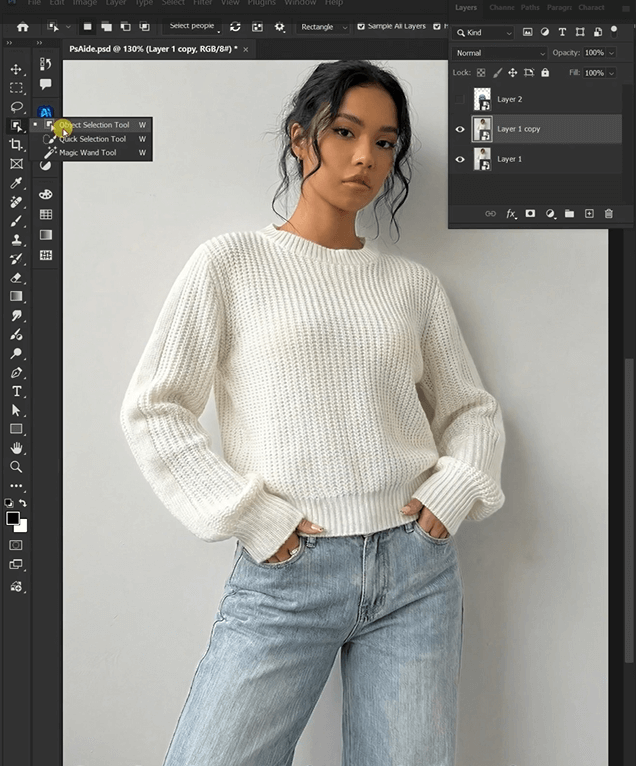
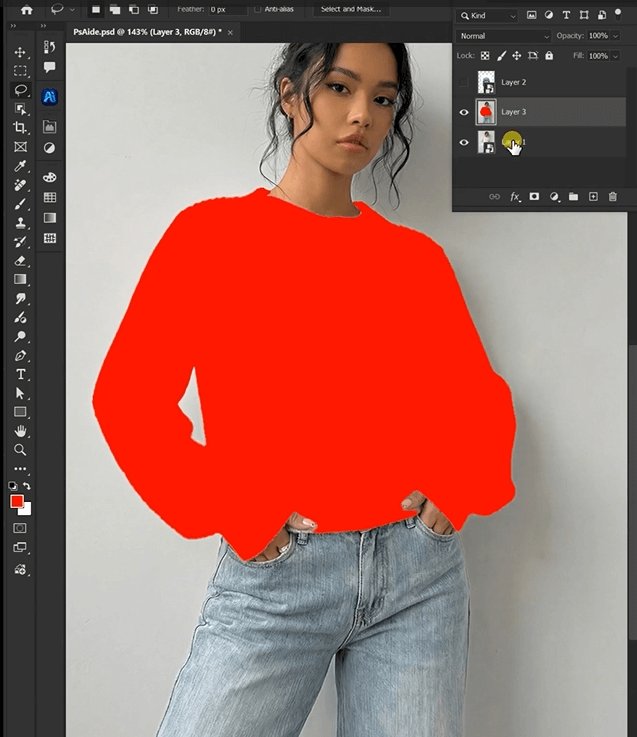
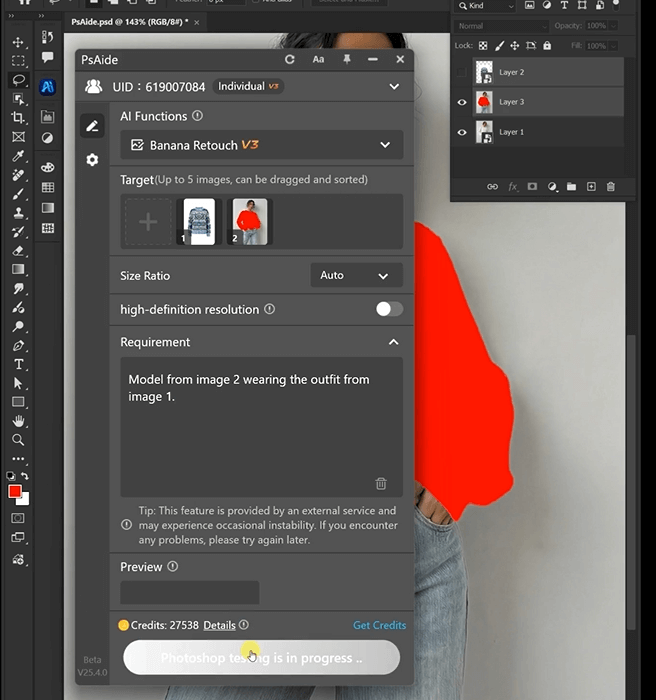
Upload your model’s photo (with their old top) to Photoshop. Grab the Paint Bucket or Brush Tool—fill the area where you want the Christmas sweater with bright red. Pro tip: Make sure the red covers the whole old outfit—this helps Nano Banana spot the area faster!
②Open Banana Retouch in PsAide
Launch the PsAide plugin. Click “Banana Retouch”—the screen is so easy, even if you’re new to editing! No confusing sliders or settings.
③ Upload Pics & Type Your Quick Prompt
Upload two photos:
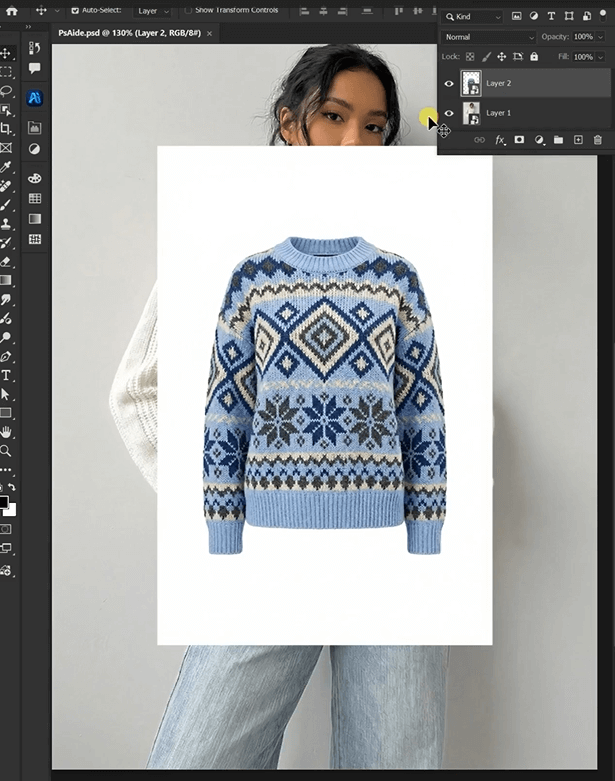
- Image 1: Your star Christmas sweater (the one you want to sell!).
- Image 2: The model’s photo with the red-filled area.
Type this short prompt: “Model from image 2 wearing the outfit from image 1.” That’s it—no fancy words needed!
④ Generate & Share Your Festive Photo
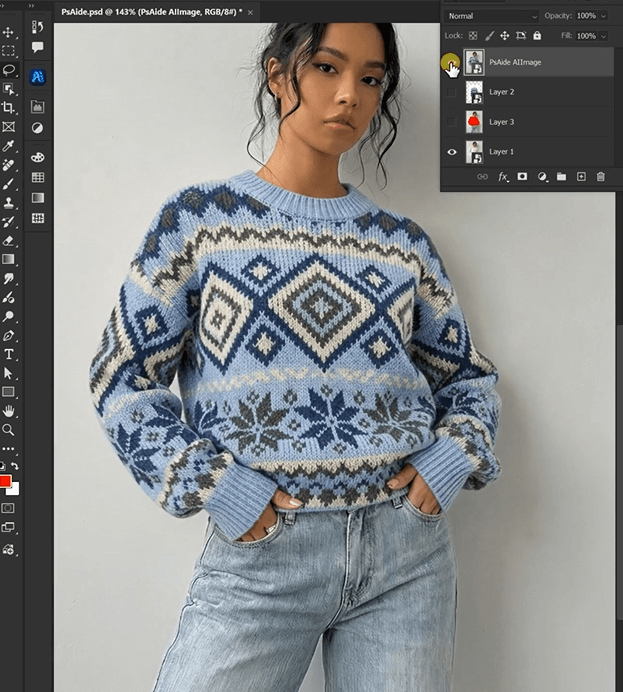
Hit “Generate.” Nano Banana’s AI works in SECONDS! You’ll get a photo where the model wears your Christmas sweater like it was made for them—perfect lighting, natural fit, and cozy holiday vibes. Export it and add to your listings, social media, or email campaigns right away.
3.Why Nano Banana Is a Holiday Lifesaver for E-Commerce
- Saves you from last-minute stress: Edit 20+ sweater photos in an hour—ideal for the busy holiday season.
- No reshoots needed: Use existing model photos to showcase new sweaters—cut costs and save time.
- Looks totally real: AI matches fabric texture, holiday lighting, and even the model’s pose—shoppers won’t guess it’s edited.
- Anyone can use it: Your team, your intern, even you—no design degree required.
4.Let’s Get Festive!
This Christmas, don’t let editing hold you back. Nano Banana (in PsAide’s Banana Retouch) makes swapping sweaters a breeze—so you can focus on selling, not stressing.
Try it today, and tag us in your holiday sweater pics! We can’t wait to see your cozy, Nano Banana-edited visuals. 🎅✨
P.S. The faster you edit, the more time you have for hot cocoa and holiday deals—win-win!