
Table of Contents
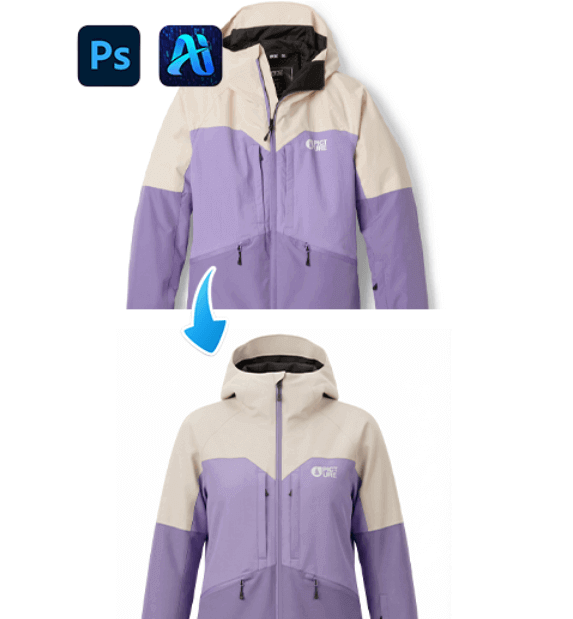
PSAide’s Nano Banana Pro simplifies apparel retouching by erasing wrinkles and refining garment fit—elevating creased product photos into sleek, professional visuals. Here’s how to achieve polished results.
1. Pro Tip for Effective Wrinkle Removal & Fit Correction
Before editing: Use a high-resolution photo of the garment — higher detail helps Nano Banana Pro accurately detect wrinkles and preserve fabric texture during retouching.
2. Key Benefits of Nano Banana Pro for Apparel Editing
① Tackles Wrinkles & Fit in One Edit: Unlike manual retouching , Nano Banana Pro fixes both issues at once—smoothing creases while adjusting the garment’s shape for a tailored, retail-ready look.
② Preserves Brand & Fabric Details: The tool avoids over-editing—keeping logos and fabric textures intact, so the garment retains its original design identity.
3. 3-Step Workflow: Nano Banana Pro Clothing Retouch
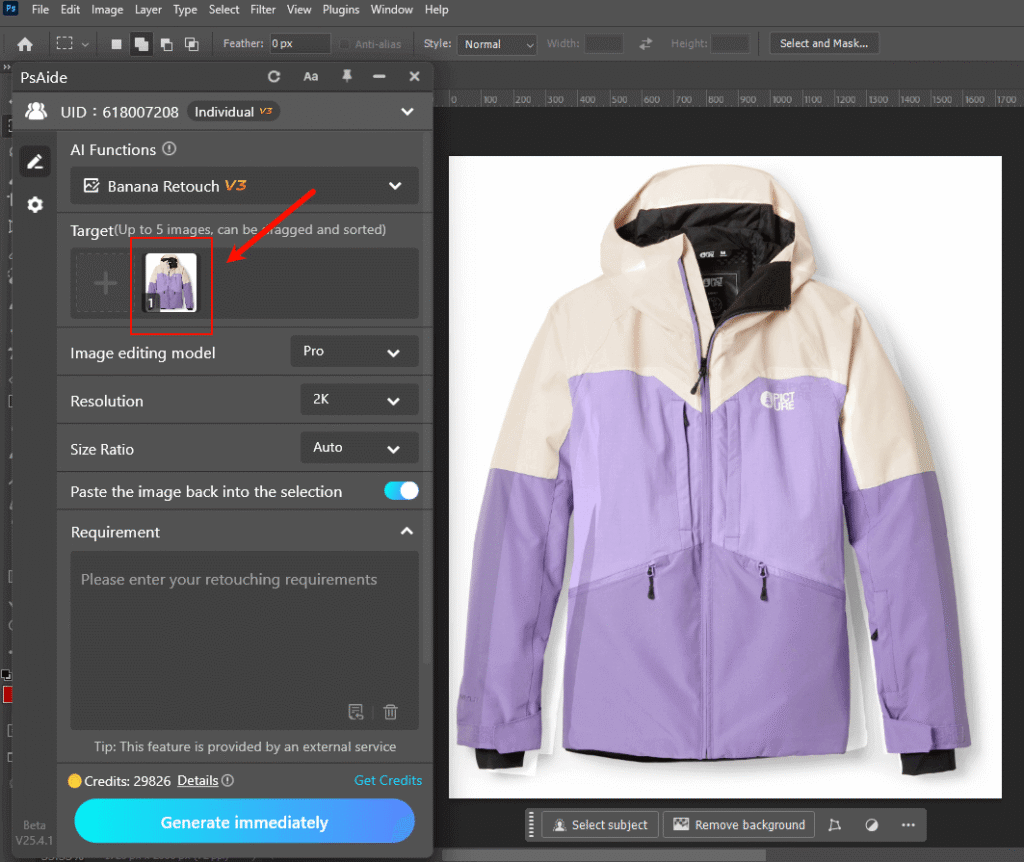
① Import the Garment Photo: Open the clothing image in Photoshop, then select the Nano Banana function,upload the garment as the target asset.
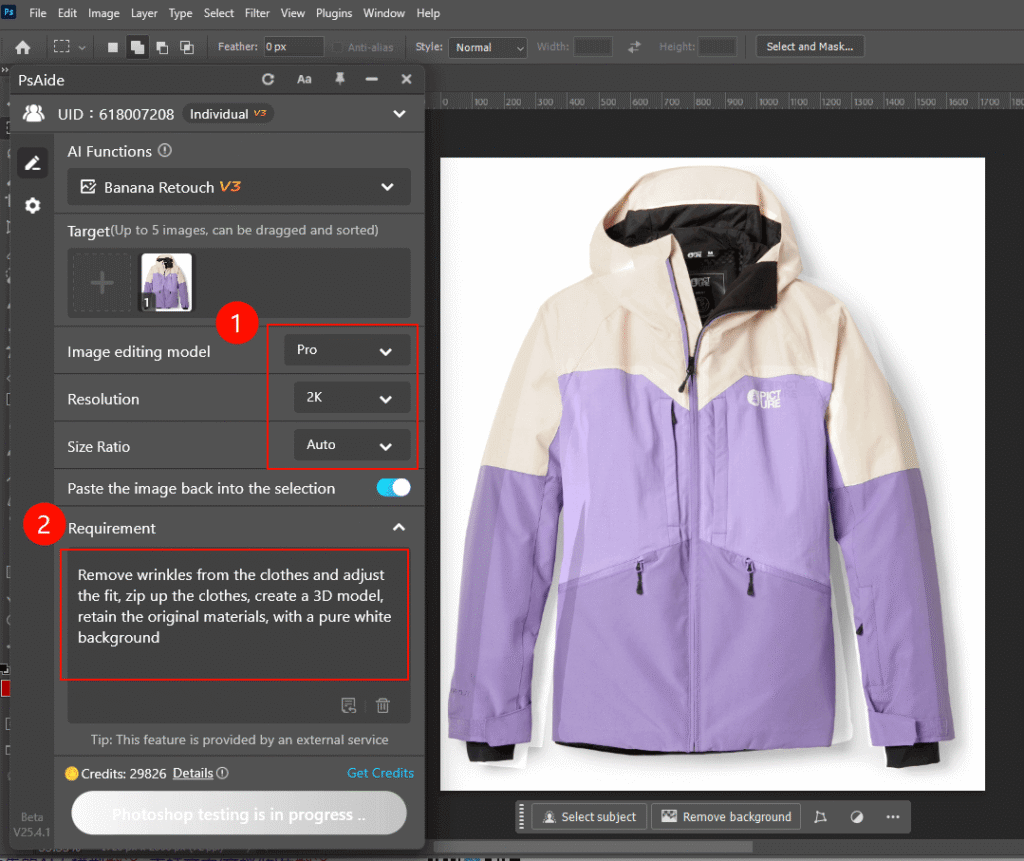
② Define Retouch Requirements: In the PSAide panel, Enter a prompt:
“Remove wrinkles from the clothes and adjust the fit, zip up the clothes, create a 3D model,retain the original materials, with a pure white background.”
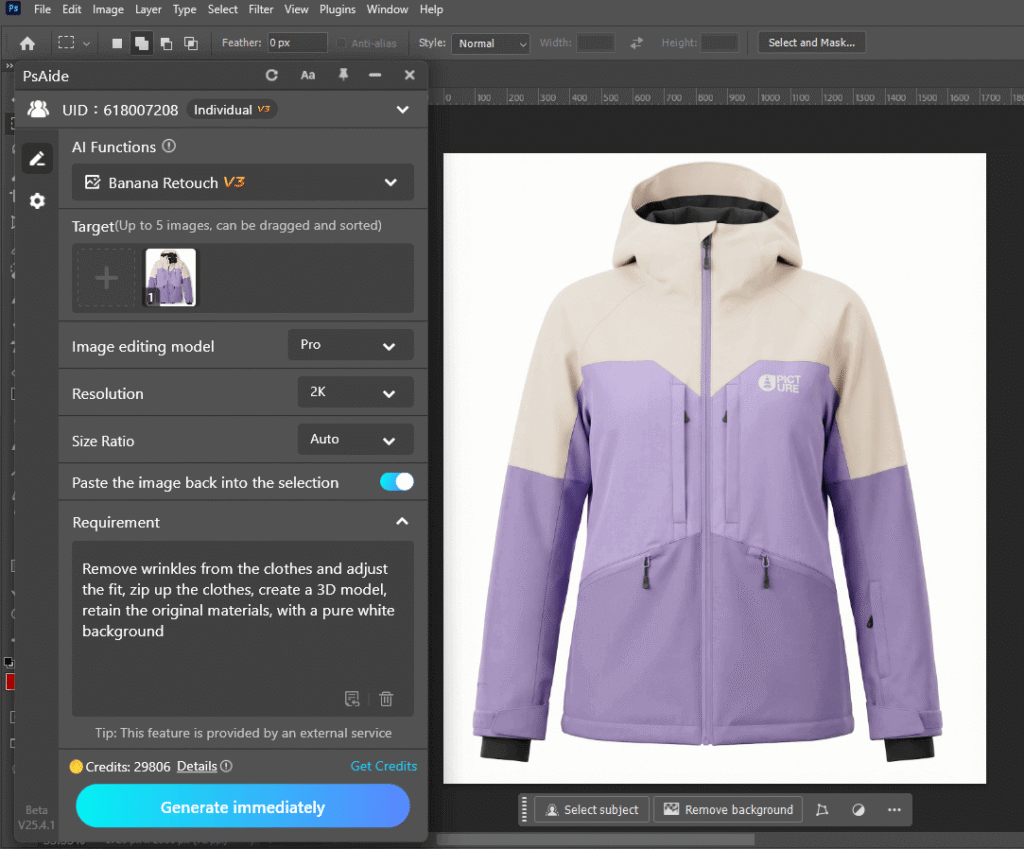
③ Generate & Finalize:
Click “Process” to start retouching. Preview the wrinkle-free, well-fitted result — tweak the prompt if needed, then download the final professional-grade image.
4. Tool Access & Download
PSAide’s Nano Banana Pro is a must-have for fashion brands, e-commerce sellers, and designers needing high-quality apparel visuals.

Download Link: https://psaide.com/?sfrom=ZfhxUK
Invitation Code: ZfhxUK
Click here to discover more usage tips and in-depth information on Nano Banana Pro!

