
Table of Contents
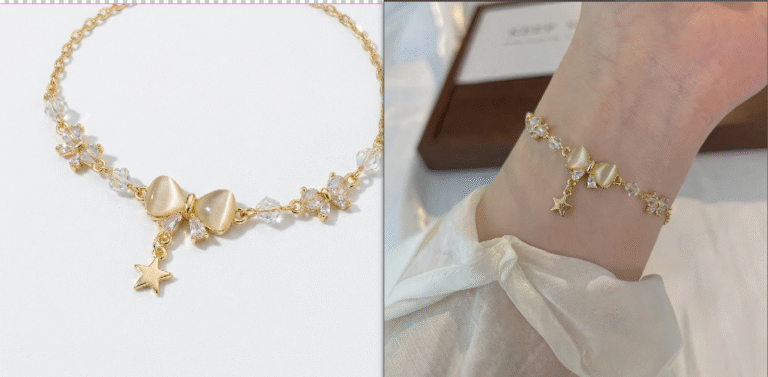
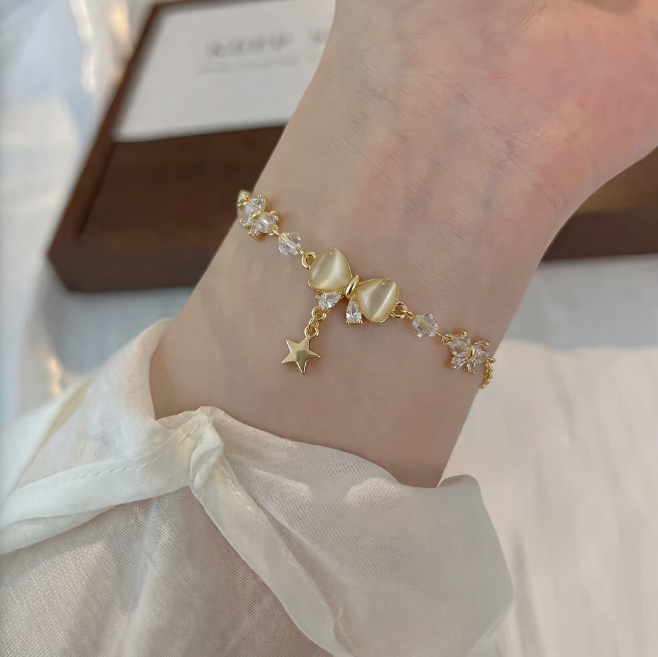
For e-commerce jewelry designers, replacing a bracelet on a model is often needed but difficult in native Ps.
Manual cutting, adjusting and lighting matching usually lead to rough edges, poor fitting and unnatural reflections.
Psaide Nano Banana uses AI migration to intelligently fit the wrist, match lighting and keep delicate details in one click.
1.Pain Points of Manual Bracelet Replacement in PS
- Hard to cut fine chains and diamonds without damaging details
- Difficult to fit the wrist curve naturally
- Mismatched lighting and fake metallic reflection
- Complex steps and low efficiency for batch work
2.Step-by-Step AI Bracelet Replacement with PS + Nano Banana
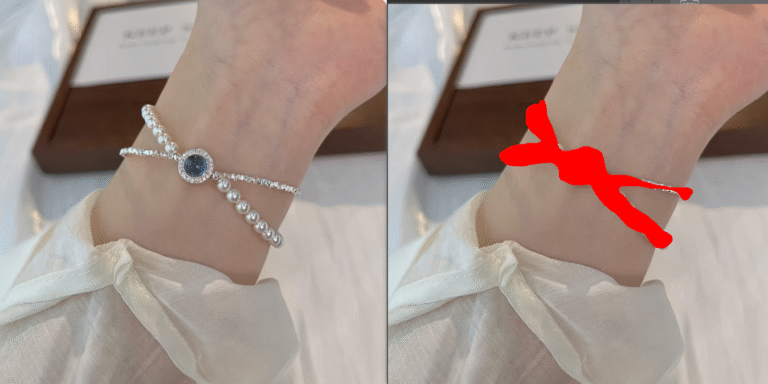
- Mark the original bracelet in red Open the model image in Ps, select the bracelet area with the Lasso Tool and fill it with red for accurate AI recognition.
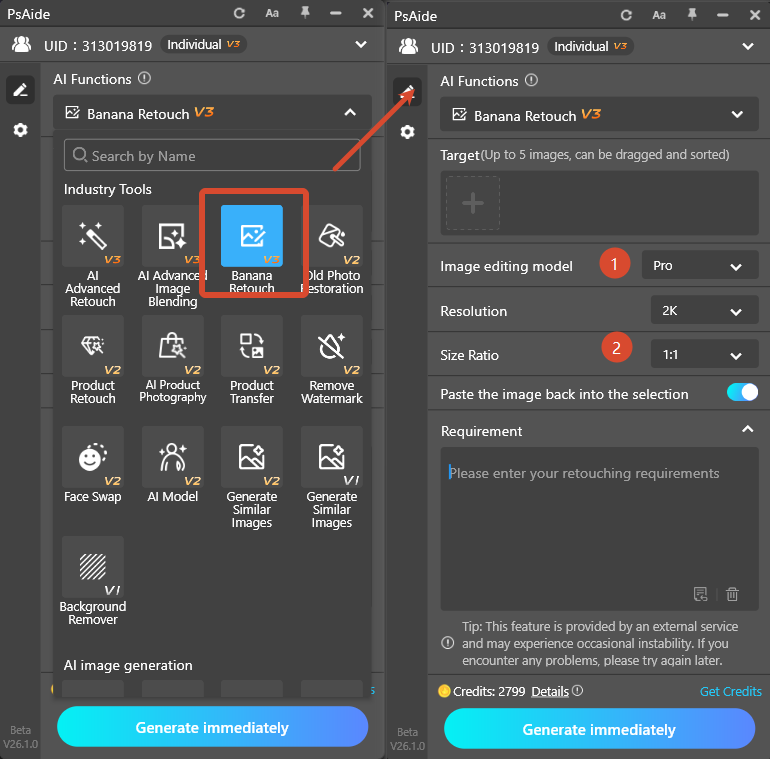
- Set up the plugin Launch Psaide, enter Nano Banana Pro, and keep the ratio the same as the original image.
- Upload images Upload the new bracelet (Image 1) and the red-marked model image (Image 2).
- Enter the prompt Replace the bracelet in Image 2 with the one in Image 1, keep all details of Image 1.
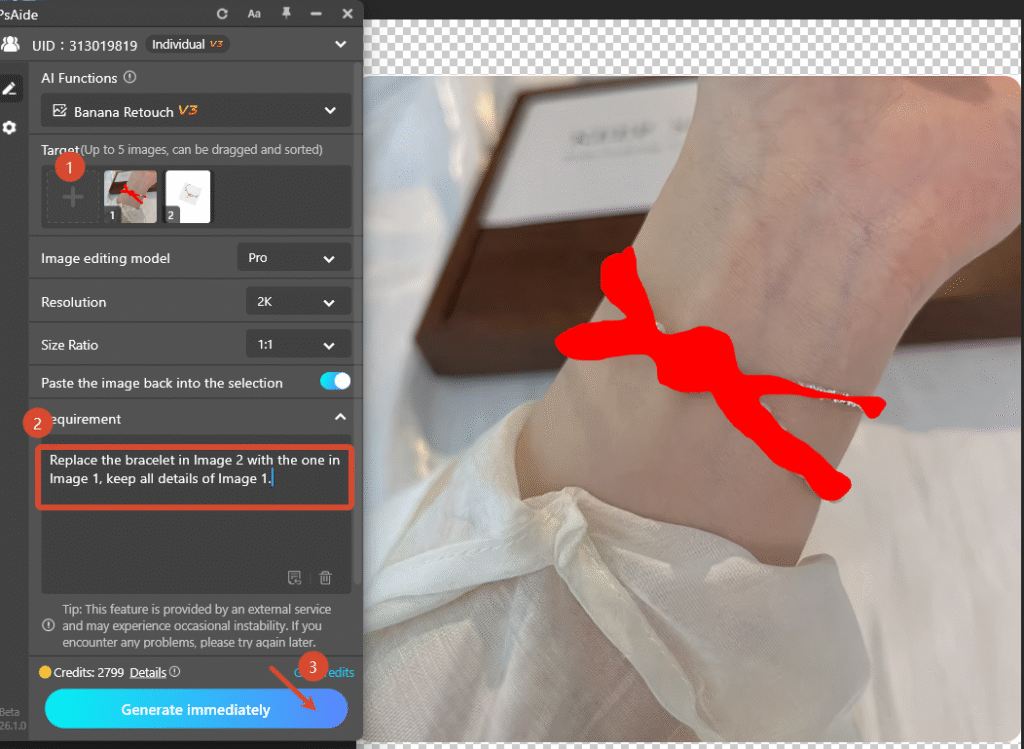
- Generate AI automatically replaces the bracelet, fits the wrist, matches lighting and produces a seamless, commercial-ready effect.
3.Alternative AI Retouching Methods
- AI cutout + manual transform for simple bracelets
- AI lighting refinement to improve reflection and blending
Create natural, professional bracelet replacement quickly with Ps and Psaide Nano Banana.
4.Download link

https://psaide.com/?sfrom=A86R4u
Invitation Code: A86R4u

