
Table of Contents
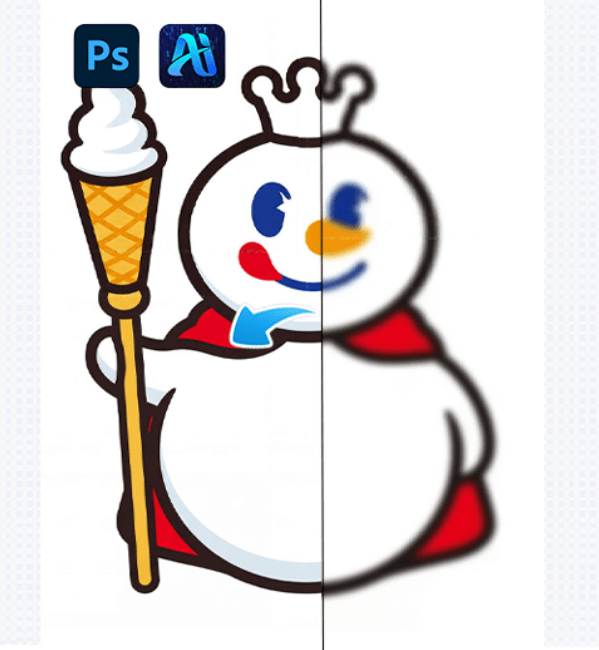
We’ve all experienced the frustration of blurry or pixelated photos. Whether it’s a quick shot on your phone or an old scanned image, PSAide’s Nano Banana Pro uses AI technology to transform those blurry, low-resolution images into stunning HD photos with just a few clicks. Here’s why you should choose it.
1. Why Choose Nano Banana Pro for HD Restoration?
(1) AI-Driven Enhancement
Nano Banana Pro uses AI to intelligently restore details like textures and edges, making blurry images clear and natural.
(2) One-Click Restoration
No complicated settings—just upload the image and click once. The AI will automatically restore it for you.
(3) Perfect for All Users
Whether you’re a beginner or a professional, Nano Banana Pro is easy to use and delivers professional-quality results every time.
2. How to Use Nano Banana Pro for HD Restoration
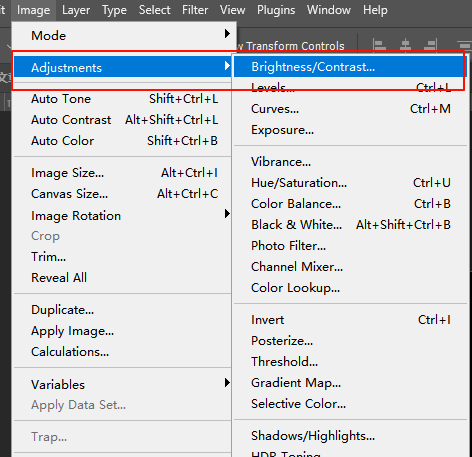
(1) Step 1: Prepare Your Image in Photoshop
Open the blurry image in Photoshop, adjust brightness and contrast to help the AI recognize the details better.
(2) Step 2: Activate the PSAide Plugin
Import the image into the plugin, Enter the prompt
“HD restoration”.

(3) Step 3: Upload and Generate HD Image
Click “Generate immediately” , and the AI will begin restoring the image to HD quality.

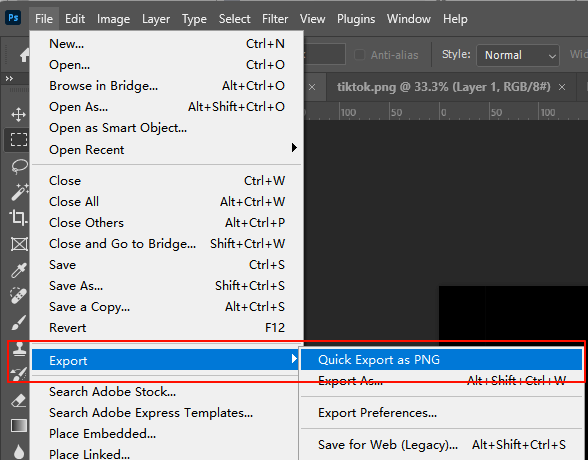
(4) Step 4: Fine-Tune and Export
Once the restoration is complete, you can make final adjustments using Curves or Levels, then export the HD image as PNG or JPEG.
3. Practical Use Cases for Nano Banana Pro
(1) Restoring Old Photos
Restore blurry scanned old photos to HD quality, preserving precious memories.
(2) Enhancing Smartphone Photos
Fix blurry photos caused by low light or motion blur from your phone.
(3) E-Commerce Product Images
Enhance product photos to make them sharp and clear for online stores.
(4) Social Media and Personal Projects
Enhance images for blogs, Instagram, or personal portfolios with HD quality.
4. Conclusion: Say Goodbye to Blurry Photos
If you’ve ever struggled with blurry or low-resolution images, PSAide’s Nano Banana Pro is the solution you’ve been waiting for. It’s fast, easy to use, and delivers impressive results. Whether you’re a photographer, designer, or just looking to improve your personal photos, PSAide is the perfect tool to help you restore and enhance your images.
Download PSAide plugin now and experience the power of AI-driven image restoration!
Download Link: https://psaide.com/?sfrom=ZfhxUK
Invitation Code: ZfhxUK

