
Table of Contents
Blurry images can be a real headache, whether they come from a shaky hand, poor lighting, or simply a low-resolution file.
But now, thanks to PSAide’s Nano Banana Pro, restoring blurry images to crisp, high-definition quality is easier than ever before. With the power of AI technology, you can bring back the details and clarity in just a few clicks—no advanced skills required.
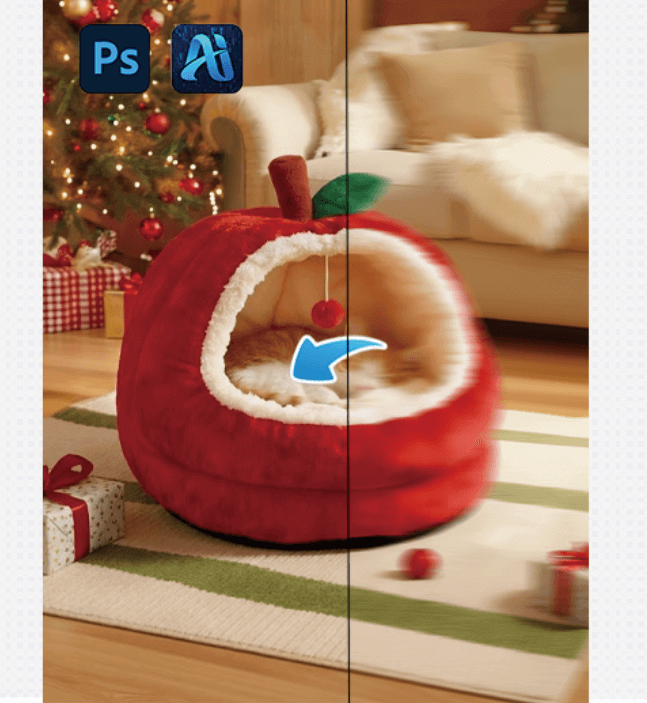
1.How to Restore Blurry Images with Nano Banana Pro
(1) Step 1: Prepare the Image in Photoshop
Start by opening the blurry image in Photoshop. Adjust the brightness and contrast if necessary to make the details more visible for AI analysis.
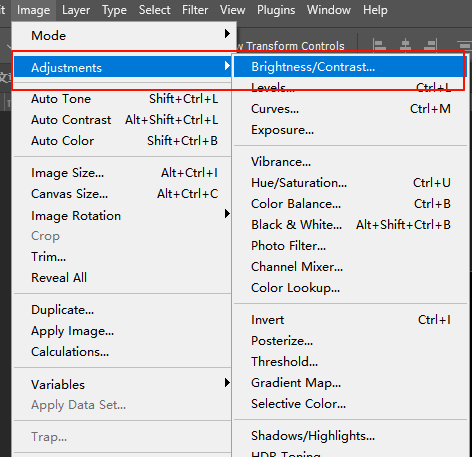
(2) Step 2: Launch the PSAide Plugin
In Photoshop, open the PSAide plugin, and select Banana retouch from the options. Import your image into the PSAide plugin workspace.

(3) Step 3: Upload the Image and Let the AI Work
Click “Generate immediately”, and the AI will begin its work, restoring your image to HD quality.
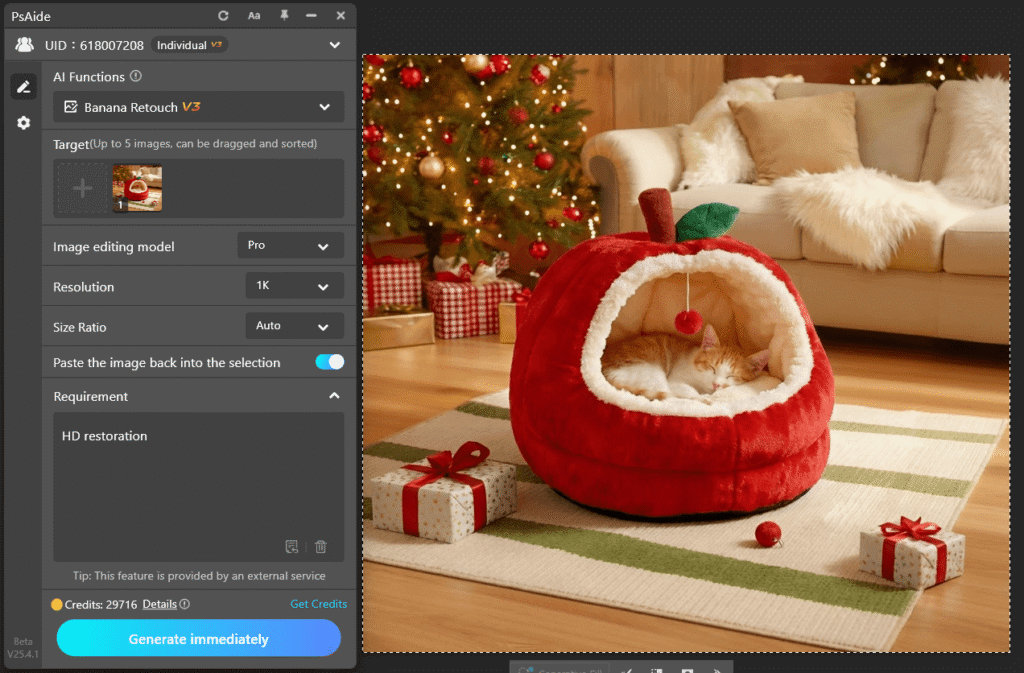
(4) Step 4: Fine-Tune and Export
Once the AI has done its job, you can make final tweaks using tools like Curves or Levels to adjust the overall look. Once you’re satisfied, export the image in PNG or JPEG format.
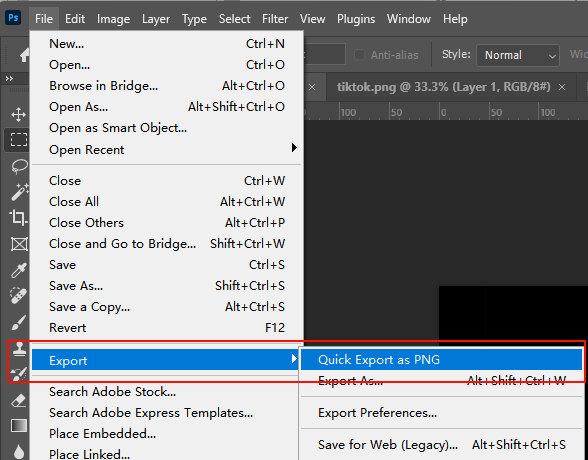
2.Why PSAide is the Best Solution for HD Restoration
(1) Quick and Efficient
PSAide uses AI to automatically restore blurry or low-res images, saving you hours of manual editing.
(2) No Extra Software Needed
The plugin works directly within Photoshop, so you don’t need to switch between different programs or worry about compatibility issues.
(3) High-Quality Results Every Time
The AI technology ensures the restored image maintains natural details, textures, and clarity, so it looks just like the original—only better.
3.Conclusion: Transform Your Blurry Images into HD Masterpieces
If blurry or low-resolution images have been a constant frustration for you, PSAide’s Nano Banana Pro is the solution you’ve been waiting for. It’s fast, easy, and delivers stunning results every time. Whether you’re a professional photographer, designer, or just someone who wants to make their personal photos shine, PSAide is your perfect tool for high-definition restoration.
Download PSAide today and start turning your blurry images into HD-quality masterpieces!
Download Link: https://psaide.com/?sfrom=ZfhxUK
Invitation Code: ZfhxUK

